

/hr/team-timesheets.
Overview
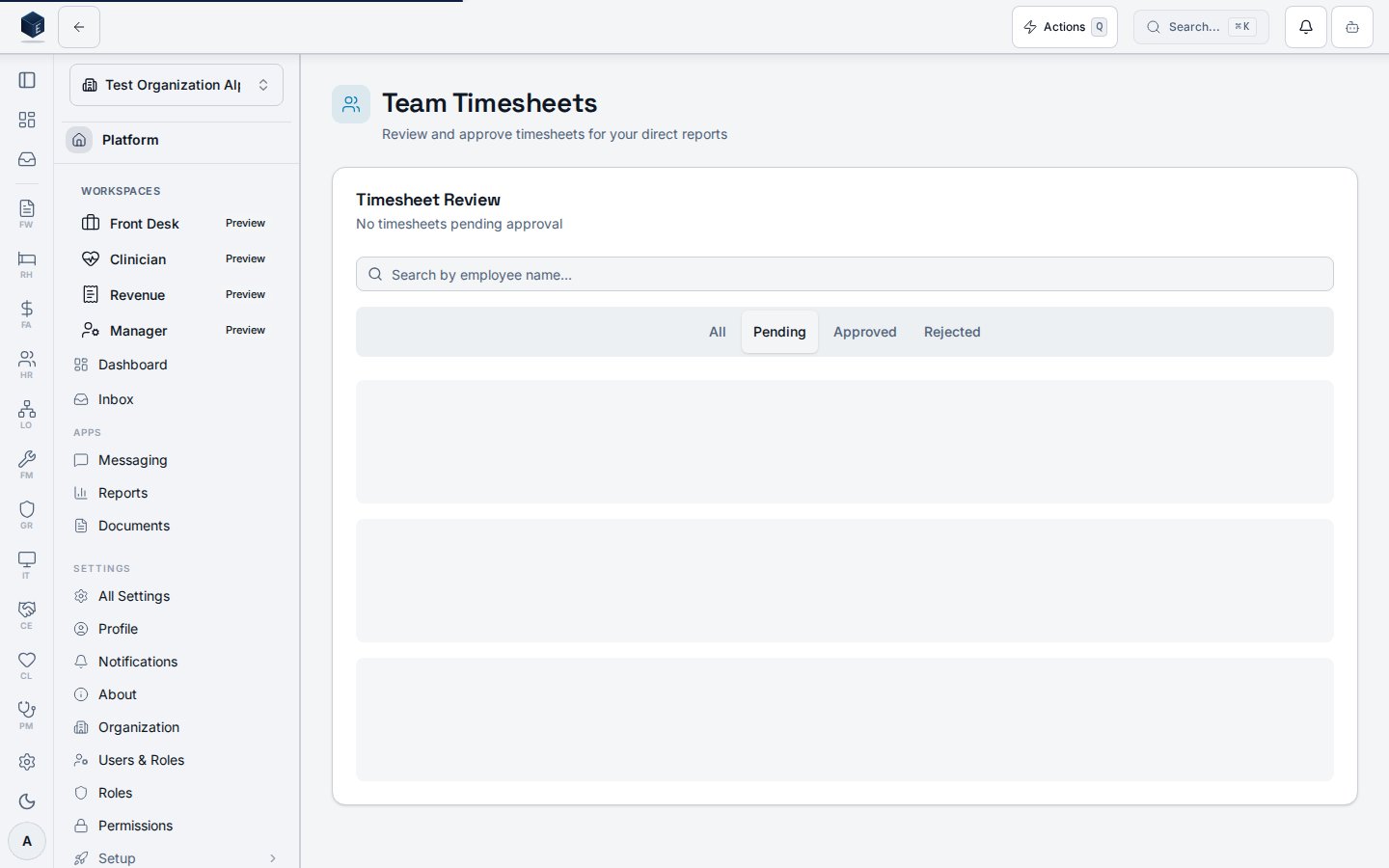
The page usesuseTeamTimesheets with a statusFilter (defaulting to submitted). Results are locally filtered by employee name search. Status tabs (submitted, approved, rejected, all) each display a count badge. TeamTimesheetCard components render individual timesheets. BulkApprovalActions handles multi-select approvals. A TimesheetApprovalDialog opens for individual inline review.
Who it’s for
- List and review:
hr.timesheets.team.view— required byRequirePermissionguard inhr.tsx. - Punch corrections:
hr.timesheets.team.edit— required to show Add Missed Punch and row-level edit actions on the detail page.
Before you start
- Employees must have submitted timesheets for them to appear in the default Submitted tab.
- Punch correction requires
hr.timesheets.team.editand a timesheet indraft,submitted, orrejectedstatus. Approved and paid timesheets are locked for managers; the detail page shows a message to contact HR.
Steps
Review individual timesheets- Navigate to HR > Team Timesheets or go to
/hr/team-timesheets. - The Submitted tab opens by default showing timesheets awaiting approval.
- Use the search input to filter by employee name.
- Click a timesheet card to open the detail page at
/hr/team-timesheets/:id.
- Select multiple timesheet cards using their checkboxes.
- Use Bulk Approval Actions to approve all selected timesheets at once.
Key concepts
Viewing a team timesheet
The Team Timesheet Details page allows a manager to review a specific employee’s timesheet, correct punches when permitted, and approve or reject a submitted timesheet. It is served at route/hr/team-timesheets/:id.
The page loads timesheet data via useTimesheetDetail(id). Time entries render in TimesheetEntriesTable with optional audit subtext (PunchAuditMeta). Approval and rejection use useTimesheetApproval. Punch corrections use useTimesheetCorrections in team mode.
Review and approve
- From
/hr/team-timesheets, click a timesheet card to open the detail page. - Review the summary (total, regular, and overtime hours) and the daily breakdown table.
- Approve: When status is
submitted, click Approve to approve the timesheet. - Reject: Click Reject, enter a rejection reason (minimum 10 characters), and confirm.
hr.timesheets.team.edit and an editable timesheet status (draft, submitted, or rejected).
- In the daily breakdown, click the pencil icon on a clock-in or clock-out row.
- In Edit Punch Time, review the read-only original time, enter a New Time, and provide a Reason for Edit (minimum 10 characters).
- Click Save Edit. The dialog warns that the edit is logged for audit purposes.
- After save, hours recalculate and the punch shows an edited indicator (warning icon). Hover the Edited by line to see the reason when audit display is enabled.
hr.timesheets.team.edit and an editable timesheet status.
- Click Add Missed Punch in the page header.
- Select Punch Type (Clock In, Clock Out, Break Start, or Break End), Date, and Time.
- Enter a Reason (minimum 10 characters) and click Add Punch.
- The new punch appears in the daily breakdown and timesheet totals refresh.
approved or paid, correction buttons are hidden and the page may show: This timesheet is locked. Contact HR to request a correction.
Related
Human Resources
Human Resources core overview.
Governance & parity
This page documents shipped product behavior. It is not medical, legal, or
billing advice. Verify against your organization’s policies and applicable
regulations before using it for clinical, compliance, or billing decisions.
Protected health information (PHI) shown in the product is governed by your
tenant’s access controls and is never exposed in this documentation.
Documentation sources
Documentation sources
- src/routes/hr.tsx
- src/cores/hr/pages/TeamTimesheets.tsx
- src/cores/hr/pages/TeamTimesheetDetail.tsx
- src/cores/hr/hooks/time/useTeamTimesheets.ts
- src/cores/hr/hooks/time/useTimesheetDetail.ts
- src/cores/hr/hooks/time/useTimesheetApproval.ts
- src/cores/hr/hooks/time/useTimesheetCorrections.ts
- src/cores/hr/hooks/time/useTimesheetMutation.ts
- src/cores/hr/lib/time/canEditTimesheet.ts
- src/cores/hr/components/time/TimesheetCorrectionDialogs.tsx
- src/cores/hr/components/time/EditPunchDialog.tsx
- src/cores/hr/components/time/AddMissedPunchDialog.tsx
- src/cores/hr/components/time/PunchAuditMeta.tsx
- src/cores/hr/components/time/TimesheetEntriesTable.tsx