

/hr/credentialing.
Overview
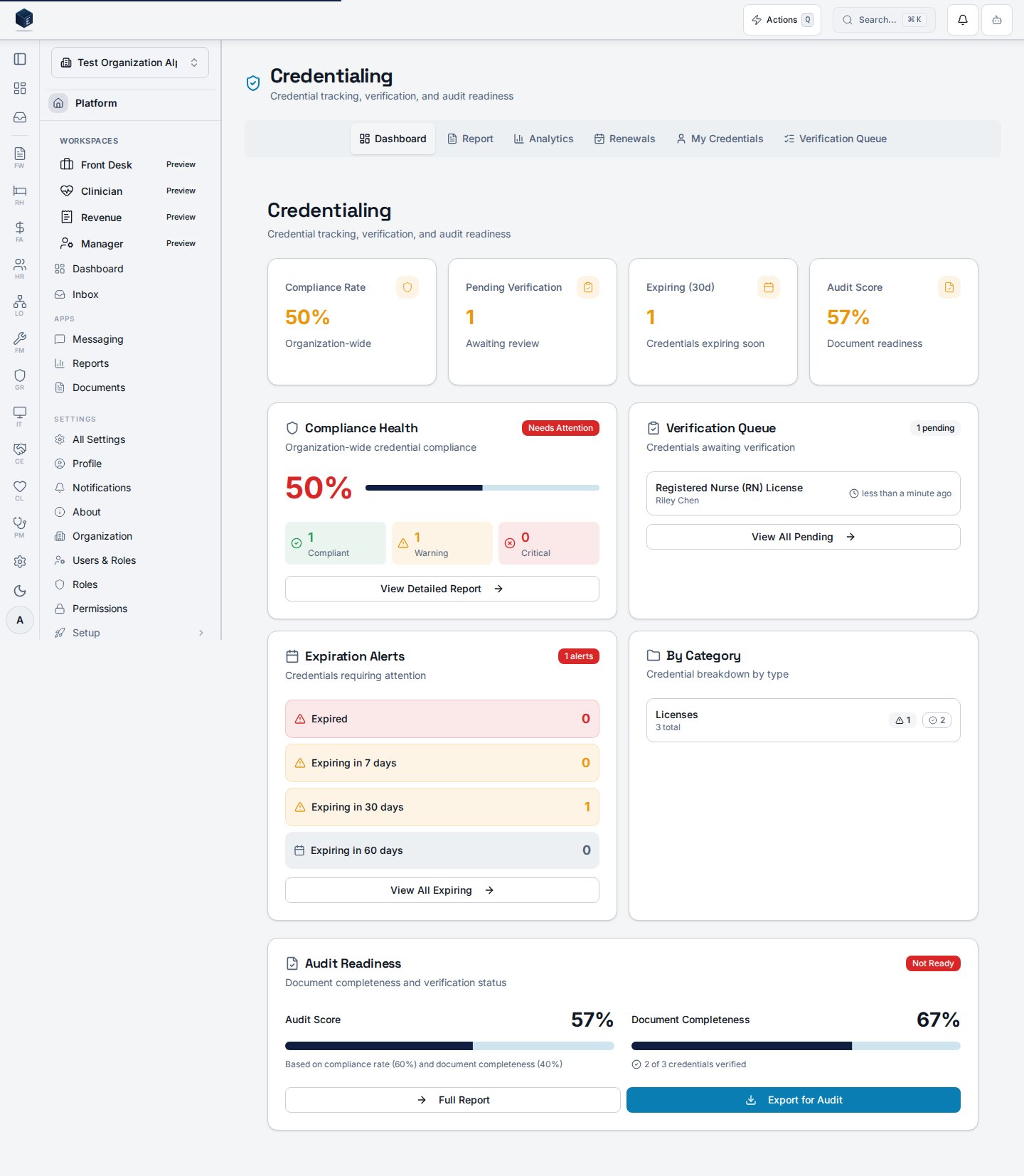
The hub page uses tab URL state (query paramtab) to show one of six views: Dashboard, Report, Analytics, Renewals, My Credentials, and Verification Queue. The Verification Queue tab is only shown to users with hr.credentials.verify. The page header shows a count of credentials expiring within 30 days (from useCredentialAlerts) as a destructive-colored notice.
The routes /hr/credentialing/report, /hr/credentialing/analytics, /hr/credentialing/renewals, and /hr/my-credentials all redirect here with the corresponding tab parameter pre-set.
Who it’s for
Requires permissionHR_PERMISSIONS.CREDENTIALS_VIEW (hr.credentials.view).
Before you start
- Credential records and credential types must be configured.
- For the Verification Queue tab, the user must hold
hr.credentials.verify.
Steps
1
Open the Credentialing Hub
Navigate to HR → Credentialing or go to
/hr/credentialing.2
Review the Dashboard tab
The default Dashboard tab shows the
ComplianceOverview — a summary of current credential compliance.3
Switch tabs
Use the tab bar to navigate to Report, Analytics, Renewals, My Credentials, or Verification Queue (if permitted).
4
Act on expiring credentials
The header alert count guides you to the Renewals tab for credentials expiring within 30 days.
Key concepts
- Tab routing — The active tab is stored in the URL as
?tab=<value>, enabling direct links and bookmarks to specific tabs. - Verification Queue — Only visible to users with
hr.credentials.verify. Used to approve or reject credential documentation.
Related
Human Resources
Human Resources core overview.
Governance & parity
This page documents shipped product behavior. It is not medical, legal, or
billing advice. Verify against your organization’s policies and applicable
regulations before using it for clinical, compliance, or billing decisions.
Protected health information (PHI) shown in the product is governed by your
tenant’s access controls and is never exposed in this documentation.
Documentation sources
Documentation sources
- src/routes/hr.tsx
- src/cores/hr/pages/CredentialingHubPage.tsx
- src/cores/hr/hooks/credentialing/useCredentialAlerts.ts