

/hr/onboarding.
Overview
The Onboarding Dashboard (OnboardingDashboard) provides a tabbed view of onboarding instances — Active (status in_progress) and Completed — alongside the Onboarding Command Center. Select an instance to open its detail page at /hr/onboarding/:id.
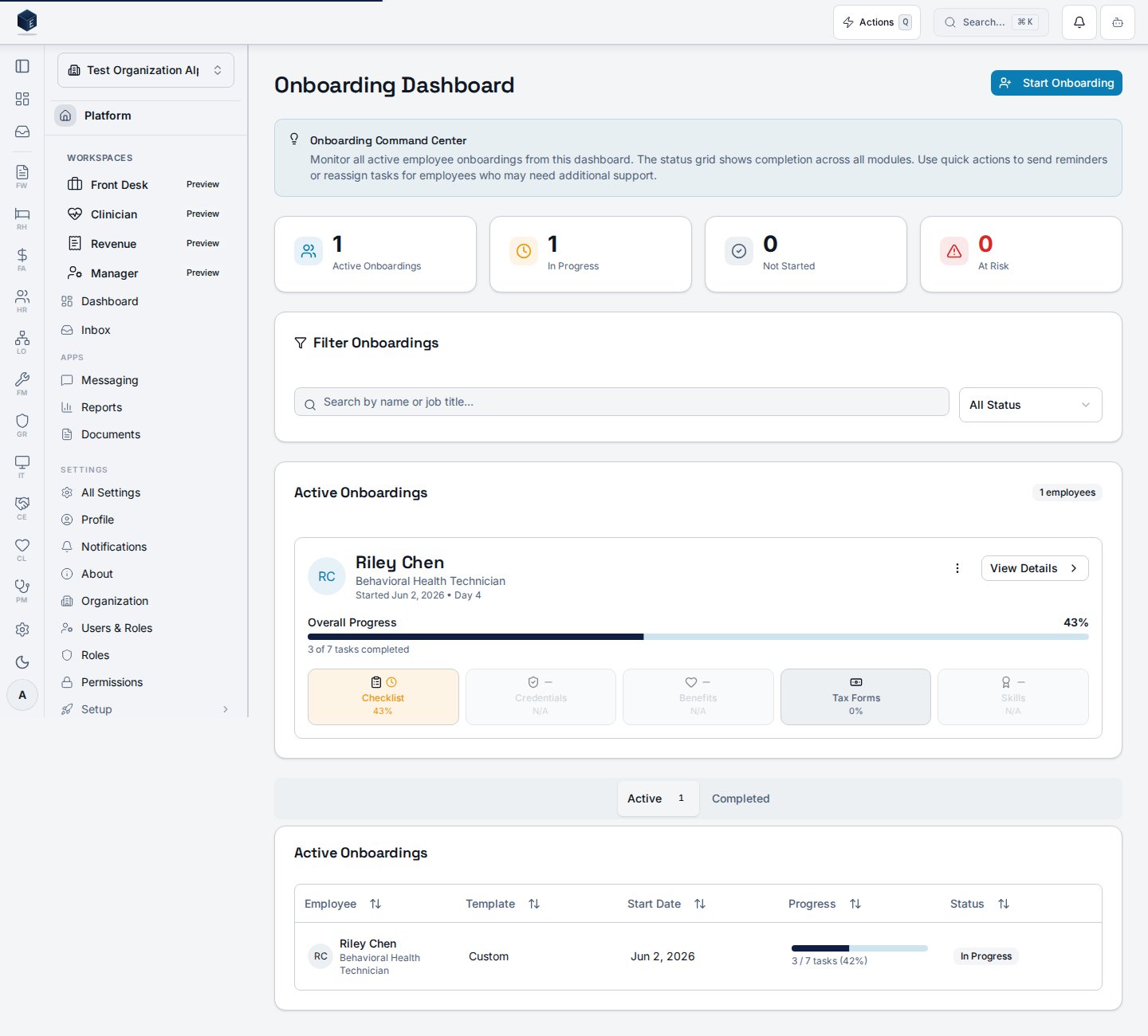
- Start Onboarding — open a dialog that creates a new onboarding instance for an existing employee from an onboarding template (no full wizard required).
- Open the Onboarding Wizard at
/hr/onboarding/wizardwhen you need to create the employee record itself.
hr.onboarding.view permission.
Who it’s for
Requires permissionhr.onboarding.view (HR_PERMISSIONS.ONBOARDING_VIEW).
Before you start
- The employee record must already exist. Use the Onboarding Wizard (
/hr/onboarding/wizard) to create new employees. - At least one active onboarding template must exist. See Onboarding Templates.
- Employees who already have an active (
in_progress) or pending (not_started) onboarding instance are filtered out of the picker.
Steps
View onboarding instances
- Navigate to
/hr/onboarding. - Use the Active tab to see in-progress onboardings; use Completed to see finished ones.
- Select an instance to open its detail view.
Start onboarding for an existing employee
- From
/hr/onboarding, select Start Onboarding in the page header. - Search for the employee by name and select them from the results.
- Select an active Onboarding Template — the dropdown shows each template’s task count.
- Set the Start Date (defaults to today).
- Select Start Onboarding to create the instance.
Key concepts
- Onboarding Instance — A single employee’s onboarding record, tracking all assigned tasks and their completion status.
- Onboarding Template — A reusable set of tasks applied when creating an instance. Only
is_active = truetemplates appear in the picker. - Eligible employee — An employee without an active or pending onboarding instance. The Start Onboarding picker hides ineligible employees so you cannot create duplicates.
Viewing an onboarding instance
The Onboarding Details page (OnboardingDetail) is available at /hr/onboarding/:id, gated behind the hr.onboarding.view permission. It displays the full task list and status for a specific onboarding instance identified by its :id URL parameter.
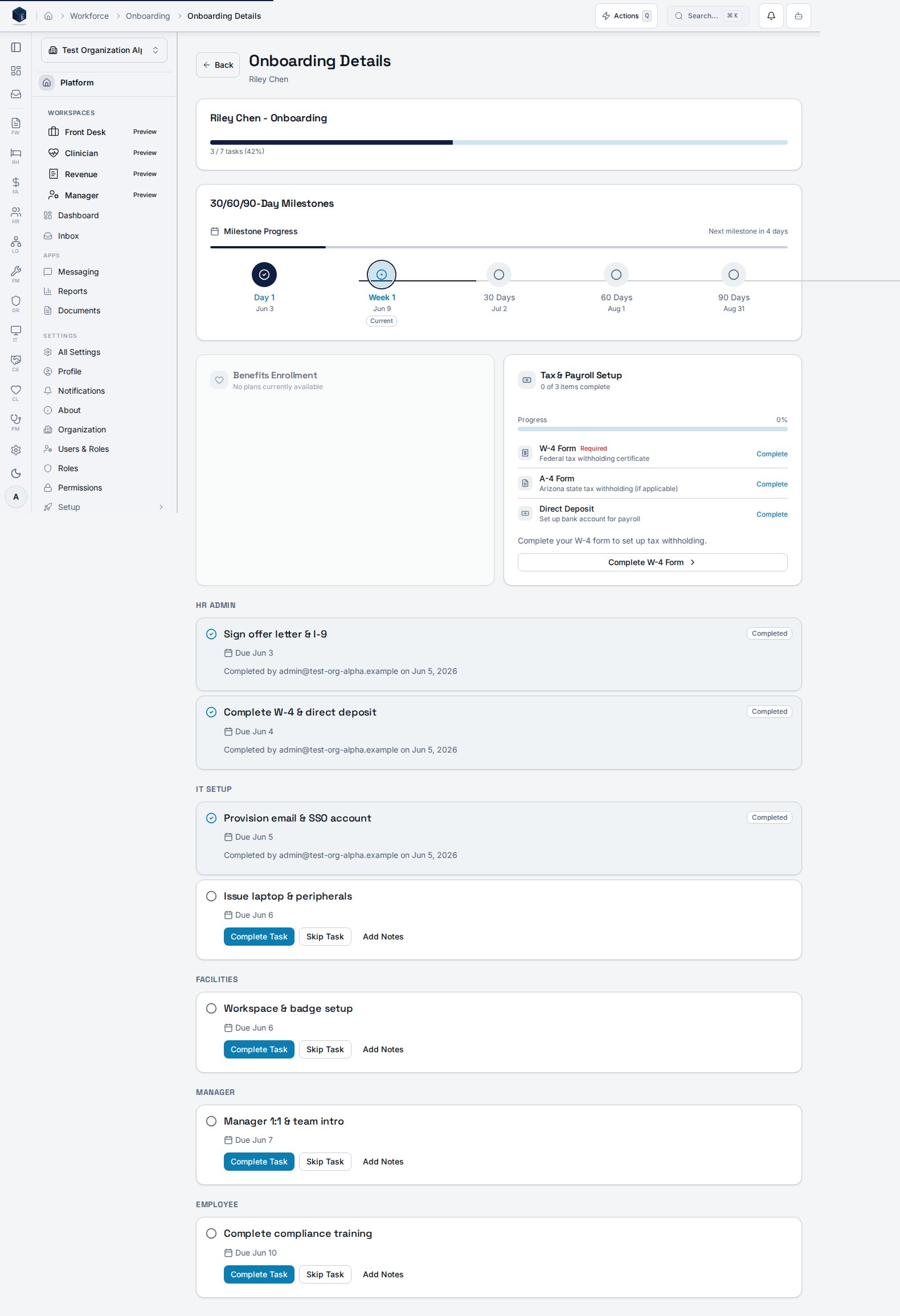
/hr/onboarding to find the onboarding instance. Clicking an instance on the dashboard navigates to this detail page.
- Navigate to
/hr/onboardingto view the active and completed onboarding list. - Click an onboarding instance to open its detail view at
/hr/onboarding/:id. - Review tasks and progress; take available actions as appropriate.
Related
Onboarding Templates
Manage the templates used when starting a new onboarding.
Onboarding Wizard
Create a new employee record and begin onboarding from scratch.
My Onboarding
Employee-facing view of assigned onboarding tasks.
Human Resources
Human Resources core overview.
This page documents shipped product behavior. It is not medical, legal, or
billing advice. Verify against your organization’s policies and applicable
regulations before using it for clinical, compliance, or billing decisions.
Protected health information (PHI) shown in the product is governed by your
tenant’s access controls and is never exposed in this documentation.
Documentation sources
Documentation sources
- src/routes/hr.tsx
- src/cores/hr/pages/OnboardingDashboard.tsx
- src/cores/hr/pages/OnboardingDetail.tsx
- src/cores/hr/components/onboarding/StartOnboardingFromDashboardDialog.tsx
- src/cores/hr/hooks/onboarding/useOnboardingInstances.ts
- src/cores/hr/hooks/onboarding/useOnboardingInstanceMutation.ts
- src/cores/hr/hooks/onboarding/useOnboardingTemplates.ts