

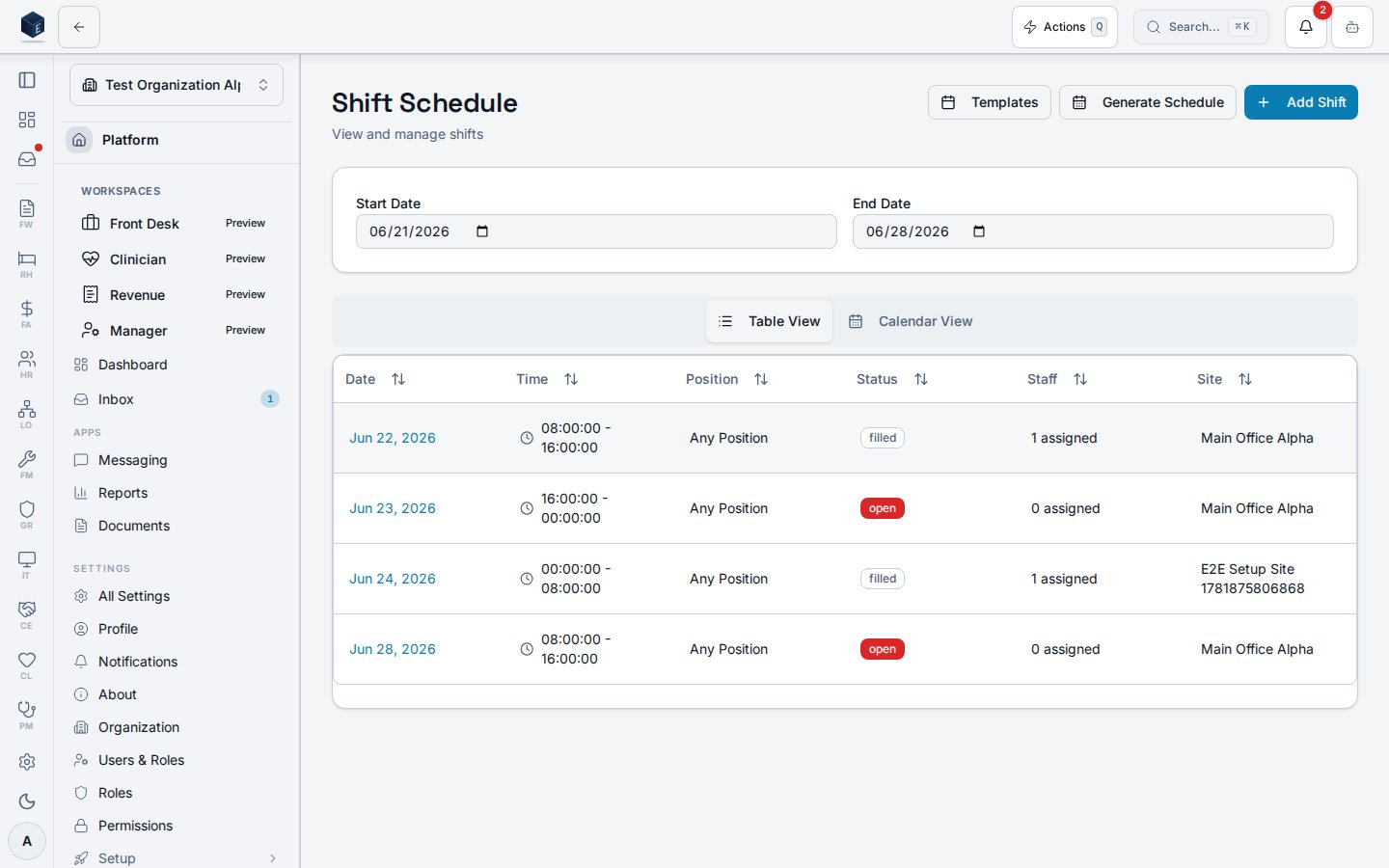
/hr/scheduling is the primary shift management view, rendered by the Shifts component. It displays shifts in either a table or calendar layout and supports shift creation and management.
Overview
The page defaults to a Table view showing shifts in a date range (default: today + 7 days). A Calendar tab provides a weekly calendar view (ShiftCalendarView). Controls include date range selectors, a “New Shift” button, and a “Schedule Generator” button. Clicking a shift row opens the ShiftDetailDialog. Shift status is displayed as a badge: open (destructive), filled (default), in_progress (secondary), completed (outline), cancelled (outline).
Who it’s for
RequiresHR_PERMISSIONS.SCHEDULING_VIEW permission.
Before you start
- Shift templates should be configured at
/hr/shift-templatesbefore generating schedules. - The date range defaults to today through 7 days out; adjust as needed.
Steps
View shifts- Navigate to HR → Scheduling (
/hr/scheduling). - Use the date-range inputs to set the period.
- Switch between Table and Calendar views using the view toggle.
- Click New Shift to open the shift creation form.
- Complete shift details (type, date, time, staffing requirements).
- Click Schedule Generator to open the generator dialog.
- Configure generation parameters and confirm.
- Click any shift row to open the
ShiftDetailDialog.
Key concepts
Permissions
Viewing the schedule requireshr.scheduling.view; shift creation and editing require the additional keys below.
Permission keys are assigned to roles in the role editor.
Related
Human Resources
Human Resources core overview.
Governance & parity
This page documents shipped product behavior. It is not medical, legal, or
billing advice. Verify against your organization’s policies and applicable
regulations before using it for clinical, compliance, or billing decisions.
Protected health information (PHI) shown in the product is governed by your
tenant’s access controls and is never exposed in this documentation.
Documentation sources
Documentation sources
- src/routes/hr.tsx
- src/cores/hr/pages/Shifts.tsx
- src/cores/hr/hooks/scheduling/useShiftList.ts