

/hr/capacity. Access follows your organization’s role and module configuration.
Overview
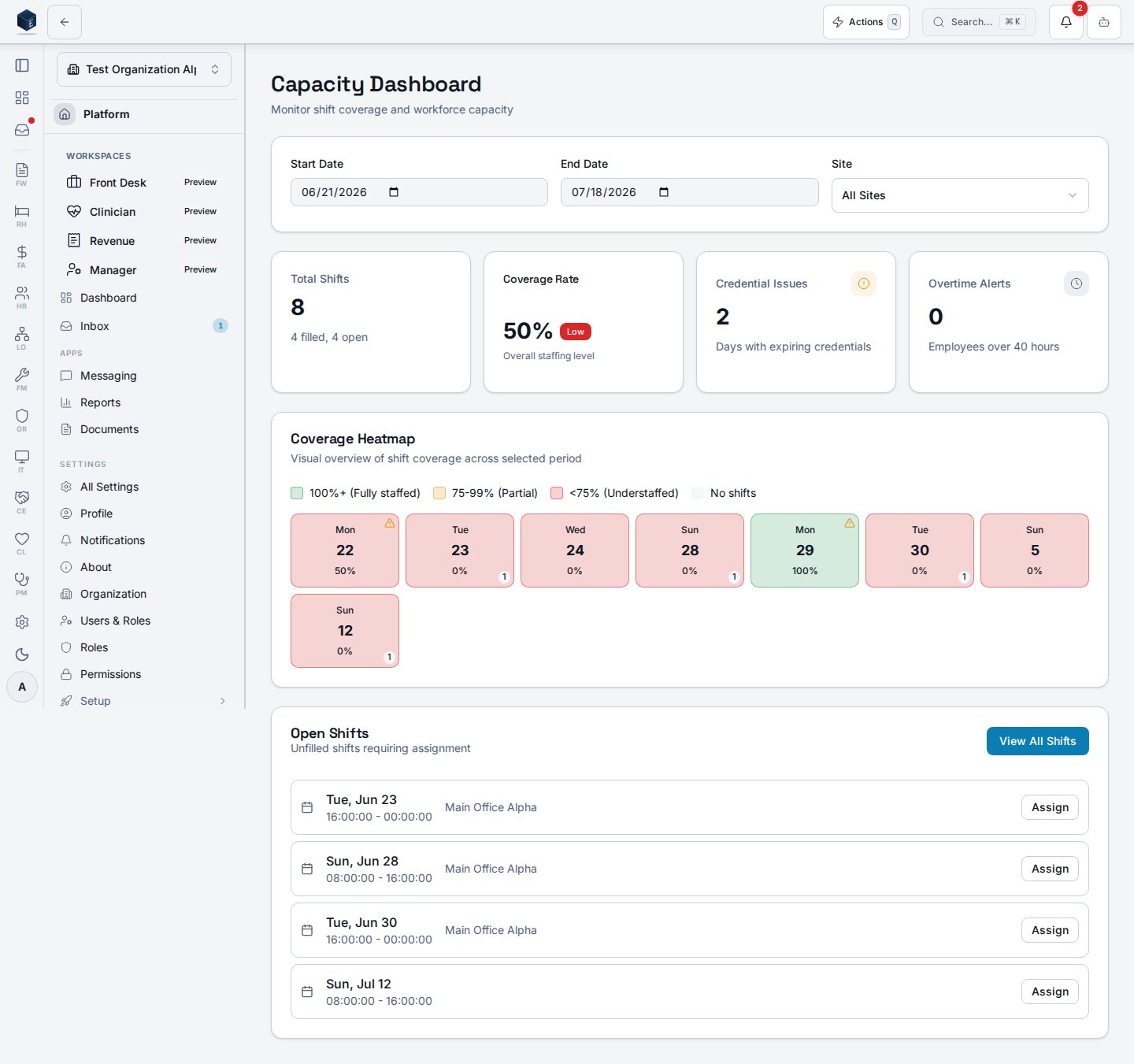
The Capacity Dashboard (CapacityDashboard) provides scheduling administrators with a workforce coverage view. Filters at the top allow selecting a start date, end date (defaulting to a 4-week window), and site. Four summary cards show total shifts, coverage rate (filled/total with a “Good”/“Low” badge at 90% threshold), days with credential issues, and employee overtime alerts. A CoverageHeatmap visualizes daily coverage intensity. An Open Shifts table shows the first 10 unfilled shifts with date, time, position, and site, with an Assign button. A “View all open shifts” link navigates to /hr/open-shifts.
Who it’s for
Access follows your organization’s role and module configuration. ## Before you start- Shifts must exist in the system for the date range to show meaningful data.
Steps
1
Open Capacity Dashboard
Navigate to
/hr/capacity.2
Set date range
Adjust start and end date inputs (default: current week through 4 weeks out).
3
Filter by site
Select a site from the dropdown or leave as “All Sites”.
4
Review coverage
Check summary cards and the coverage heatmap for staffing level.
5
Address open shifts
Review the open shifts table and click Assign or navigate to the full open shifts list.
Key concepts
Permissions
Permission keys are assigned to roles in the role editor.
Related
Human Resources
Human Resources core overview.
Governance & parity
Documentation coverage and governance.
This page documents shipped product behavior. It is not medical, legal, or
billing advice. Verify against your organization’s policies and applicable
regulations before using it for clinical, compliance, or billing decisions.
Protected health information (PHI) shown in the product is governed by your
tenant’s access controls and is never exposed in this documentation.
Documentation sources
Documentation sources
- src/routes/hr.tsx
- src/cores/hr/pages/CapacityDashboard.tsx
- src/cores/hr/hooks/scheduling/useCapacityDashboard.ts
- src/cores/hr/hooks/time/useOvertimeTracking.ts