

AI Custom Skill Authoring — Admin Guide
Audience: permission-holders authoring net-new organization AI skills.
Spec: specs/pf/ux/PF-UX-13-ai-skill-creation-wizard.md.
The AI Custom Skill Creation Wizard lets a permission-holder author a brand-new,
organization-scoped AI skill from scratch — its prompt, model, knowledge sources, and a
mandatory test — behind an author-time safety harness and a governance lifecycle. It is
the “author a NEW skill” path; it does not tune an existing skill.
When to use which AI skill surface
Three distinct surfaces touch AI skills. Pick the right one — they do not overlap.
Decision rule: light tuning of a skill that already exists → Configure. Org-wide
setup and skill recommendations → AI Onboarding. A net-new skill from scratch →
this wizard.
Prerequisites
- The
pf.ai_skills.managepermission. The Create Custom Skill button is hidden or disabled without it, and the database write is denied by RLS (pf_can_admin_ai_skills) for anyone lacking it — so the UI and the data layer enforce the same gate.
The five steps
-
Identity & Use Case — name, category, intended audience (roles), and description.
The category drives the activation path (see Governance routing below). Categories
are
billing,clinical,compliance,finance,general,housing,hr,operations.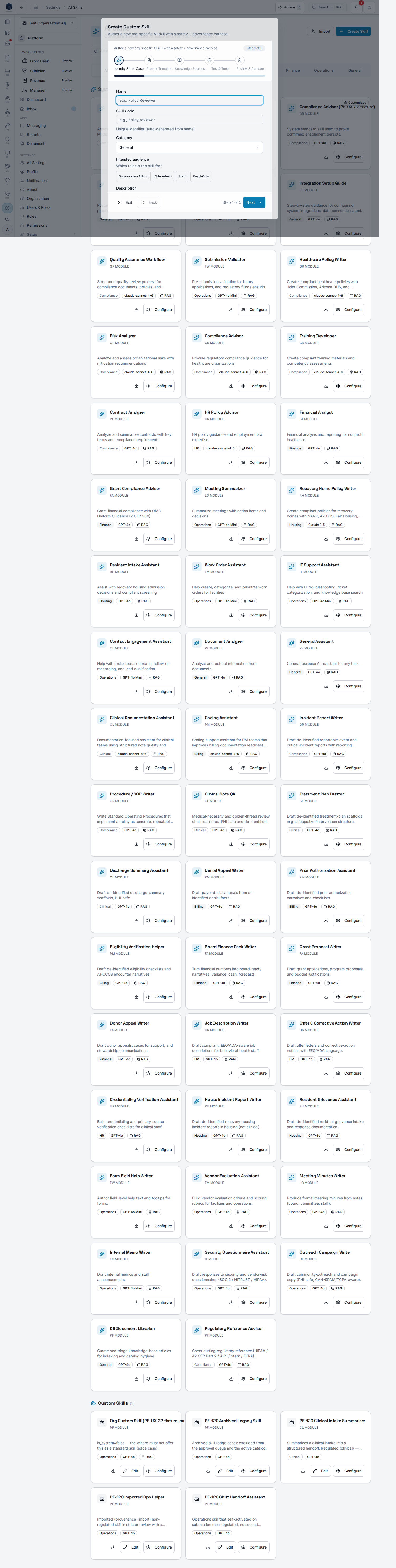
-
Prompt Template — author the system prompt and user-prompt template with
{placeholder}tokens, plus model and temperature. Two author-time safety screens run before you can advance (see Safety harness).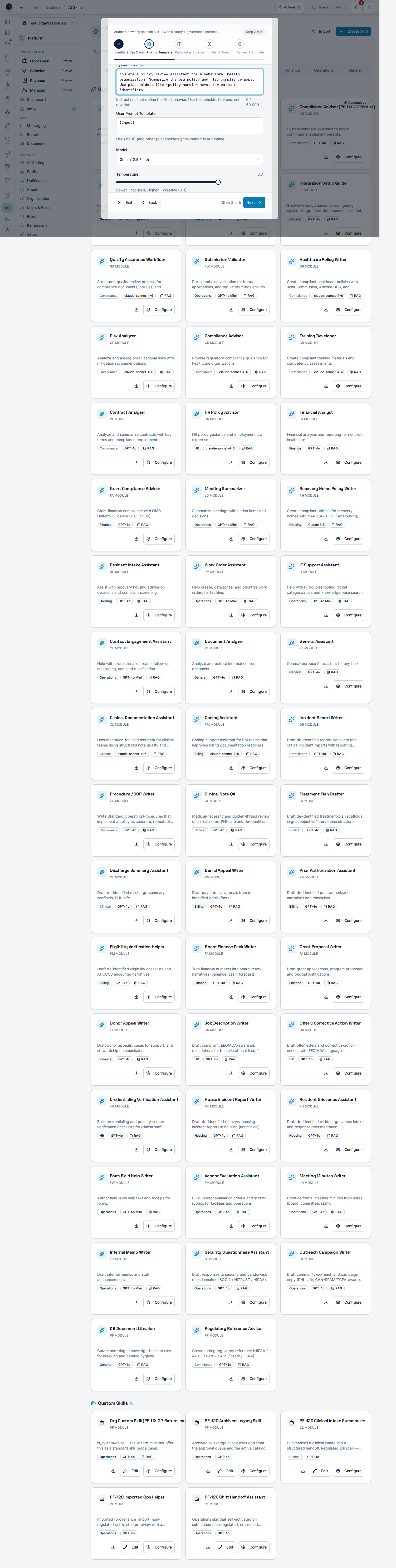
- Knowledge Sources — optionally turn on knowledge-base RAG. When on, pick the published knowledge-base categories the skill should retrieve from, plus a match count and threshold. This is column-based RAG configured directly on the skill — there is no separate join table.
- Test & Tune — run at least one sample input against the draft skill. A recent successful test is required before you can activate or submit. Test runs do not consume your production AI quota.
- Review & Activate — review the identity, prompt, safety results, knowledge sources, and test result, then take the category-driven primary action.
Safety harness (author-time, fail-closed)
The wizard blocks unsafe prompts before they can be saved or sent to a model:- Static PHI scan — a regex scan (SSN, date of birth, phone, email, long-numeric
identifiers) over both prompt fields. Any hit blocks advance with an instruction to
replace the value with a
{placeholder}such as{patient_id}. - Name / MRN heuristic — because no patient is in scope at author time, raw free-text
names and short MRN-shaped tokens are not caught by the regex scan. A heuristic warns on
likely names and MRN/chart/record tokens and requires you to substitute
{placeholder}tokens plus an explicit “no raw PHI” attestation. - Prompt-injection / jailbreak screen — a heuristic, pattern-based screen flags guardrail-override directive classes (instruction override, role reassignment, embedded system prompt, privilege escalation) and blocks activation, naming the detected class. This is a v1 control, not a full LLM-judge evaluation.
Governance routing
The skill category decides what happens when you finish:- Non-regulated (
billing,finance,general,operations) → the primary action is Activate. The skill self-activates (immediately active) and apf.ai_skill.approvedaudit entry is written. - Regulated (
clinical,compliance,hr,housing) → the primary action becomes Submit for Approval. The skill is created in review (in_review, not active) and apf.ai_skill.submittedaudit entry is written; it becomes active only after an approver signs off. (Imported skills follow the same review path regardless of category.)
Save and resume
The wizard is a saved draft scoped to you and your organization. Exit and reopen to pick up where you left off — your entered steps, including the Step 4 test result, are restored.Privacy
This wizard authors AI behavior that may operate over behavioral-health / SUD records, so it is PHI-safe by construction: prompts must hold only{placeholder} tokens and
organizational facts — never raw identifiers. Applicable rules (referenced by anchor, not
restated): HIPAA 45 CFR 164
(compliance tracker),
and for SUD contexts 42 CFR Part 2
(compliance tracker).
Audit entries (pf.ai_skill.approved, pf.ai_skill.submitted) satisfy the audit-controls
expectation. Jurisdiction context (Arizona/AHCCCS by default) is injected at runtime, not
hardcoded into the skill.
See also
- AI Skills overview — the standard skills catalog.
- AI Onboarding & Profiling — Admin Guide (PF-UX-22) — org context + recommend-and-confirm standard-skill rollout (a distinct surface).
specs/pf/specs/PF-120-org-authored-ai-skill-governance.md— the lifecycle, approval, versioning, and RBAC for org-authored skills this wizard enters.specs/pf/specs/PF-61-knowledge-base-system.md— the knowledge base feeding column RAG.