

/admin/provisioning.
Overview
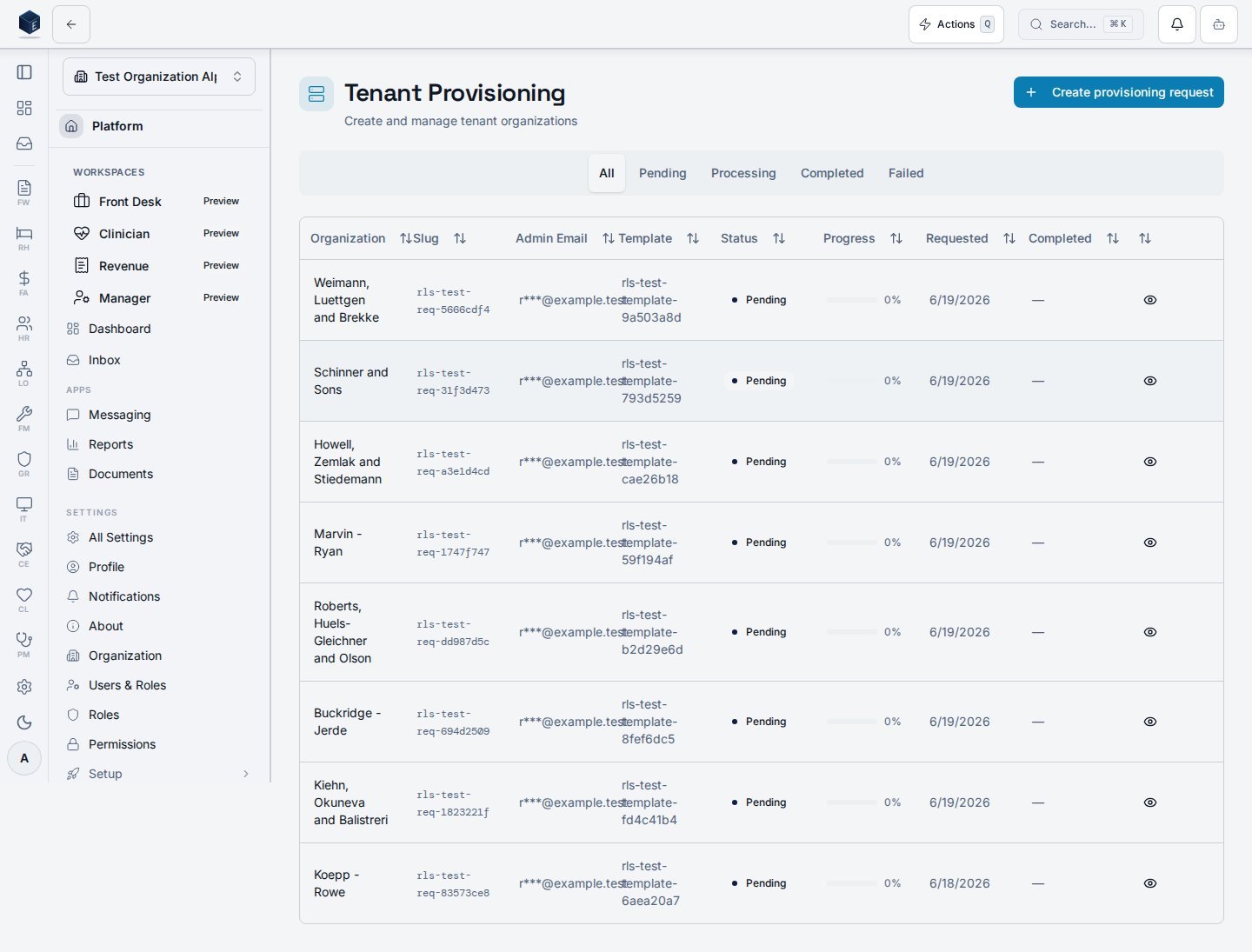
The page is wrapped in aPermissionGate for platform.provisioning.view. It shows a filterable data table of provisioning requests with columns for request details, template name, completed date, and status badge. The status filter tabs are: All / Pending / Processing / Completed / Failed.
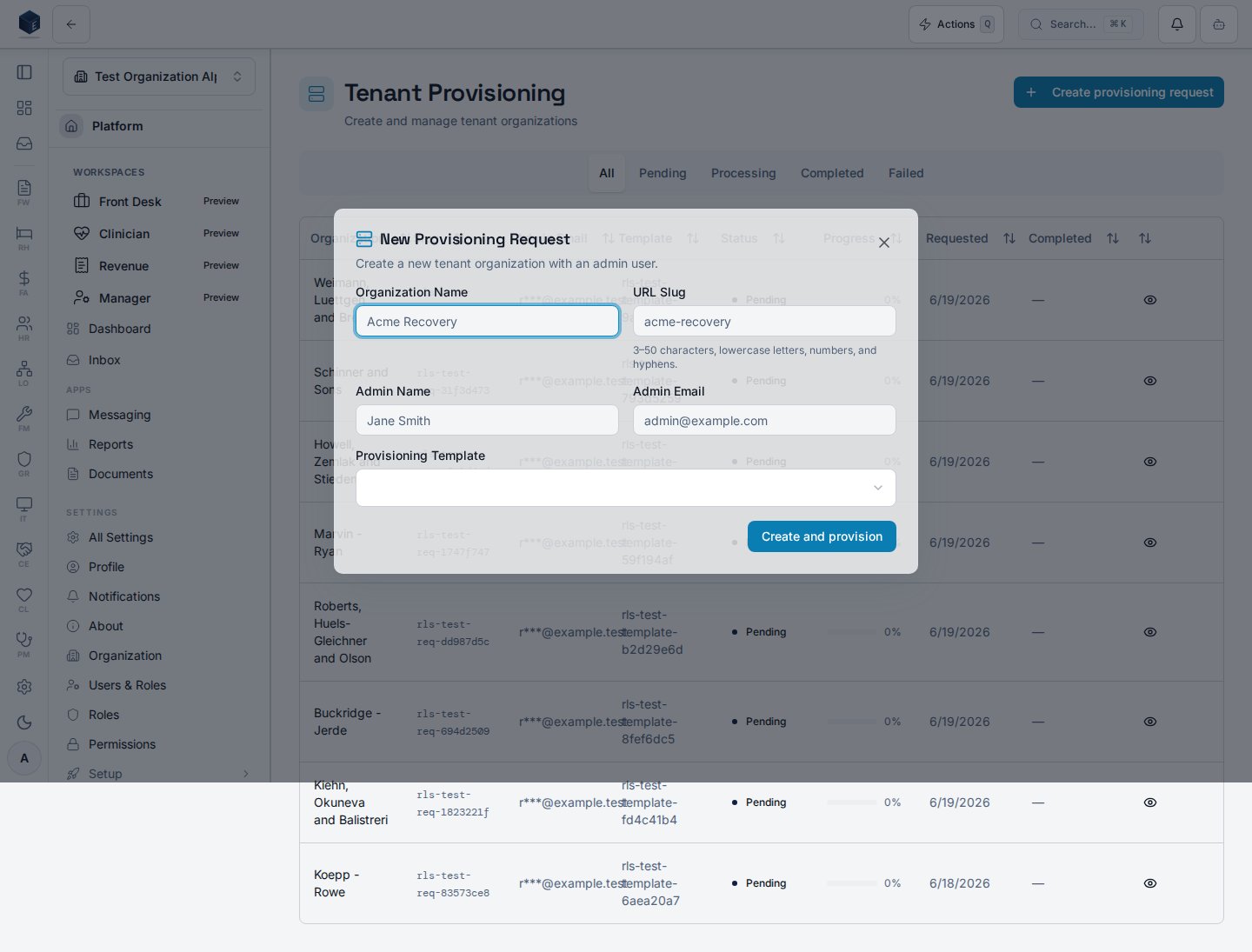
Clicking a row opens ProvisioningRequestDetailSheet for a full request view. The New Request button (requires platform.provisioning.create) opens NewProvisioningRequestDialog.
Email fields in the component are masked via maskEmail before display.
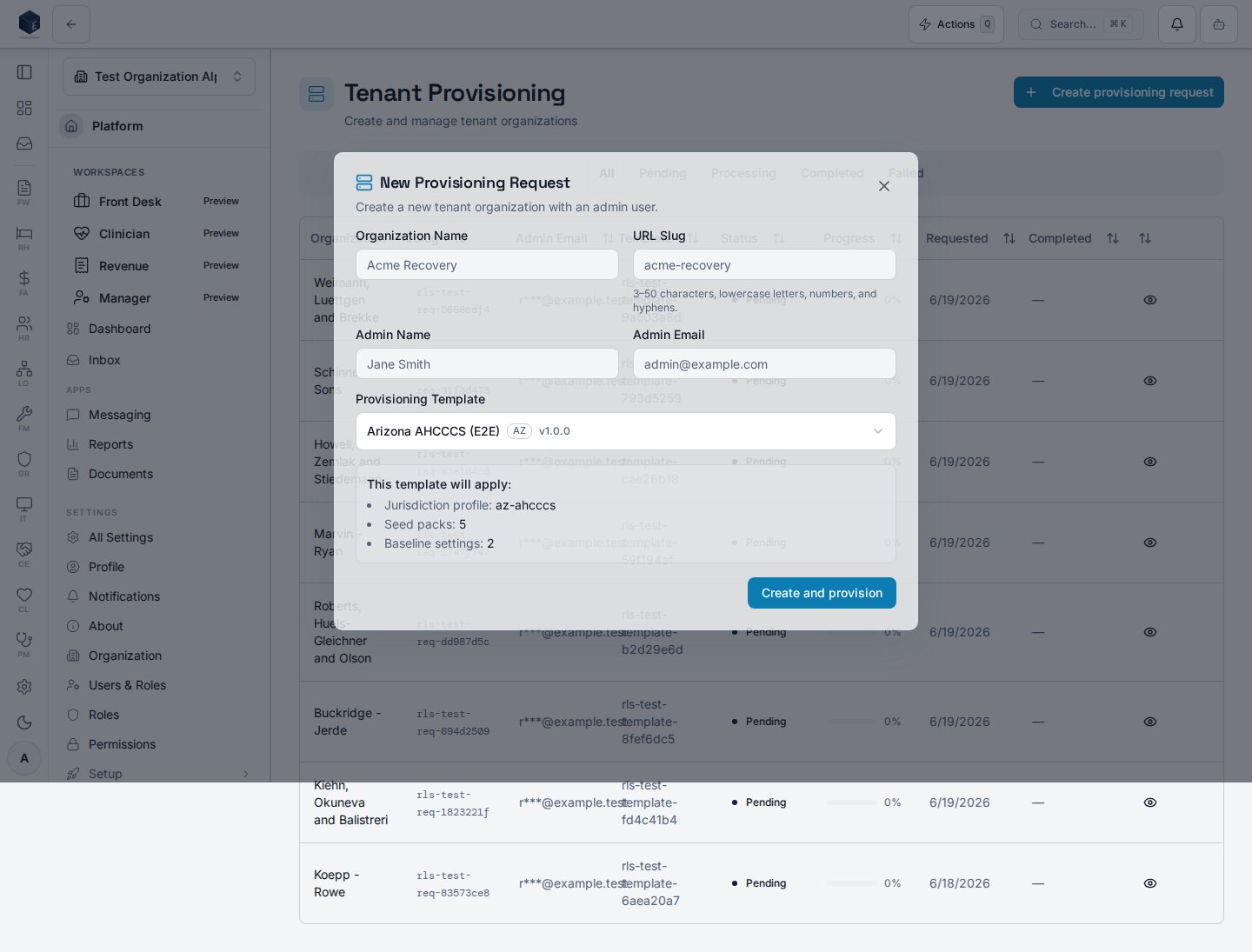
NewProvisioningRequestDialog, where you pick a template and (for a state-aware template) preview the jurisdiction bundle it will apply.
Who it’s for
Requiresplatform.provisioning.view (route guard and PermissionGate). Creating requests additionally requires platform.provisioning.create.
Before you start
- Provisioning templates should exist at
/admin/provisioning/templatesbefore creating requests. - Your account must have
platform.provisioning.viewto access this page.
Steps
- Navigate to Admin → Provisioning (
/admin/provisioning). - Use the status tabs to filter requests.
- Click a row to view full request details.
- Click New Request to initiate a new tenant provisioning workflow.
Key concepts
Provisioning request — a workflow record tracking the creation and configuration of a new organization tenant. Template — a provisioning template pre-configures settings for new tenants (managed at/admin/provisioning/templates).
Customize modules for a single request
When you pick a template in the New Provisioning Request dialog, an optional Customize modules section (per-request module overrides) lets you override that template’s module on/off state and a few scalar settings for this request only. Controls are seeded from the template’s effective defaults, and only values you change are sent as overrides — leave everything untouched and provisioning uses pure template defaults.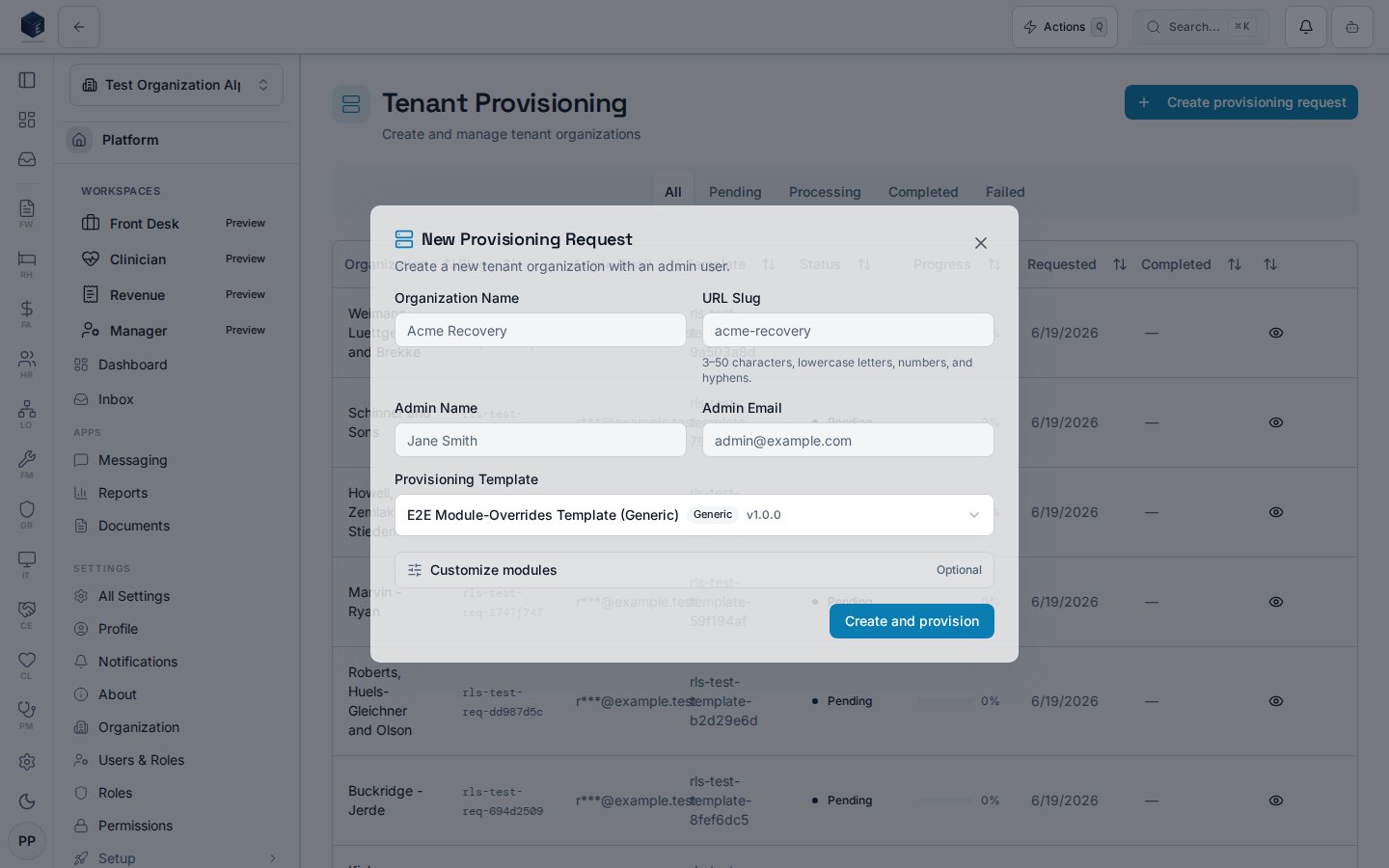
Enabled modules and advanced settings
Expanding Customize modules reveals the Enabled modules checkbox group and, behind Show advanced settings, scalar inputs such as Default page size. A “N changed” badge counts overrides, and Reset to template defaults clears them.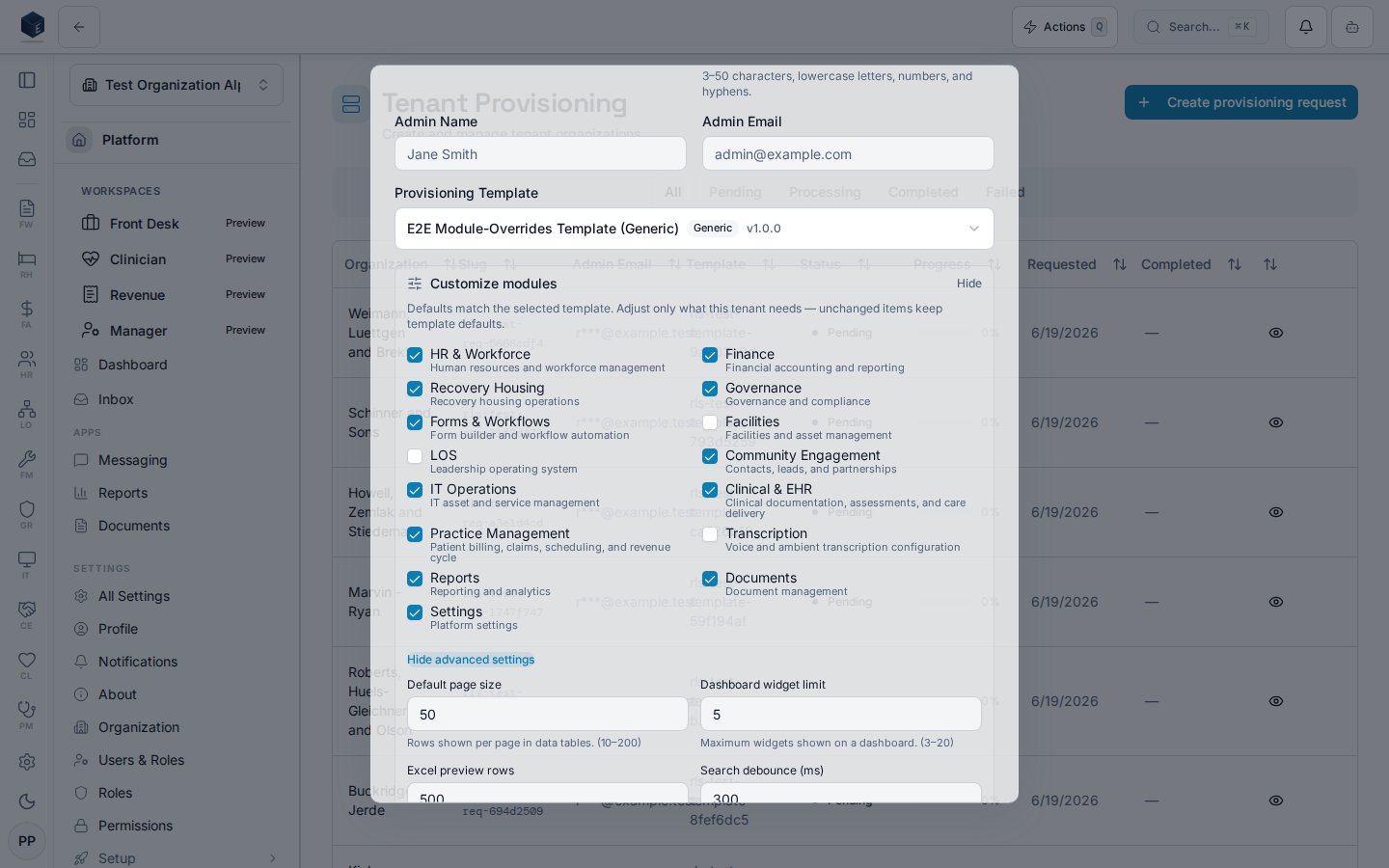
Related
Platform Foundation
Platform Foundation overview.
Governance & parity
This page documents shipped product behavior. It is not medical, legal, or
billing advice. Verify against your organization’s policies and applicable
regulations before using it for clinical, compliance, or billing decisions.
Protected health information (PHI) shown in the product is governed by your
tenant’s access controls and is never exposed in this documentation.
Documentation sources
Documentation sources
- src/routes/platform.tsx
- src/platform/provisioning/pages/ProvisioningDashboardPage.tsx
- src/platform/provisioning/components/NewProvisioningRequestDialog.tsx