

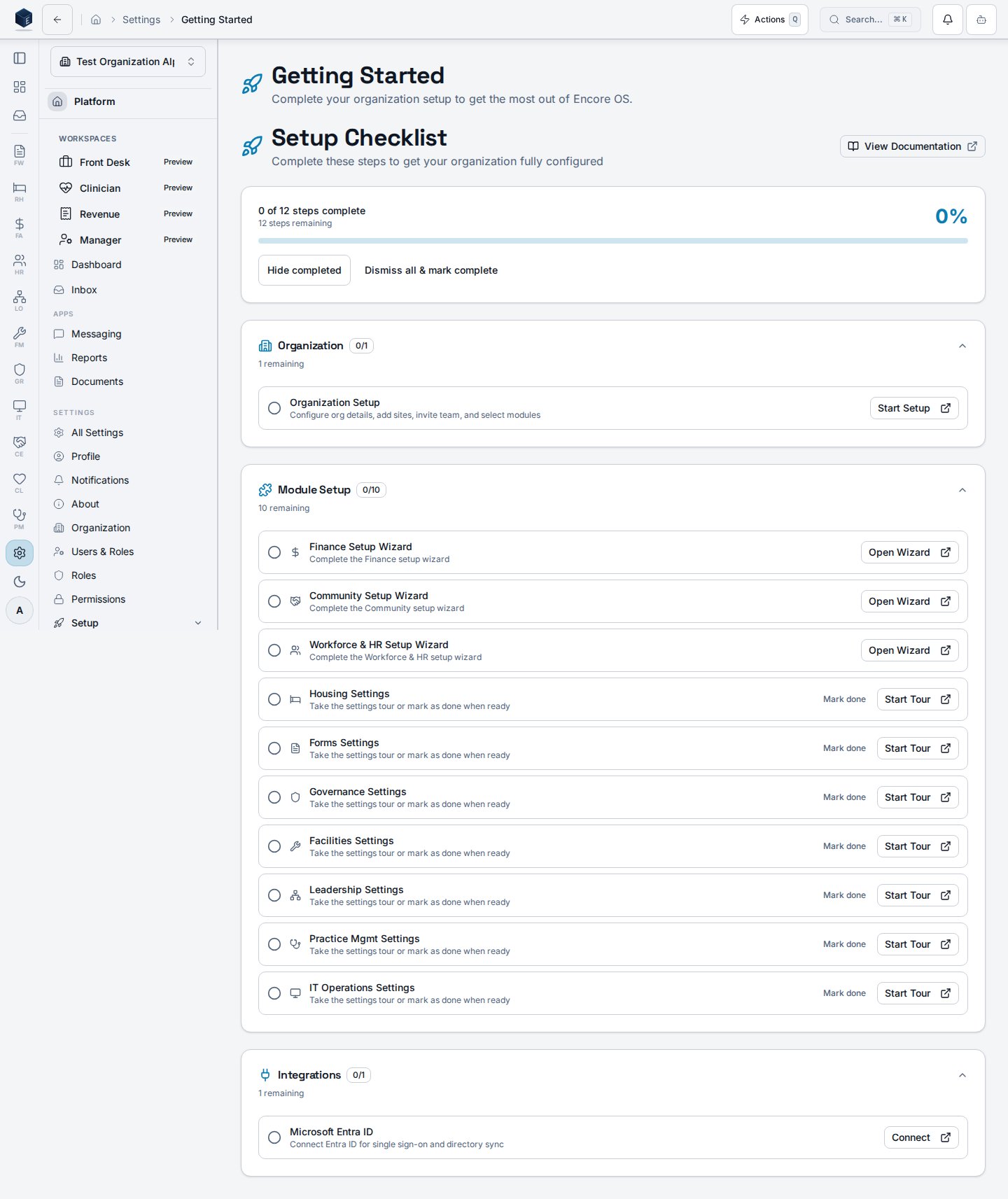
/settings/getting-started that renders the SetupCompletionDashboard for organization administrators. It provides a guided onboarding checklist to complete initial platform configuration.
Overview
The page is a thin wrapper aroundSetupCompletionDashboard from @/platform/setup. It is accessible without an explicit permission gate, relying on implicit settings-section access control. The dashboard renders setup checklist items and progress indicators for initial org configuration.
Who it’s for
Access follows your organization’s role and module configuration. Intended for organization administrators completing initial setup.Before you start
- This page is most useful during initial platform onboarding.
- Completing setup steps may require additional permissions for the underlying settings pages each step links to.
Steps
- Navigate to Settings → Getting Started (
/settings/getting-started). - Review the setup completion dashboard for outstanding onboarding steps.
- Click each step to navigate to the relevant configuration page.
- Return to this page to track overall completion progress.
Related
Platform Foundation
Platform Foundation overview.
Governance & parity
This page documents shipped product behavior. It is not medical, legal, or
billing advice. Verify against your organization’s policies and applicable
regulations before using it for clinical, compliance, or billing decisions.
Protected health information (PHI) shown in the product is governed by your
tenant’s access controls and is never exposed in this documentation.
Documentation sources
Documentation sources
- src/routes/platform.tsx
- src/platform/settings/pages/GettingStartedPage.tsx
- src/platform/setup/components/SetupCompletionDashboard.tsx