

/admin/provisioning/templates where platform administrators create, edit, and delete templates used when onboarding new tenant organizations.
Overview
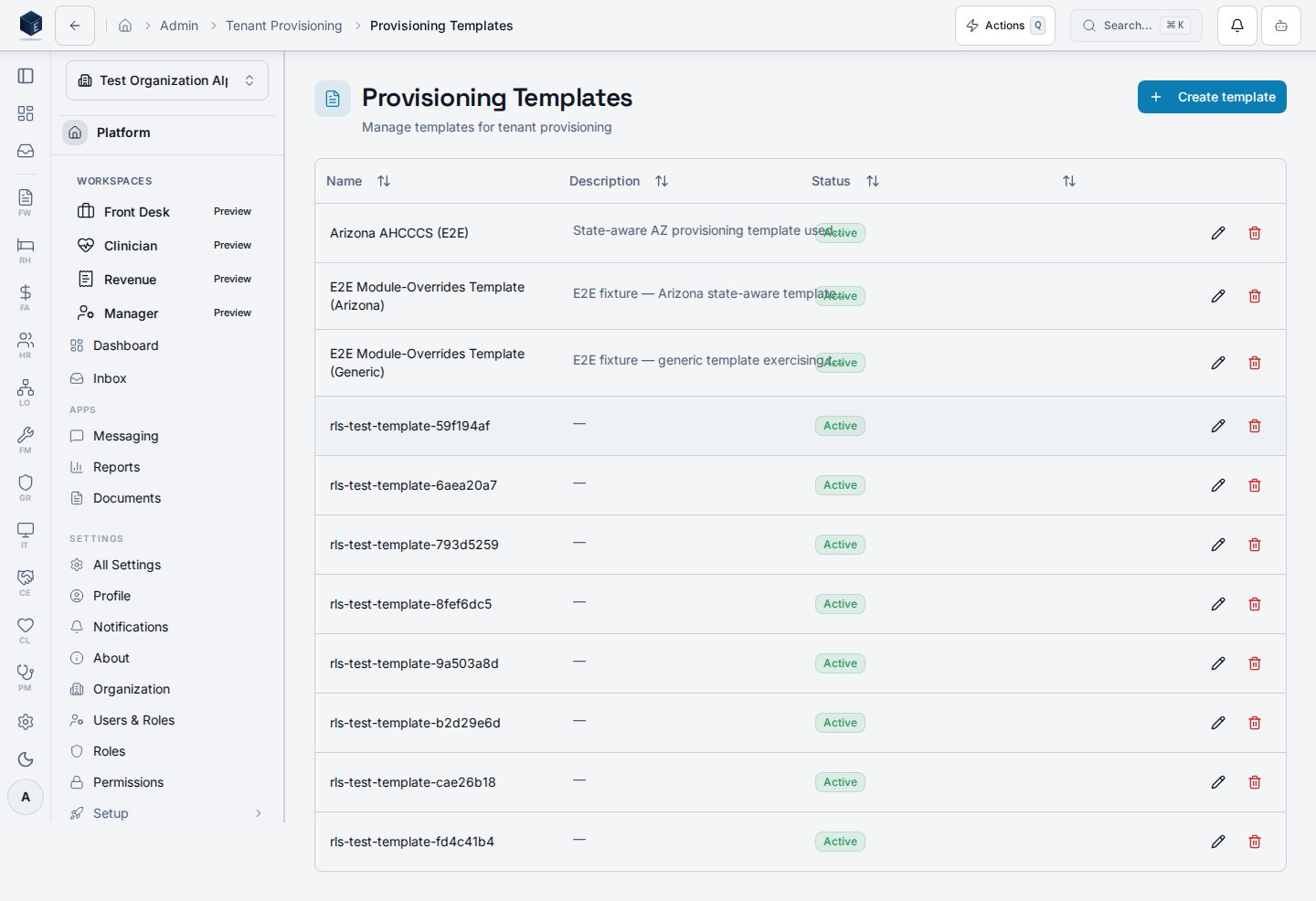
The Provisioning Templates page displays a table of existing templates (name, version, jurisdiction, status, active flag) fetched viauseProvisioningTemplates. Platform admins can create new templates using the New Template button, which opens TemplateFormDialog. Rows support inline edit and delete actions; delete requires confirmation. A platform.provisioning.manage-templates permission gate protects the route.
Who it’s for
Required permission:platform.provisioning.manage-templates
Before you start
- You must hold the
platform.provisioning.manage-templatespermission. - Understand the target jurisdiction and configuration structure before creating a template.
Steps
- Navigate to
/admin/provisioning/templates. - Review existing templates in the table.
- To create a new template, click New Template and complete the form dialog.
- To edit a template, click the edit icon on the desired row.
- To delete a template, click the delete icon and confirm the action.
Key concepts
template_config — A JSON object that defines the configuration payload applied during provisioning. SME: confirm the schema. jurisdiction_code — An optional field that scopes a template to a specific regulatory jurisdiction. is_active / status — Controls whether a template is available for selection in new provisioning requests.Related
Platform Foundation
Platform Foundation overview.
Governance & parity
This page documents shipped product behavior. It is not medical, legal, or
billing advice. Verify against your organization’s policies and applicable
regulations before using it for clinical, compliance, or billing decisions.
Protected health information (PHI) shown in the product is governed by your
tenant’s access controls and is never exposed in this documentation.
Documentation sources
Documentation sources
- src/routes/platform.tsx
- src/platform/provisioning/pages/ProvisioningTemplatesPage.tsx
- src/platform/provisioning/index.ts
- src/platform/provisioning/components/TemplateFormDialog.tsx