

/admin/provisioning/:requestId, surfacing step-by-step progress for a single tenant provisioning request.
Overview
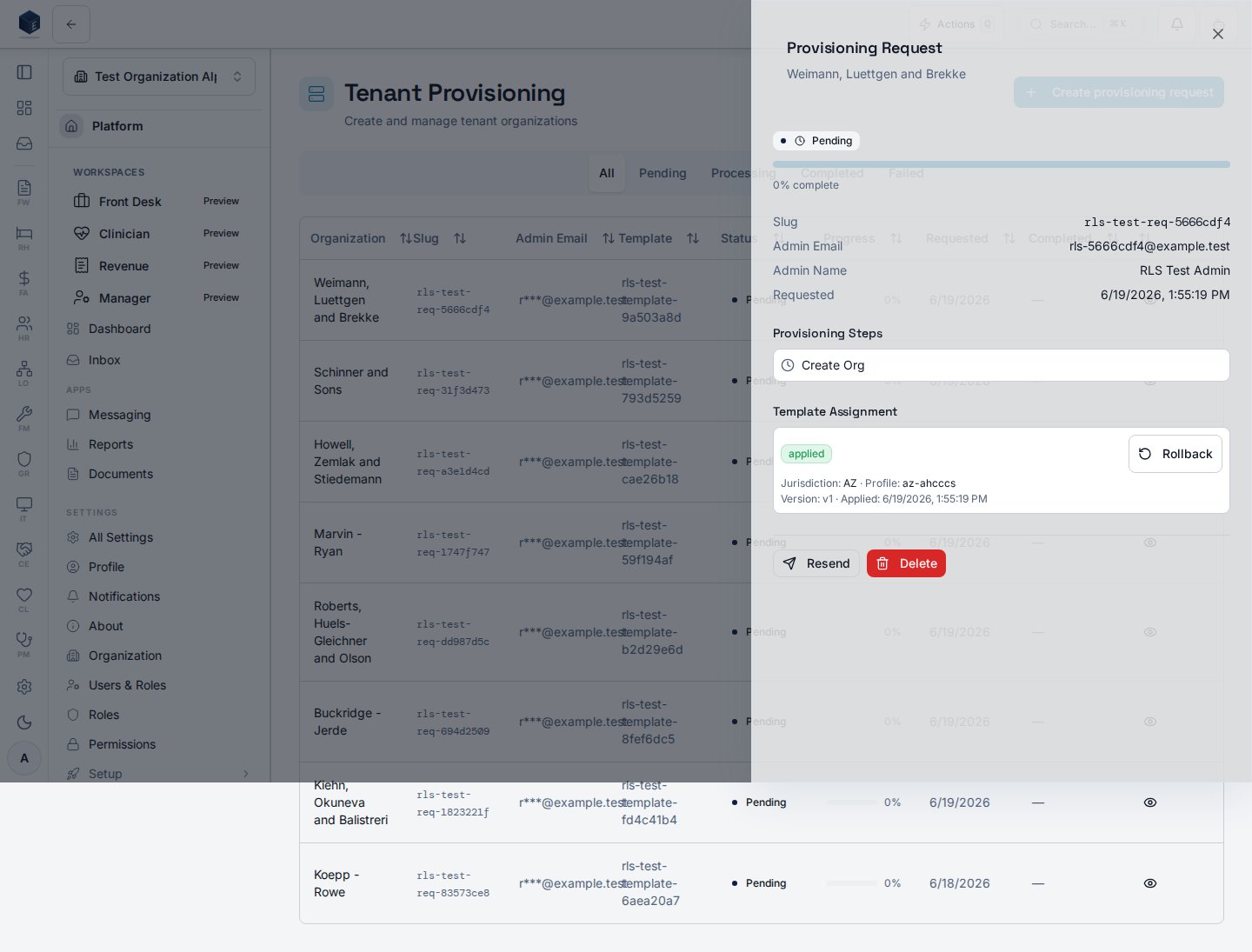
Based on reviewed source, request detail content is rendered as a slide-over sheet (ProvisioningRequestDetailSheet) launched by clicking a row in the Provisioning Dashboard (/admin/provisioning) rather than as a standalone routed page. The requestId parameter is referenced in route-labels.ts but no corresponding Route declaration was found in the platform route files. The sheet displays the request’s steps and status via useProvisioningRequestDetail.
Who it’s for
Required permission:platform.provisioning.view (inherited from the parent Provisioning Dashboard route)
Before you start
- Navigate to
/admin/provisioningand click a request row to open the detail sheet.
Steps
- Navigate to
/admin/provisioning. - Click a request row in the table to open the detail sheet.
- Review the provisioning steps and their completion status.
- Close the sheet when done.
Related
Platform Foundation
Platform Foundation overview.
Governance & parity
This page documents shipped product behavior. It is not medical, legal, or
billing advice. Verify against your organization’s policies and applicable
regulations before using it for clinical, compliance, or billing decisions.
Protected health information (PHI) shown in the product is governed by your
tenant’s access controls and is never exposed in this documentation.
Documentation sources
Documentation sources
- src/platform/navigation/route-labels.ts
- src/platform/provisioning/components/ProvisioningRequestDetailSheet.tsx
- src/platform/provisioning/hooks/useProvisioningRequestDetail.ts
- src/platform/provisioning/pages/ProvisioningDashboardPage.tsx