

AI Onboarding & Profiling — Admin Guide
Audience: organization administrators tuning the in-product AI assistant.
Spec: specs/pf/ux/PF-UX-22-organization-ai-onboarding-and-profiling-wizard.md.
The Organization AI Onboarding & Profiling Wizard captures the durable facts about
your organization — brand voice, the state Medicaid program you operate under, your
service lines and populations, your preferred terminology, and an “About us” narrative —
and uses them to tune the in-product AI assistant for your organization.
Prerequisites
- Permission: you must hold
pf.ai_skills.manage. A granted non-admin can complete onboarding; an org administrator without the grant cannot (the write path is gated on the permission at both the UI and the database). - Feature flag:
pf.wizards.ai_onboarding_enabledmust be on for your organization. It is opt-in (off by default); a platform administrator enables it inpf_module_settings.custom_fields(keywizard_ai_onboarding_enabled). - Entry point: Settings → AI Skills → Tune your AI assistant, or the route
/settings/ai-skills/onboarding. A launch card on the AI settings page shows a “Needs onboarding” nudge until you complete it.
The seven steps
-
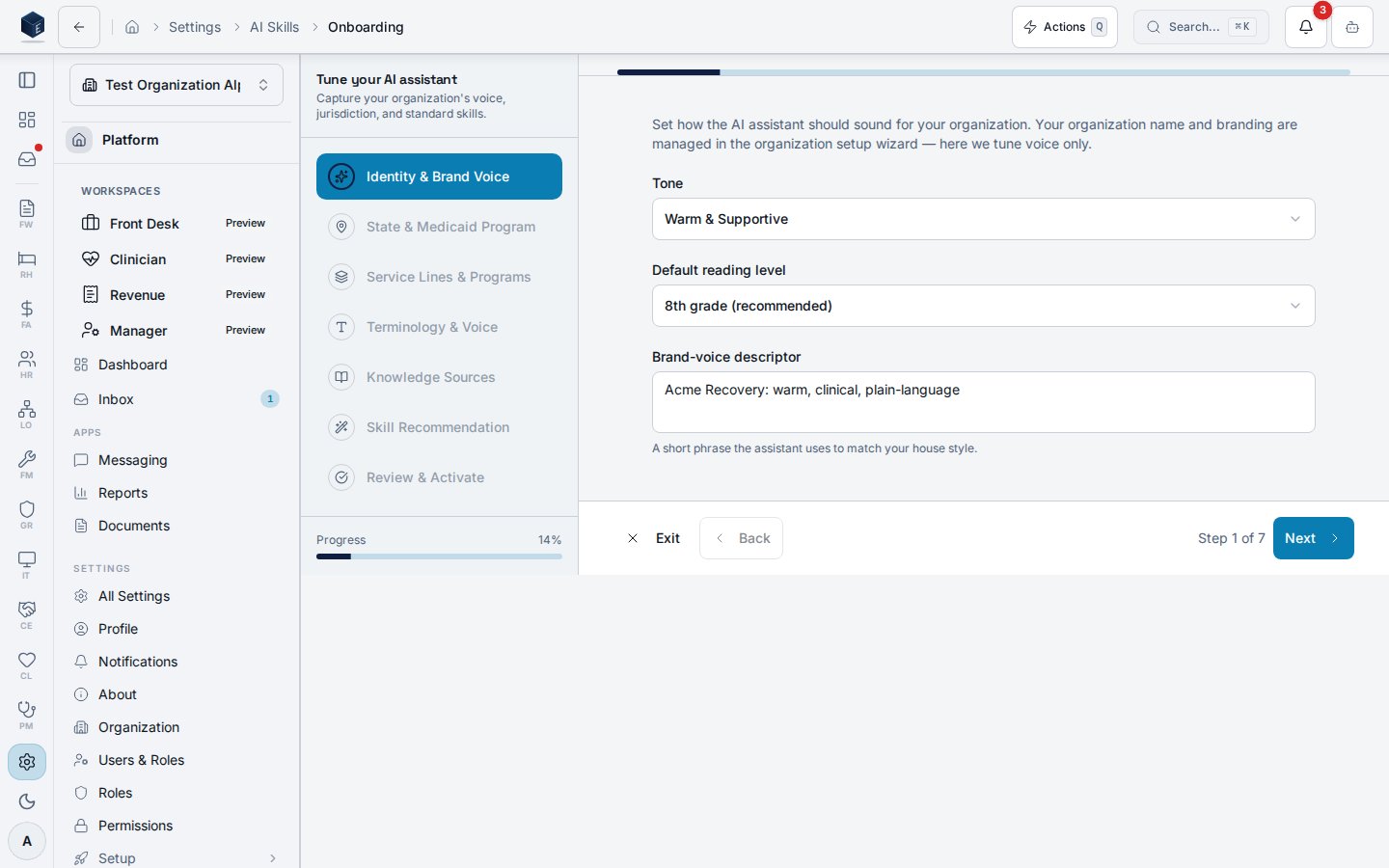
Identity & Brand Voice — pick a tone and default reading level and write a short
brand-voice descriptor. (Your organization name and branding come from the
organization setup wizard — this step tunes voice only.)
-
State & Medicaid Program — select your state and Medicaid program. Only a
pointer (
state_code+program_code) is stored; the actual rules stay in the platform jurisdiction profile and are resolved at runtime. No rule text is ever copied into your organization profile. Arizona / AHCCCS is the default profile (per the platform jurisdiction system), not a hardcoded global.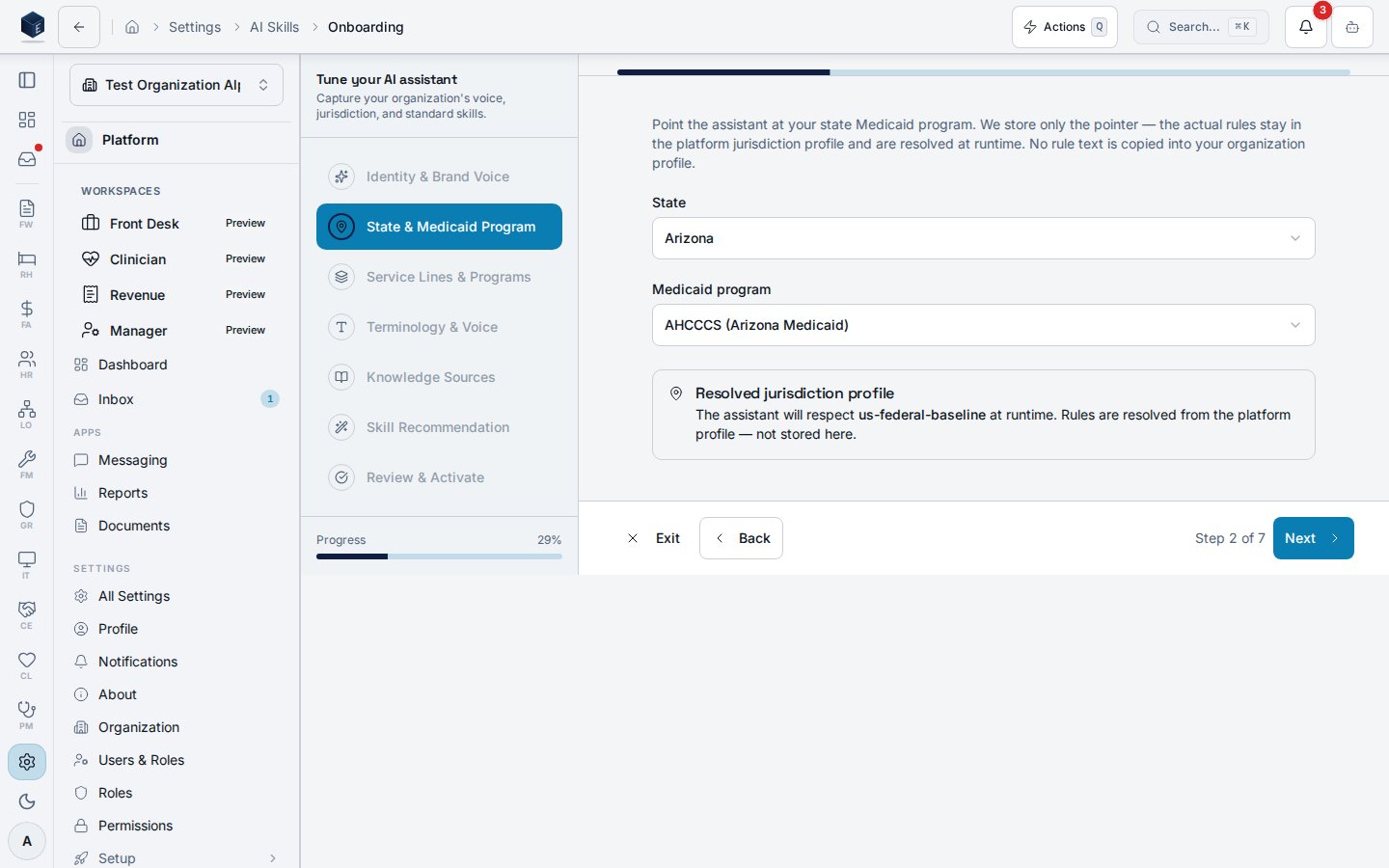
- Service Lines & Programs — choose your service lines (at least one), the populations you serve, and your payer-mix expectations. Payer-mix is a soft check: if the percentages don’t add up to ~100% you’ll see a non-blocking warning, but you can continue — rough estimates are fine.
- Terminology & Voice (optional) — map words your staff and clients expect (e.g. prefer “resident” over “client”) and list voice do’s and don’ts. You can skip this step.
- Knowledge Sources — author an “About our organization” narrative (and/or link existing documents). On Publish, the narrative is published as a single knowledge article that is automatically embedded for AI retrieval. Organizational facts only — the narrative is scanned for personal identifiers before publishing and the publish is blocked if any are detected. Re-publishing updates the same article (no duplicates).
- Skill Recommendation & Enablement — the wizard recommends standard AI skills for your service lines. This is recommend-and-confirm: every skill starts unchecked and nothing is enabled until you confirm a selection. Check the skills you want, then Confirm selection. You may confirm zero skills — your explicit choice is recorded.
-
Review & Activate — review every section (with Edit links) and click Activate.
Activation stamps the completion timestamp and writes an audit entry
(
pf.ai_onboarding.completed).
Re-running (edit-profile mode)
After you complete onboarding, opening the wizard again enters edit-profile mode: your saved answers are pre-loaded, and on the Skills step the currently-enabled skills are pre-checked with a “Will change” hint so you confirm changes rather than starting blind.How org context reaches the assistant
Org context flows to enabled skills through the AI runtime injection channel — it is not duplicated into each skill. Theai_org_context_token_budget setting (default
1500) bounds how many tokens the runtime injection may spend on the org-context block
when assembling a skill prompt.