

/fa/revenue-schedules) lists and manages revenue schedules that define the period-by-period plan for recognizing revenue from contracts or invoices.
Overview
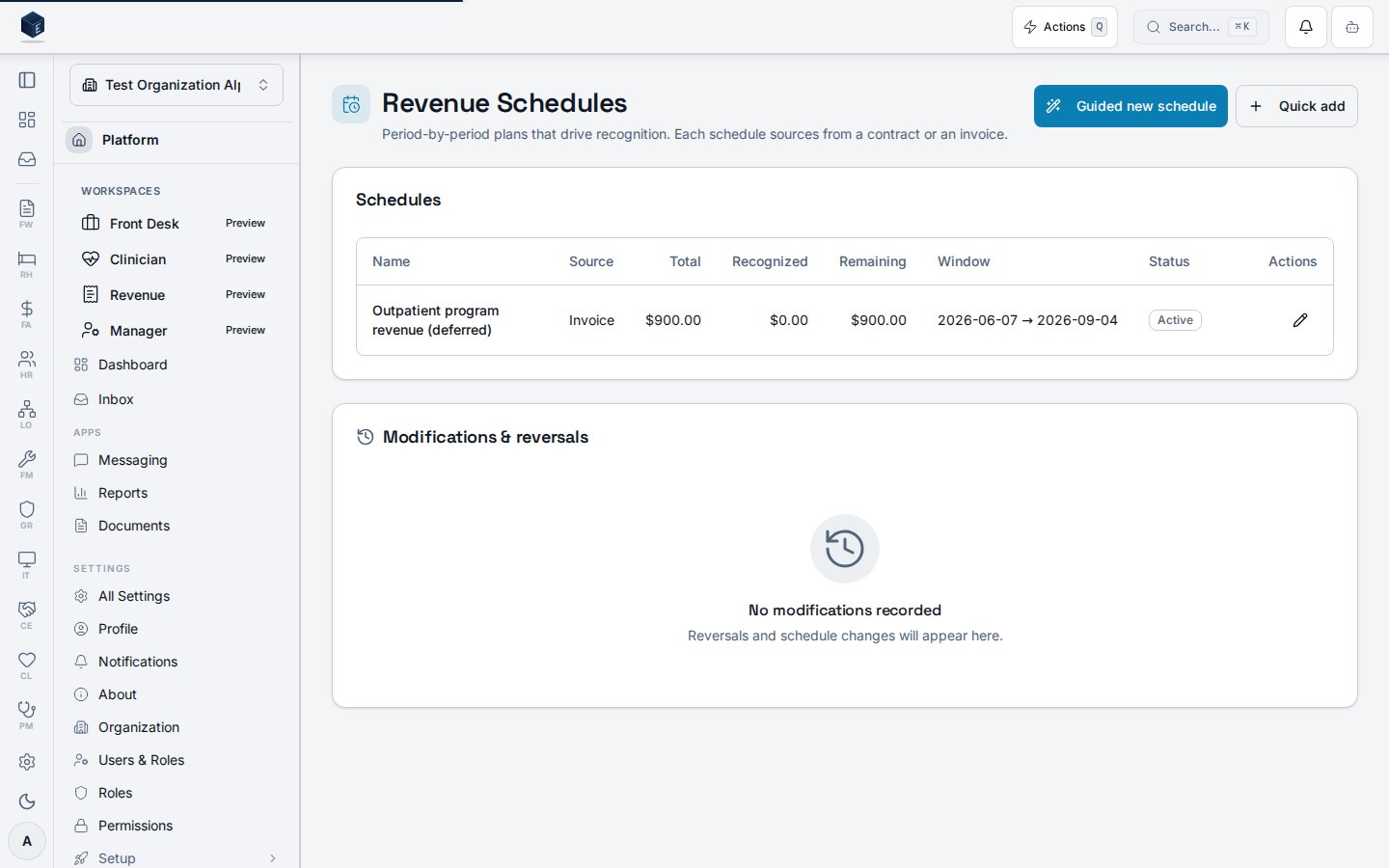
The Revenue Schedules page shows all schedules for the current organization. Schedules can be created via a guided wizard (RevenueScheduleWizardDialog) or a quick-add dialog (RevenueScheduleDialog). Existing schedules can be edited, modified (with a ModifyRevenueScheduleDialog), or have milestones managed (RevenueMilestonesDialog).
The page uses useRevenueScheduleList and useRevenueScheduleModificationList hooks backed by fa_revenue_schedules and related tables.
Manage actions require FA_PERMISSIONS.REVENUE_SCHEDULES_MANAGE.
Who it’s for
Requires permission:fa.revenue_schedules.view.
To create or modify schedules: the permission referenced by FA_PERMISSIONS.REVENUE_SCHEDULES_MANAGE.
Before you start
- At least one revenue contract or invoice must exist to source a schedule.
- You need
fa.revenue_schedules.viewto access the page.
Steps
Create a revenue schedule (guided)- Navigate to
/fa/revenue-schedules. - Click Guided new schedule to open the wizard.
- Follow the wizard steps and save.
- Click Quick add.
- Complete the dialog form and save.
- Locate the schedule in the table.
- Click the edit action and update fields in the dialog.
- Locate the schedule.
- Use the modify or milestones action to open the respective dialog.
Key concepts
- Revenue schedule: A
fa_revenue_schedulesrow that drives period-by-period recognition. - Modification: A logged change to an existing schedule tracked in
fa_revenue_schedule_modifications.
Related
Finance & Revenue
Finance & Revenue core overview.
Governance & parity
This page documents shipped product behavior. It is not medical, legal, or
billing advice. Verify against your organization’s policies and applicable
regulations before using it for clinical, compliance, or billing decisions.
Protected health information (PHI) shown in the product is governed by your
tenant’s access controls and is never exposed in this documentation.
Documentation sources
Documentation sources
- src/routes/fa.tsx
- src/cores/fa/pages/RevenueSchedulesPage.tsx
- src/cores/fa/hooks/useRevenueSchedules.ts
- src/cores/fa/wizards/revenue-schedule-creation/RevenueScheduleWizardDialog.tsx
- src/cores/fa/components/RevenueScheduleDialog.tsx