

/fa/reports/ar-aging.
Overview
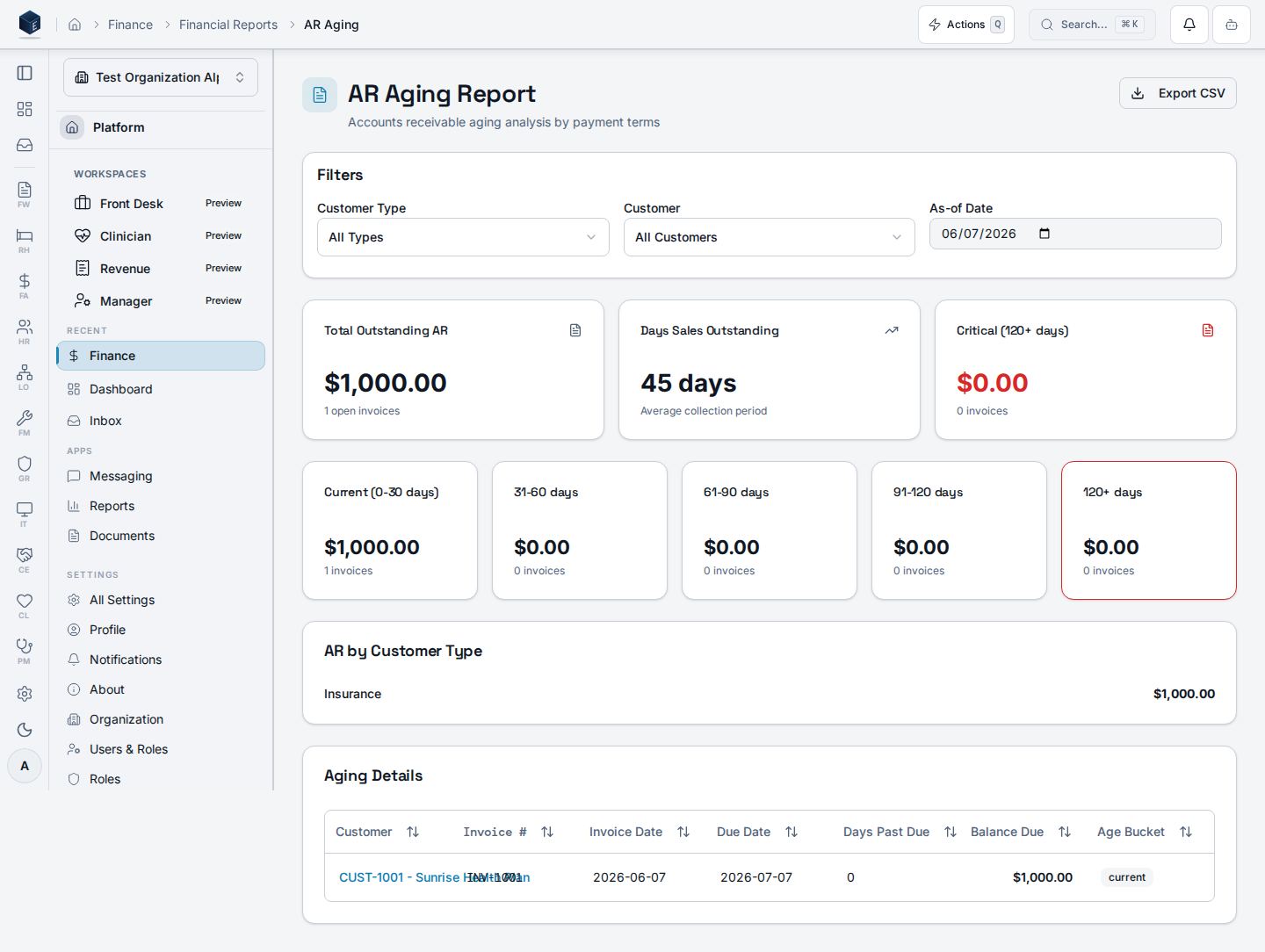
This screen provides a full accounts receivable aging analysis. It supports filters for customer type, customer, and as-of date. Key metrics displayed include Total Outstanding AR, Days Sales Outstanding (DSO), and Critical (120+ days). Aging buckets are shown in five cards: current, 31–60, 61–90, 91–120, and 120+ days. A “AR by Customer Type” breakdown and a detail table with all open invoices are also shown. The detail table links to individual invoice detail pages. An Export CSV button downloads all aging data.Who it’s for
Access follows your organization’s role and module configuration. The route is registered without aRequirePermission wrapper in fa.tsx.
Before you start
- An organization must be selected.
- Invoices must exist with open
balance_dueamounts.
Steps
1
Navigate to AR Aging
Go to
/fa/reports/ar-aging via Finance & Revenue Reports, or use the Aging Reports hub.2
Apply filters (optional)
Filter by customer type, specific customer, or as-of date.
3
Review key metrics
Check Total Outstanding AR, DSO, and the 120+ critical bucket.
4
Review aging buckets
Five cards show invoice counts and totals per aging tier.
5
Review customer type breakdown
The AR by Customer Type section shows totals per type.
6
Drill into an invoice
Click a customer link in the detail table to open the invoice detail page.
7
Export data
Click “Export CSV” to download the full aging detail.
Key concepts
- DSO — Days Sales Outstanding, as computed by
useARAgingReport - Aging buckets: current, 31–60, 61–90, 91–120, 120+ days — based on
invoice.due_date - Customer types:
resident,insurance,government,grant,other ARAgingFilters— filter object withcustomerType,customerId, andasOfDate
Related
Finance & Revenue
Finance & Revenue core overview.
Governance & parity
Documentation coverage and governance.
This page documents shipped product behavior. It is not medical, legal, or
billing advice. Verify against your organization’s policies and applicable
regulations before using it for clinical, compliance, or billing decisions.
Protected health information (PHI) shown in the product is governed by your
tenant’s access controls and is never exposed in this documentation.
Documentation sources
Documentation sources
- src/routes/fa.tsx
- src/cores/fa/pages/ARAgingReportPage.tsx
- src/cores/fa/hooks/useARAgingReport.ts