

/fa/cash-management
Overview
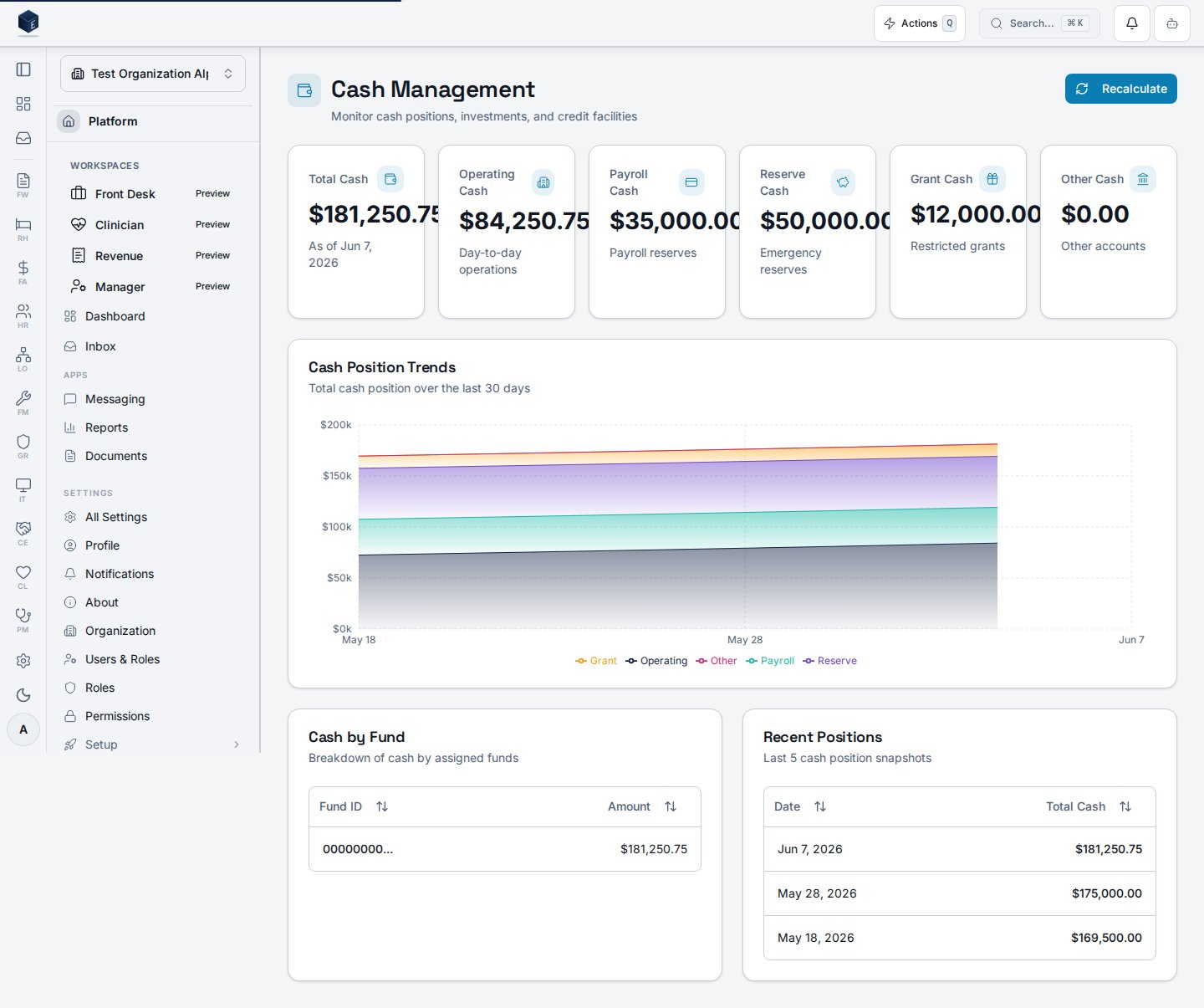
The dashboard fetches the latest cash position viauseLatestCashPosition and historical positions for the past 30 days via useCashPositionList. The CashPositionTrendsChart renders the trend. A data table breaks down cash by fund (CashByFundRow). Clicking on a bank account row navigates to the bank account detail page. The refresh button calls useCalculateCashPosition.
Who it’s for
Requires permission:fa.cash_management.view
Before you start
- Bank accounts must be configured and linked.
- You must hold the
fa.cash_management.viewpermission.
Steps
1
Navigate to Cash Management
Go to
/fa/cash-management.2
Review current position
Stat cards show the latest total cash and related metrics from
useLatestCashPosition.3
Review 30-day trend
The
CashPositionTrendsChart shows cash position history over the past 30 days.4
Review fund breakdown
The per-fund table shows cash allocated by fund.
5
Drill down (optional)
Click a bank account row to navigate to its detail page.
6
Refresh position (optional)
Click Refresh to trigger
useCalculateCashPosition and update the displayed data.Key concepts
useLatestCashPosition— Hook fetching the most recent cash position record.useCashPositionList— Hook fetching historical positions; accepts astartDatefilter.useCalculateCashPosition— Hook triggering a cash position recalculation.CashPositionTrendsChart— Chart component for the 30-day trend visualization.
Related
Finance & Revenue
Finance & Revenue core overview.
Governance & parity
This page documents shipped product behavior. It is not medical, legal, or
billing advice. Verify against your organization’s policies and applicable
regulations before using it for clinical, compliance, or billing decisions.
Protected health information (PHI) shown in the product is governed by your
tenant’s access controls and is never exposed in this documentation.
Documentation sources
Documentation sources
- src/routes/fa.tsx
- src/cores/fa/pages/CashManagementDashboard.tsx
- src/cores/fa/hooks/useCashPositions.ts
- src/cores/fa/components/CashPositionTrendsChart.tsx