

/fa/banking.
Overview
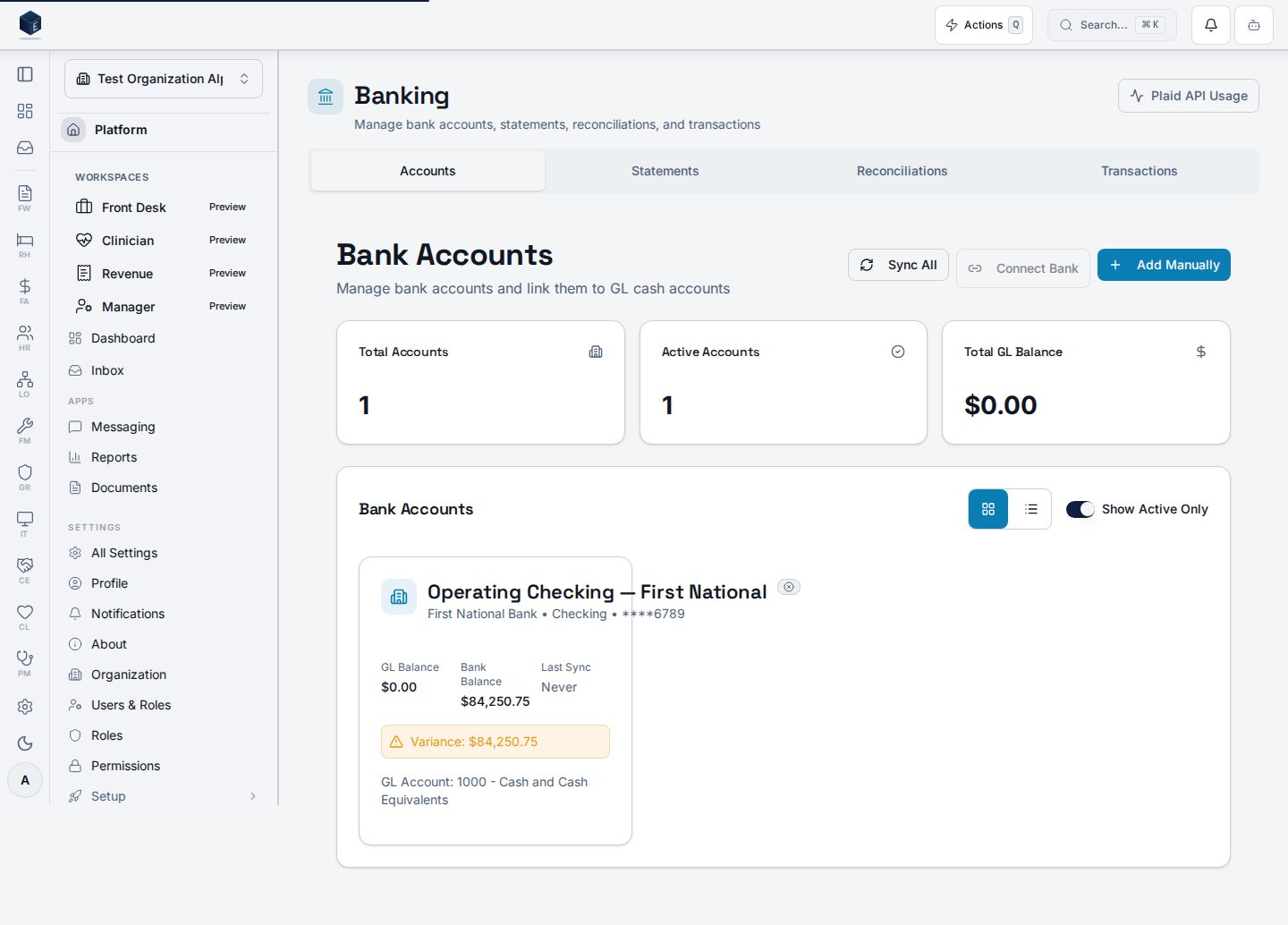
This screen is the Banking Hub, a tabbed page combining four sections: Accounts, Statements, Reconciliations, and Transactions. The active tab is controlled by the?tab= query parameter — valid values are accounts, statements, reconciliations, and transactions. The default tab is accounts. Each tab lazy-loads its respective page component. Users with fa.banking.admin permission see a Plaid API Usage link in the header. The hub title is “Banking” and the description is “Manage bank accounts, statements, reconciliations, and transactions.” The legacy routes /fa/bank-accounts, /fa/bank-statements, and /fa/reconciliations all redirect to this hub with the appropriate ?tab= parameter.
Who it’s for
Access follows your organization’s role and module configuration. Individual tabs and child routes may require specific permissions.fa.banking.admin users additionally see a Plaid API Usage link.
Before you start
- At least one bank account should be configured to see data in the Accounts tab.
- An organization must be selected.
Steps
1
Navigate to Banking
Go to
/fa/banking via Finance & Revenue navigation.2
Select a tab
Click Accounts, Statements, Reconciliations, or Transactions. The URL updates to reflect the active tab.
3
Manage accounts
The Accounts tab shows all bank accounts for the organization.
4
Manage statements
The Statements tab shows uploaded bank statement records.
5
Manage reconciliations
The Reconciliations tab lists reconciliation records.
6
Review transactions
The Transactions tab shows transaction-level data.
Key concepts
- Tab URL state —
?tab=accounts|statements|reconciliations|transactionspersists the active tab - Legacy redirects:
/fa/bank-accounts→?tab=accounts,/fa/bank-statements→?tab=statements,/fa/reconciliations→?tab=reconciliations fa.banking.admin— permission that unlocks the Plaid API Usage link
Related
Finance & Revenue
Finance & Revenue core overview.
Governance & parity
Documentation coverage and governance.
This page documents shipped product behavior. It is not medical, legal, or
billing advice. Verify against your organization’s policies and applicable
regulations before using it for clinical, compliance, or billing decisions.
Protected health information (PHI) shown in the product is governed by your
tenant’s access controls and is never exposed in this documentation.
Documentation sources
Documentation sources
- src/routes/fa.tsx
- src/cores/fa/pages/BankingHubPage.tsx