

/fa/entities.
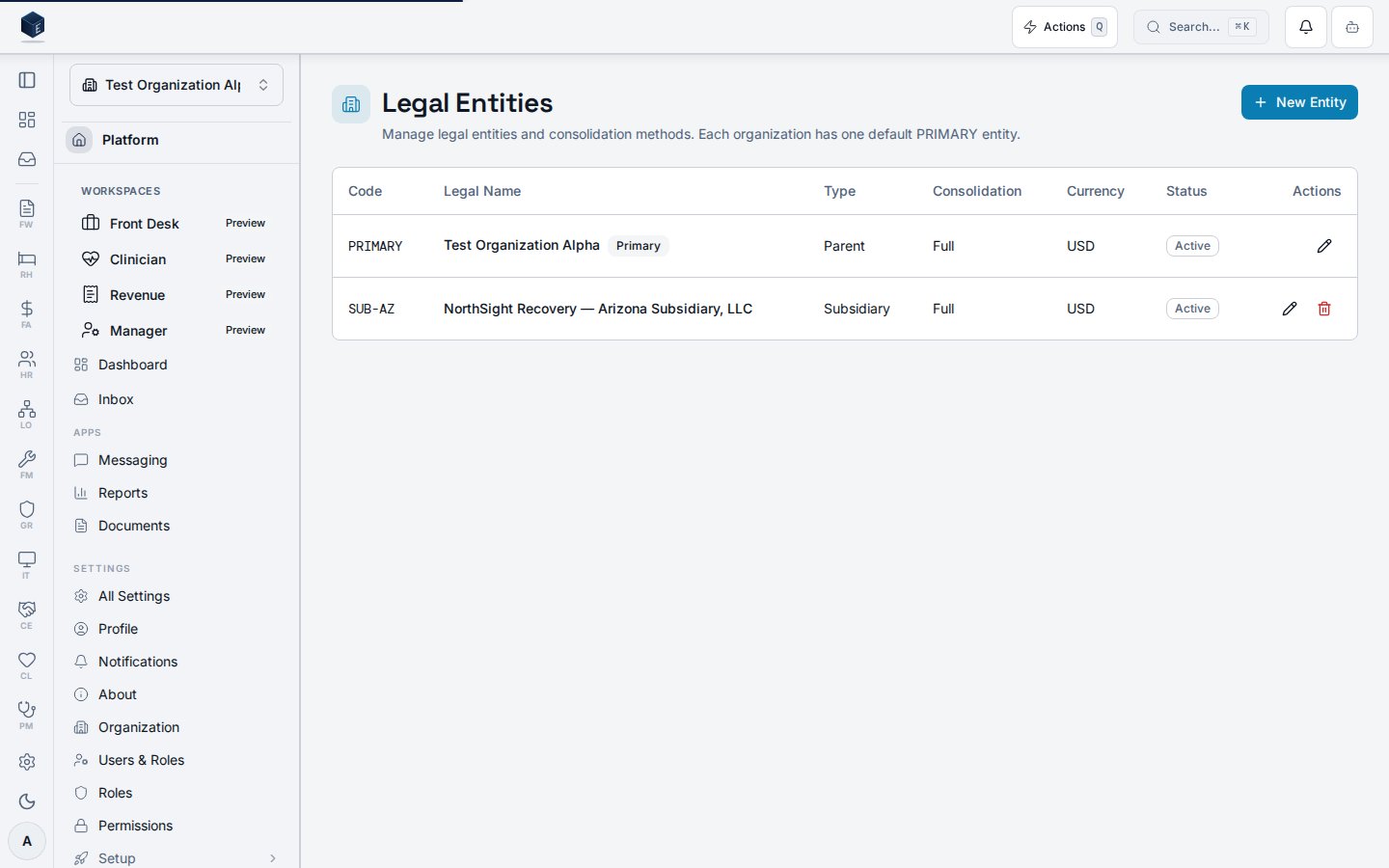
Overview
The Entities page is accessible at/fa/entities and requires permission fa.entities.view. The component (FAEntitiesPage) fetches entities via useFAEntities(organizationId) and displays them in a table with columns for Code, Legal Name, Type, Consolidation, and Currency. Each entity row supports edit (via FAEntityDialog) if the user has fa.entities.edit, and archive via useArchiveFAEntity. A New Entity button is gated behind fa.entities.create. The page description states: “Each organization has one default PRIMARY entity.”
Who it’s for
Requires permissionfa.entities.view. Edit requires fa.entities.edit. Create requires fa.entities.create.
Before you start
- You must have
fa.entities.viewpermission. - To create or edit entities, the additional
fa.entities.createorfa.entities.editpermissions are required.
Steps
- Navigate to Finance → Entities (
/fa/entities). - Review the list of legal entities showing Code, Legal Name, Type, Consolidation method, and Currency.
- To create a new entity, click New Entity (requires
fa.entities.create). - To edit an entity, click the edit action in the row;
FAEntityDialogopens. - To archive an entity, use the archive action (requires
fa.entities.edit).
Key concepts
Related
Finance & Revenue
Finance & Revenue core overview.
Governance & parity
This page documents shipped product behavior. It is not medical, legal, or
billing advice. Verify against your organization’s policies and applicable
regulations before using it for clinical, compliance, or billing decisions.
Protected health information (PHI) shown in the product is governed by your
tenant’s access controls and is never exposed in this documentation.
Documentation sources
Documentation sources
- src/routes/fa.tsx
- src/cores/fa/pages/FAEntitiesPage.tsx