

/fa/audit.
Overview
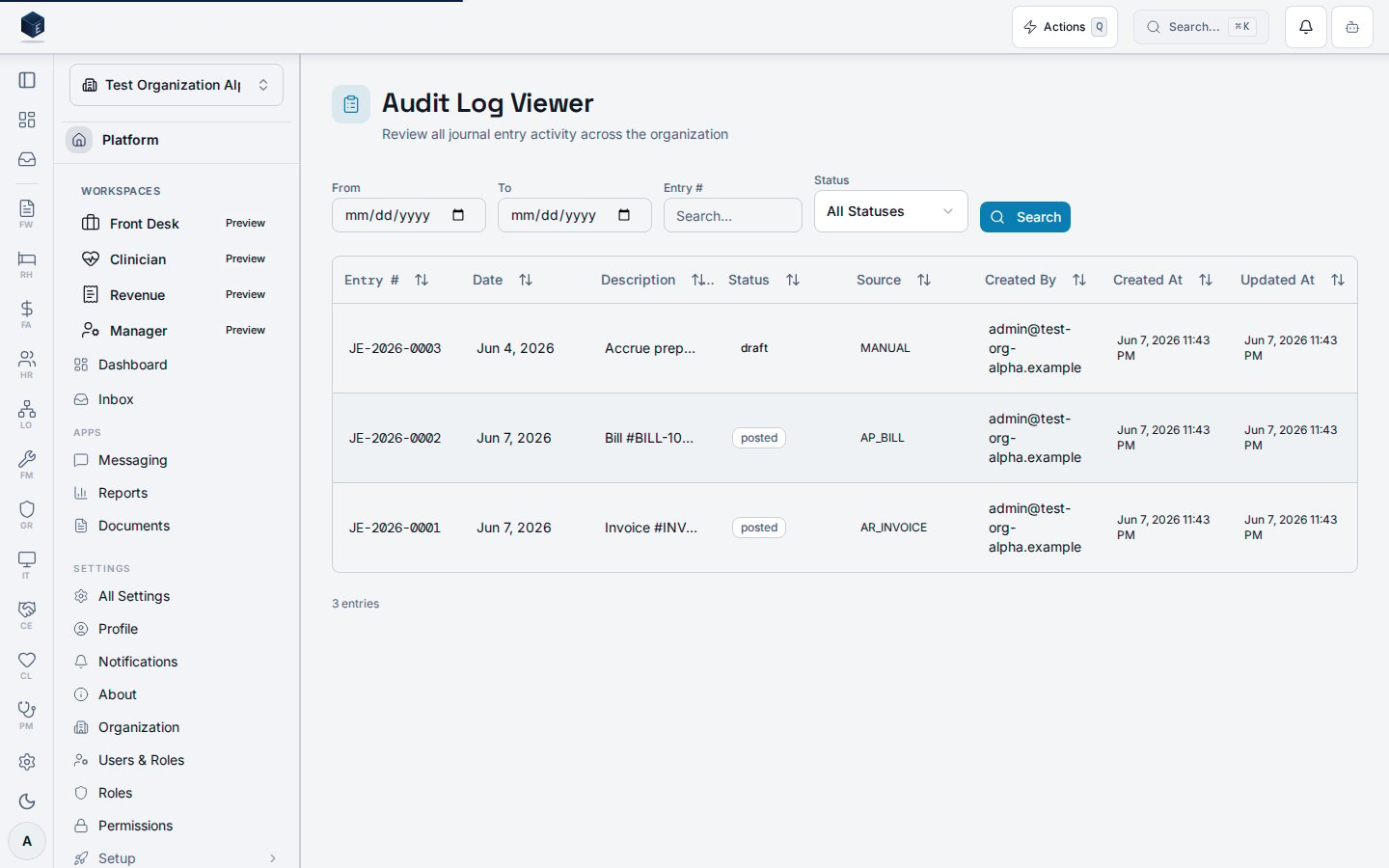
This screen provides a searchable and filterable log of all journal entry activity for the organization. Filters include date range (From/To), entry number search, and status (draft, pending_approval, posted, reversed). Results are displayed in a data table with columns for entry number, transaction date, description, status badge, source type, created-by user name, created at, and updated at. A count of returned entries is shown below the table. The page wraps its content in a PermissionGate requiring FA_PERMISSIONS.AUDIT_VIEW (fa.audit.view).
Who it’s for
Required permission:fa.audit.view (enforced at the route via RequirePermission and also via PermissionGate inside the component).
Before you start
- An organization must be selected.
- Journal entries must exist to appear in the log.
Steps
1
Navigate to Audit Log Viewer
Go to
/fa/audit via Finance & Revenue audit/compliance section.2
Set filters
Enter optional date range, entry number, and status filters.
3
Click Search
Click the Search button to execute the query. Results populate the table.
4
Review entries
Each row shows entry number, date, description, status, source, and user details.
Key concepts
entry_number— the journal entry identifier (displayed in monospace)statusvalues:draft,pending_approval,posted,reversedsource_type— the origin system or process that created the journal entryAuditLogFilters— filter object withdateFrom,dateTo,entryNumber,status
Related
Finance & Revenue
Finance & Revenue core overview.
Governance & parity
Documentation coverage and governance.
This page documents shipped product behavior. It is not medical, legal, or
billing advice. Verify against your organization’s policies and applicable
regulations before using it for clinical, compliance, or billing decisions.
Protected health information (PHI) shown in the product is governed by your
tenant’s access controls and is never exposed in this documentation.
Documentation sources
Documentation sources
- src/routes/fa.tsx
- src/cores/fa/pages/AuditLogViewerPage.tsx
- src/cores/fa/hooks/useAuditLogViewerData.ts