

/fa/close
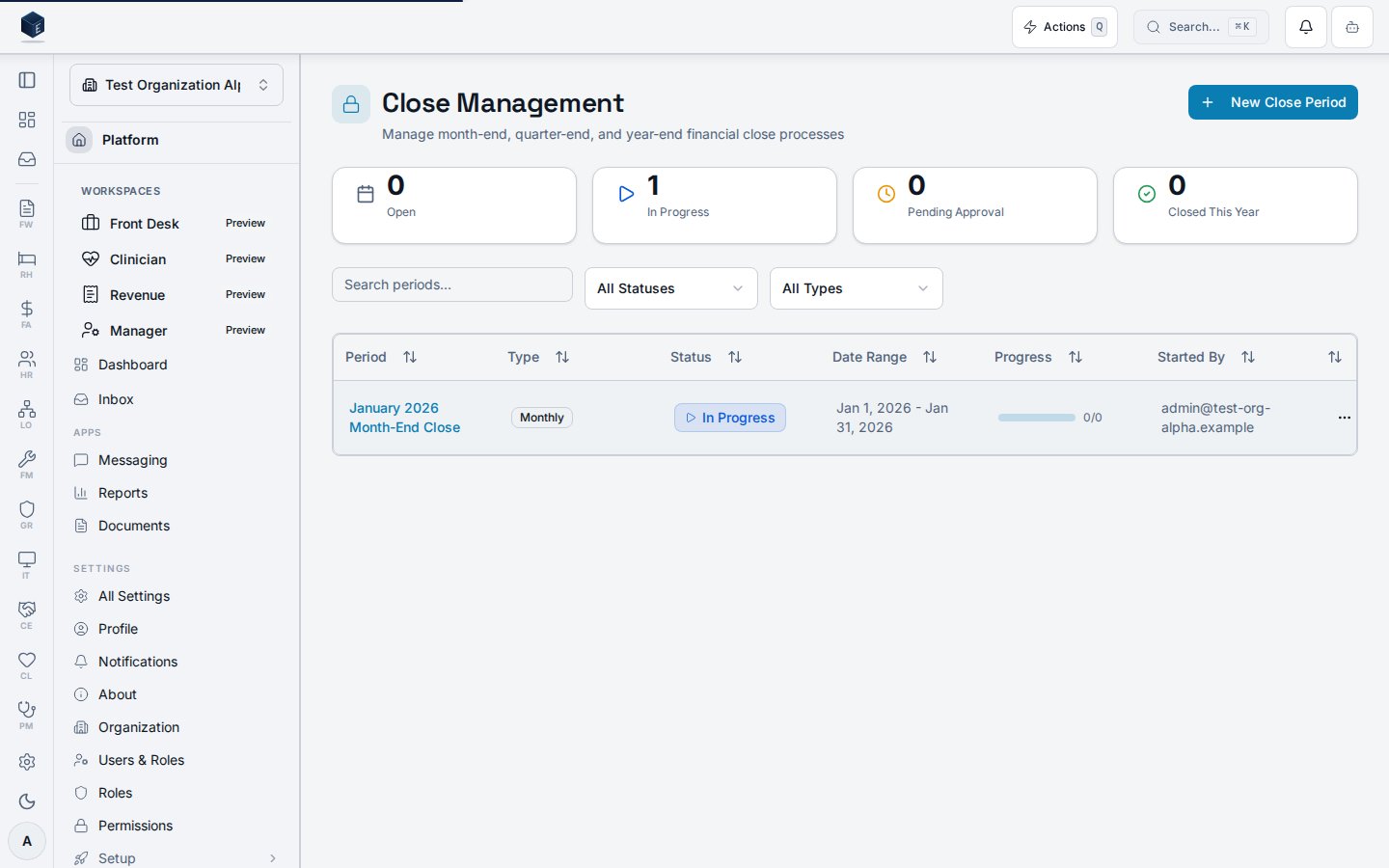
Overview
The page fetches all close periods viauseClosePeriodsList filtered by status and period_type. A client-side search filter applies on period_name. Stat cards show counts of open, in-progress, pending-approval, and closed-this-year periods. The ClosePeriodsTable lists periods; clicking a row navigates to /fa/close/:id. The New Close Period button (gated by fa.close.create via PermissionGate) opens CreateClosePeriodDialog.
Who it’s for
Requires permission:fa.close.view. Creating new periods requires fa.close.create.
Before you start
- You must hold the
fa.close.viewpermission. - Creating new periods requires
fa.close.create.
Steps
1
Navigate to Close Periods
Go to
/fa/close.2
Filter periods
Use the status and period-type dropdowns, or type in the search box, to narrow the list.
3
Review statistics
Stat cards at the top summarize open, in-progress, pending-approval, and closed-this-year counts.
4
Open a period
Click a period row to navigate to its detail page at
/fa/close/:id.5
Create a new period (if permitted)
Click New Close Period to open
CreateClosePeriodDialog.Key concepts
ClosePeriodStatus— Type for the period lifecycle state (open, in_progress, pending_approval, closed, etc.).ClosePeriodType— Type for period classification:month,quarter,year.useClosePeriodsList— Primary data hook; acceptsorganizationIdand filter object.PermissionGate— Platform component used here to gate the Create button onfa.close.create.
Viewing a close period
The detail view at/fa/close/:id provides a full view of a single financial close period, including its checklists, tasks, documentation attachments, validation status, and lifecycle controls.
The page loads the close period via useClosePeriodDetail, its checklists via useClosePeriodChecklists, tasks via useCloseTasksByPeriod, and attached documentation via useCloseDocumentationList. The ClosePeriodProgress component shows overall completion. The CloseChecklistSection renders each checklist with expandable tasks. The CloseStatusBadge reflects the current CloseStatus. Lifecycle actions include Start, Submit for Approval, Approve, Complete (with audit), and Reopen (with audit). Period types are: month (Monthly Close), quarter (Quarterly Close), year (Year-End Close).
Before you start:
- A close period must be created before it can be viewed here.
- The Start action transitions the period from open to in-progress.
- Task completion is required before attempting to submit for approval or complete.
CloseStatus— Enum/type for period lifecycle states (open, in_progress, pending_approval, closed, etc.).periodTypeLabels— Mapsmonth,quarter,yearto display labels.PeriodCloseValidationWidget— Renders validation checks required before completion.useCompleteClosePeriodWithAudit/useReopenClosePeriodWithAudit— Audit-trail hooks for lifecycle transitions.
- Go to
/fa/closeand click a period row, or navigate directly to/fa/close/:id. - Review
ClosePeriodProgressfor overall task completion and expand checklist sections to see individual tasks. - Click Start to call
useStartClosePeriodand transition the period to in-progress (if not started). - Mark each checklist task complete via
CloseTaskDetailDialog. - Click Submit to call
useSubmitClosePeriodForApproval. - Approvers can approve via
useApproveClosePeriodand complete the period viauseCompleteClosePeriodWithAudit. - Click Reopen to call
useReopenClosePeriodWithAuditif needed.
Related
Finance & Revenue
Finance & Revenue core overview.
Governance & parity
This page documents shipped product behavior. It is not medical, legal, or
billing advice. Verify against your organization’s policies and applicable
regulations before using it for clinical, compliance, or billing decisions.
Protected health information (PHI) shown in the product is governed by your
tenant’s access controls and is never exposed in this documentation.
Documentation sources
Documentation sources
- src/routes/fa.tsx
- src/cores/fa/pages/ClosePeriodsPage.tsx
- src/cores/fa/pages/ClosePeriodDetailPage.tsx
- src/cores/fa/components/ClosePeriodsTable.tsx
- src/cores/fa/components/CreateClosePeriodDialog.tsx
- src/cores/fa/components/CloseChecklistSection.tsx
- src/cores/fa/components/ClosePeriodProgress.tsx
- src/cores/fa/components/CloseStatusBadge.tsx
- src/cores/fa/components/PeriodCloseValidationWidget.tsx
- src/cores/fa/hooks/usePeriodCloseWithAudit.ts
- src/cores/fa/types/close.ts