

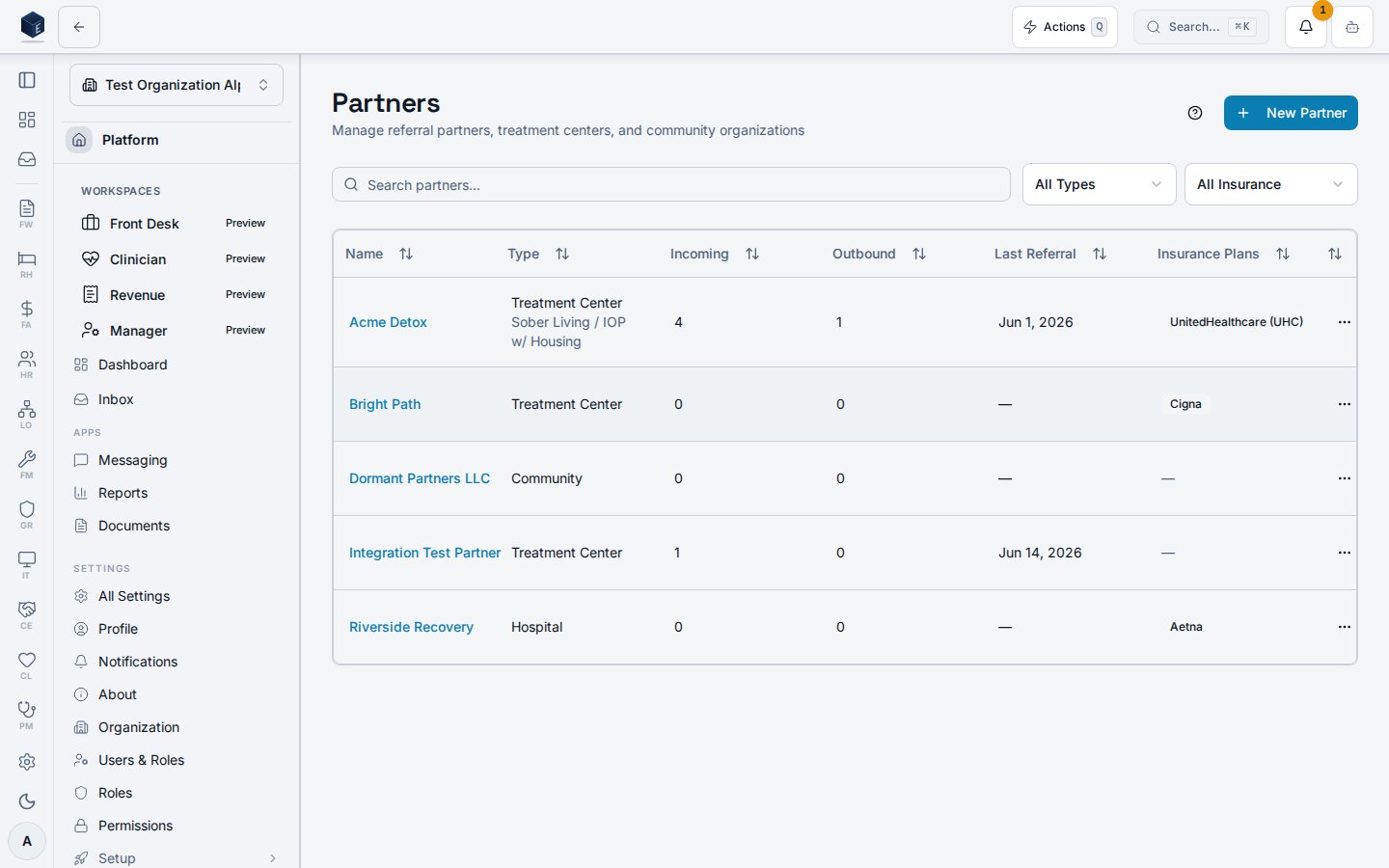
/ce/partners is the primary list view for all referral partner organizations, with search, type and status filtering, and actions to add or edit partners.
Overview
Navigating to/ce/partners loads PartnersPage, gated by ce.partners.view. The page shows a searchable, filterable table of partners. Clicking a row navigates to /ce/partners/{id}. The New Partner button (also reachable via /ce/partners?action=new) opens the PartnerDialog create form. On mobile, a dedicated MobilePartnerView is rendered instead of the table.
Who it’s for
Permission required:ce.partners.view
Before you start
- You need
ce.partners.viewto access the page. - Creating partners requires
ce.partners.create(enforced by the Partner Onboarding wizard route). - An organization must be selected; the page shows a loading skeleton until the org context resolves.
Steps
1
Open the Partners list
Navigate to
/ce/partners from the CE sidebar.2
Search and filter
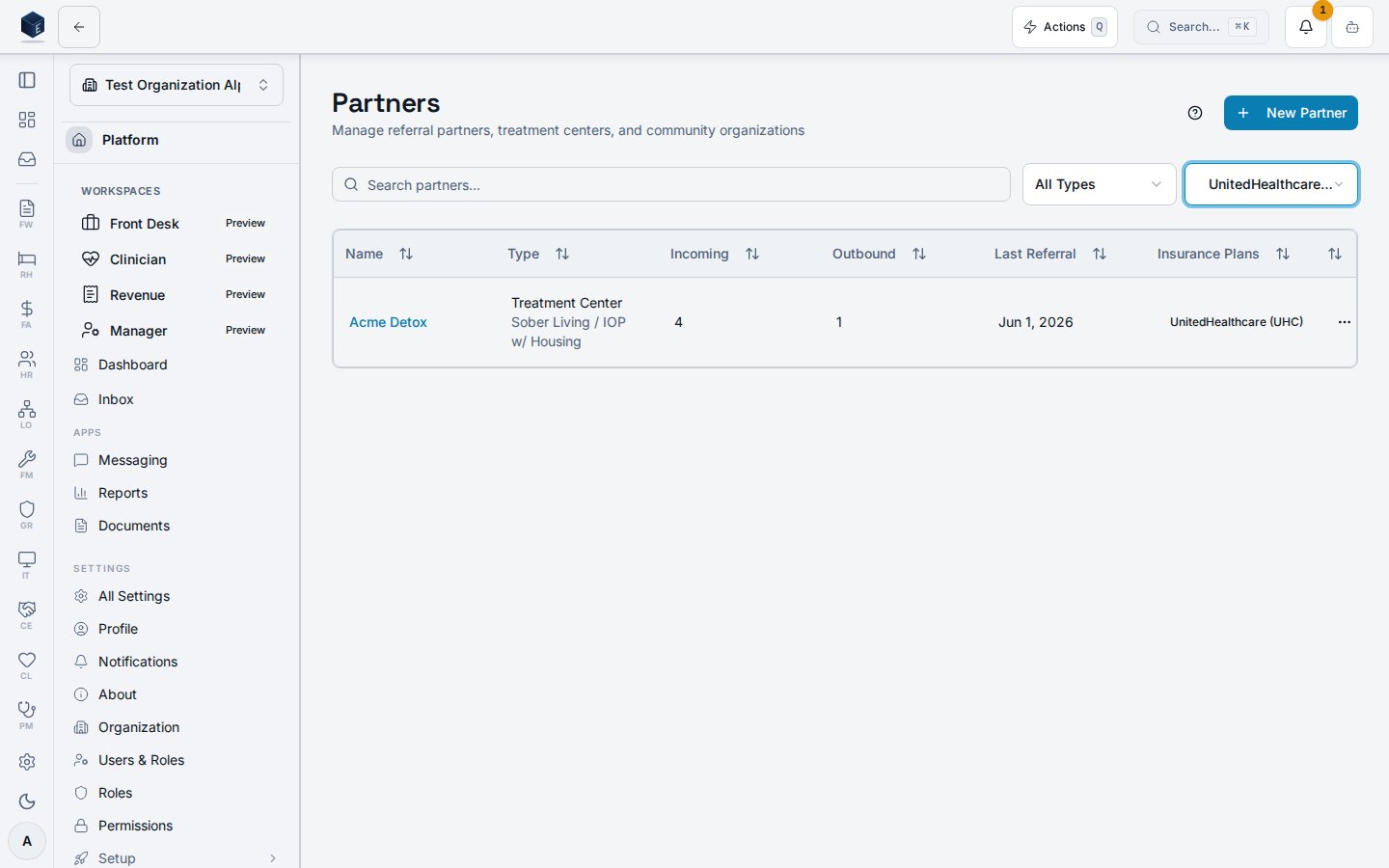
Use the search field to filter by name. Use the Type dropdown (treatment center, hospital, social services, legal, employer, educational, faith based, community, other) and Status dropdown (active, inactive, pending, former, needs completion) to narrow results. Default status filter is “active.” Select Needs completion to find partners created inline from the Add-Lead wizard that still need their full record filled in.
3
View a partner
Click any partner row to navigate to its detail page at
/ce/partners/{id}.4
Create a partner
Click New Partner or go to
/ce/partners?action=new to open the create dialog. For the guided onboarding wizard, use /ce/partners/onboard.5
Edit a partner
Use the row action menu to open the edit dialog for an existing partner.
6
Delete a partner
Use the row action menu to delete a partner. A confirmation step is shown before deletion.
Key concepts
- Partner types —
treatment_center,hospital,social_services,legal,employer,educational,faith_based,community,other. - Relationship statuses —
active,pending,inactive,former,needs_completion. - Needs completion — the status applied to a partner quick-created inline from the Add-Lead wizard with only a name. The Partners table shows a warning badge with an alert icon so you can find and complete the full record. To clear the flag, edit the partner and set the relationship status to any other value.
- Guided tour — A
GuidedTourcomponent is available for onboarding new users to the Partners workflow; triggered via the help button.
Creating a partner
The route/ce/partners/new is a redirect, not a standalone screen. It automatically redirects to /ce/partners?action=new. In src/routes/ce.tsx, the path /ce/partners/new is configured as <Navigate to="/ce/partners?action=new" replace />. The Partners list page (PartnersPage) handles this parameter to open a new partner creation flow.
Note: the full partner onboarding wizard is available at /ce/partners/onboard (requires ce.partners.create), which is distinct from this redirect target.
Viewing a partner
The Partner Details page at/ce/partners/:id shows the full profile of one referral partner, including summary statistics and tabbed sections for contacts, contracts, call history, activity, email timeline, and progress tracking.
Accessing /ce/partners/:id loads PartnerDetailPage, which fetches the partner record via usePartner and renders a header, four summary stat cards (Total Referrals, Successful, Conversion Rate, Last Referral), and a scrollable tab set. Clicking Edit Partner opens an inline dialog. The Progress tab provides a milestone tracker, progress timeline, a quick Log Progress dialog, and a multi-step Guided Review wizard.
Child components check ce.calls.create for the click-to-call button. To initiate a call, your account needs the ce.calls.create permission and a RingCentral integration configured.
Steps to work a partner detail:
- From the Partners list (
/ce/partners), click the partner’s name or row to navigate to/ce/partners/{id}. - Review summary statistics — the four stat cards show Total Referrals, Successful Admissions, Conversion Rate, and Last Referral date at a glance.
- Navigate tabs — use the tab bar to switch between Overview, Contacts, Contracts, Calls, Activity, Emails, and Progress.
- Edit partner information — click Edit Partner in the header to open the partner edit dialog. Save changes to update the record.
- Log or review progress — on the Progress tab, click Log Progress for a quick entry, or Guided Review to step through a structured review wizard.
successful_admissions / total_referrals × 100; displayed as a whole-number percentage.
Relationship Status — Values include active, inactive, pending, and former; shown as a badge next to the partner name.
Milestone Tracker — Driven by partner_type and relationship_start_date; tracks predefined milestones for the relationship lifecycle.
Guided Review — A multi-step wizard (PartnerProgressReviewWizard) covering review period, KPI entry, milestone updates, notes, and submit/schedule.
Related
Community Engagement
Community Engagement core overview.
Governance & parity
This page documents shipped product behavior. It is not medical, legal, or
billing advice. Verify against your organization’s policies and applicable
regulations before using it for clinical, compliance, or billing decisions.
Protected health information (PHI) shown in the product is governed by your
tenant’s access controls and is never exposed in this documentation.
Documentation sources
Documentation sources
- src/routes/ce.tsx
- src/cores/ce/pages/PartnersPage.tsx
- src/cores/ce/pages/PartnerDetailPage.tsx
- src/cores/ce/hooks/usePartners.ts
- src/cores/ce/hooks/usePartnerMutations.ts
- src/cores/ce/hooks/usePartner.ts
- src/cores/ce/wizards/partner-progress-review/PartnerProgressReviewWizard.tsx
- src/cores/ce/components/MilestoneTracker.tsx
- src/cores/ce/components/PartnersTable.tsx