HubSpot Contact Sync — User Guide
When your organization connects its HubSpot portal, contact changes made in HubSpot flow into Encore automatically — usually within seconds via webhooks, and at worst within the polling interval (15 minutes by default) if webhook delivery hiccups. The sync is inbound only: Encore reads from HubSpot and never writes contact data back (outbound sync arrives with a later release that requires a HubSpot Business Associate Agreement).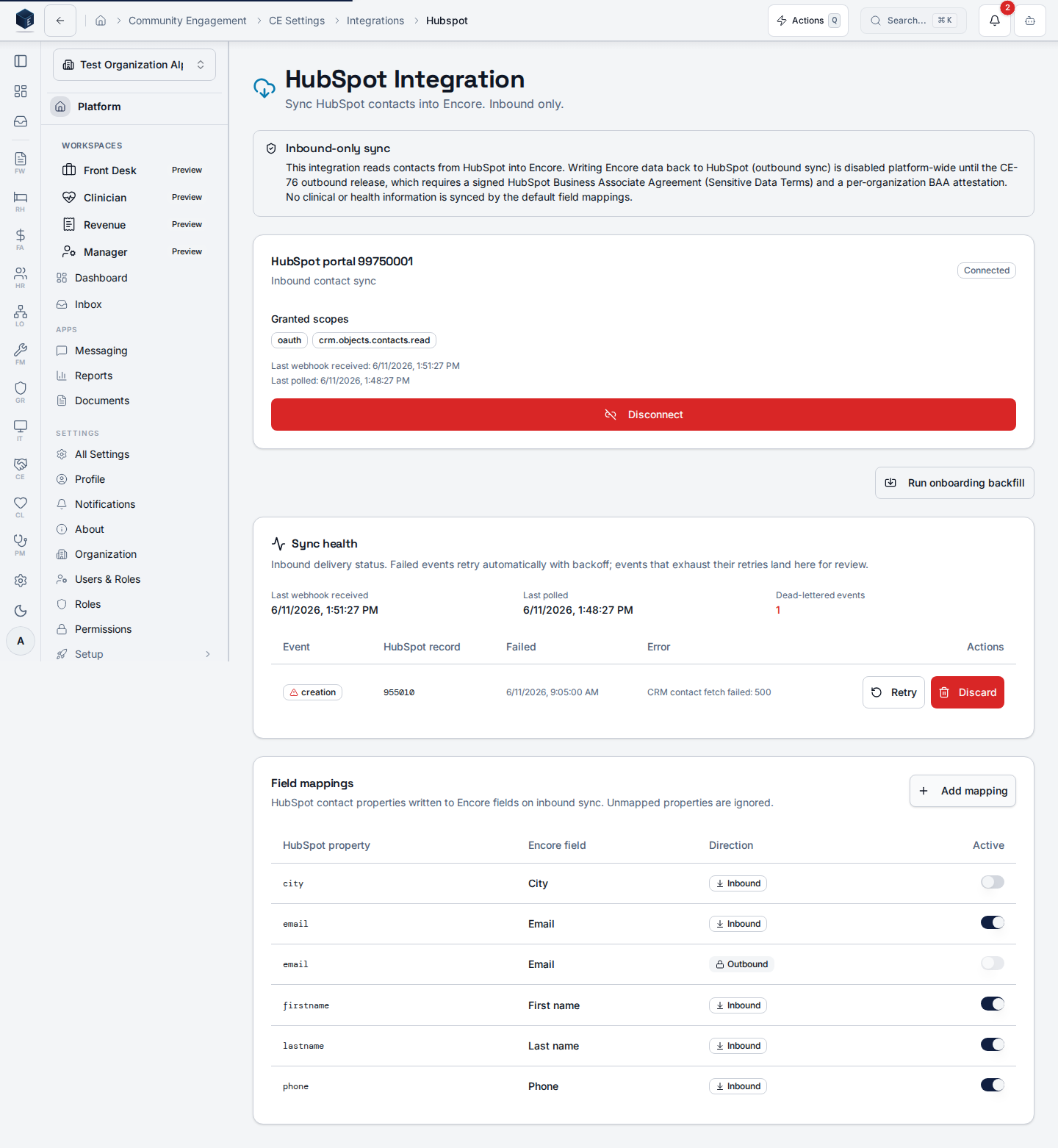
What syncs
Only the fields your administrator has mapped (by default: name, email, phones, address, and lifecycle stage → lead source details). Unmapped HubSpot properties are ignored. No clinical or health information is part of the default mappings.Duplicates are prevented, not created
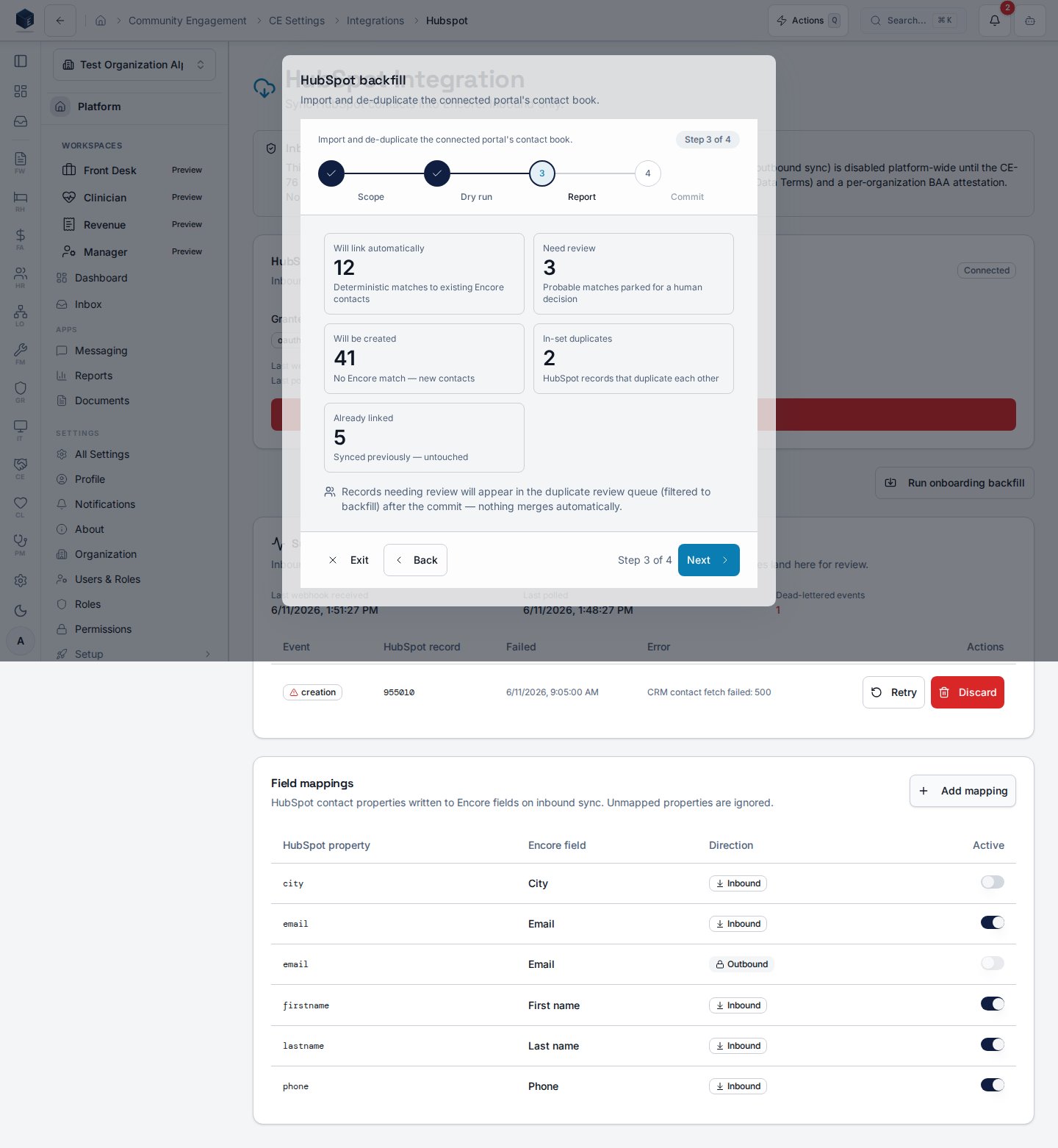
Every incoming HubSpot contact goes through the same matching engine that guards manual entry and CSV imports (see the duplicate contacts guide):- Already linked — the change updates the linked Encore contact.
- Deterministic match (same email or phone) — the HubSpot record is linked to the existing contact automatically.
- Probable match — the pair is parked in the duplicate review queue for a human decision. Nothing merges automatically.
- No match — a new Encore contact is created and linked.
Reviewing sync matches
Open Community Engagement → Contacts → Duplicate Review and use the sync source chip to see pairs raised by HubSpot sync (backfill shows pairs from the one-time import). For pairs where the HubSpot record isn’t an Encore contact yet, Compare shows the incoming HubSpot values side by side with the existing contact so you can decide with full context.The sync health panel
On the integration settings page (Settings → Integrations → HubSpot) the Sync health card shows:- Last webhook received / Last polled — when Encore last heard from HubSpot through each channel.
- Dead-lettered events — changes that failed repeatedly and need attention. Each row shows the HubSpot record and the error; a user with the manage permission can Retry (run it through the pipeline again) or Discard it.
The onboarding backfill
The first-time import of your whole HubSpot contact book runs through the backfill wizard (administrators only — see the admin guide). Its dry run reports what would happen before anything is written.