

HubSpot Integration — Admin Guide
Everything here requires thece.hubspot.manage permission (org admins have
it implicitly). The integration lives at Settings → Integrations →
HubSpot (/ce/settings/integrations/hubspot).
Connecting a portal
Click Connect HubSpot and approve the consent screen in HubSpot. One portal per organization. On success the page shows the portal id, granted scopes, and the connection status; the default field mappings are seeded automatically. Access and refresh tokens are stored in the platform’s encrypted vault — they never appear in the UI, the database rows, or logs. The sync is inbound only: outbound writes are disabled platform-wide until the CE-76 release (HubSpot BAA + per-organization attestation). The settings page states this boundary; there is no toggle to bypass it.Field mappings
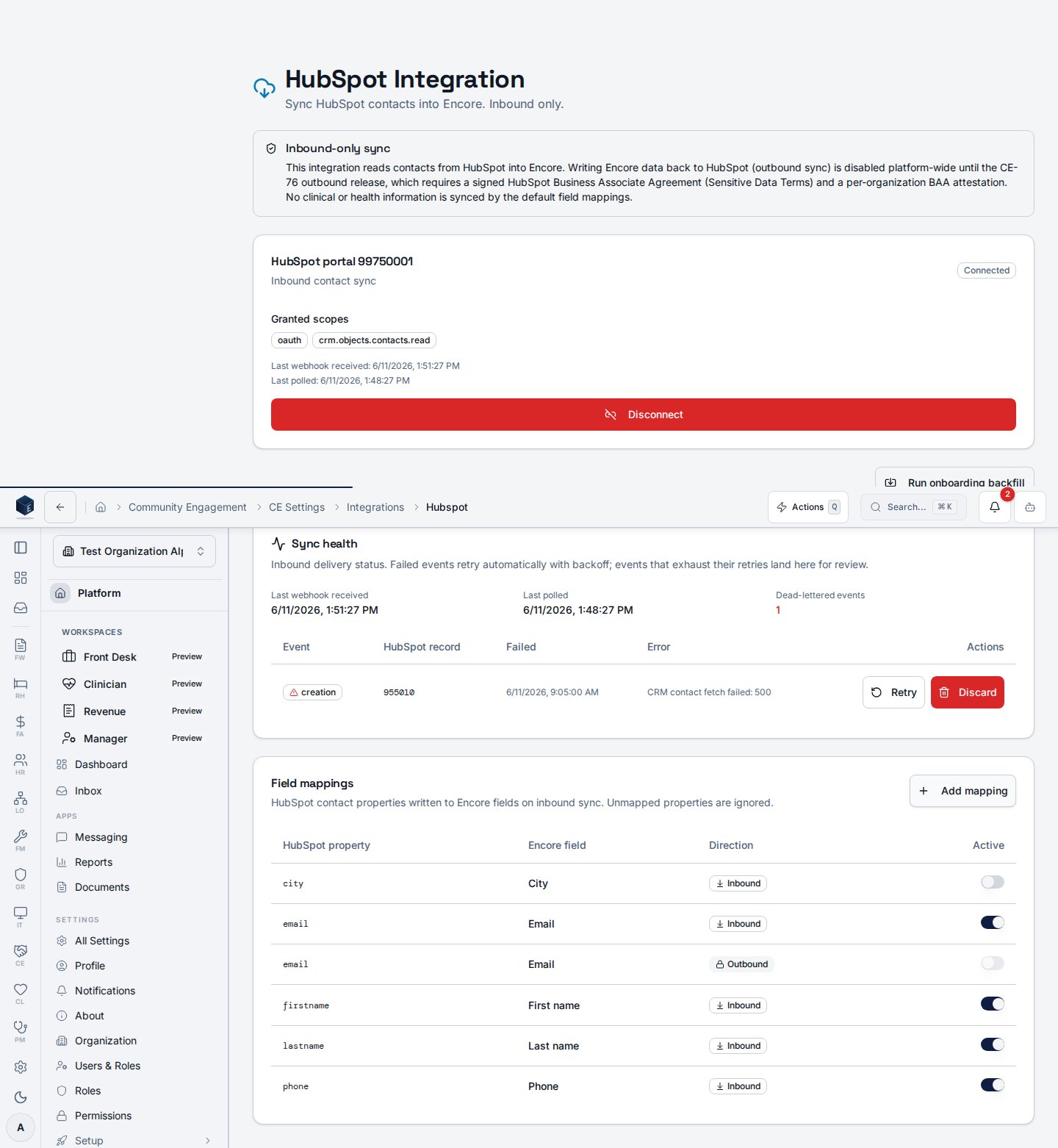
- Defaults (seeded on connect): first/last name, email, phone, mobile,
address, city, state, ZIP, and
lifecyclestage→ lead source details. - Add mapping maps any HubSpot contact property onto a registry of safe Encore fields (demographic and lead-source columns only — clinical and insurance fields are structurally excluded).
- Deactivate a mapping to stop that property from writing; re-connecting never overwrites your edits.
- Direction is locked to inbound. Rows with an outbound direction render locked and cannot be activated until CE-76.
Polling interval
Webhooks deliver changes in seconds; an incremental poll sweeps for anything missed. The interval is org-configurable viace_module_settings.hubspot_poll_interval_minutes (default 15, allowed
5–120).
The onboarding backfill
Run onboarding backfill opens the wizard:- Scope — confirms the portal and the active inbound mappings.
- Dry run — scans the entire HubSpot book and buckets every contact (link automatically / needs review / will be created / in-set duplicates / already linked) without writing anything.
- Report — the bucket counts.
- Commit — applies the buckets. Review hits are parked in the duplicate
review queue (
source=backfill); duplicates within HubSpot collapse to a single Encore contact with both HubSpot ids linked.