

Duplicate Contacts & Merge — User Guide
Encore continuously checks new and imported contacts against your organization’s existing records. Exact matches (same email, same phone, or same name + date of birth) are flagged immediately; probable matches — similar names backed by a corroborating detail like the same referral source — wait in a review queue. Nothing is ever merged automatically: a person with the merge permission reviews every pair.The duplicate warning on contact create
While you type a new contact’s name, email, or phone, a warning appears if a likely match exists:- Exact match (red badge) — the email, phone, or name + DOB already belongs to an existing contact.
- Possible match (gray badge) — the name is similar and a corroborating field matches.
- Chips under each match show why it matched — for example Phone exact and Name similar (62%).
(602) 555-0142, 602.555.0142,
and +1 602 555 0142 all match each other. Email matching ignores case and
stray spaces.
The duplicate review queue
Open Community Engagement → Contacts → Duplicate Review (/ce/contacts/duplicates). You’ll need the ce.contacts.merge permission.
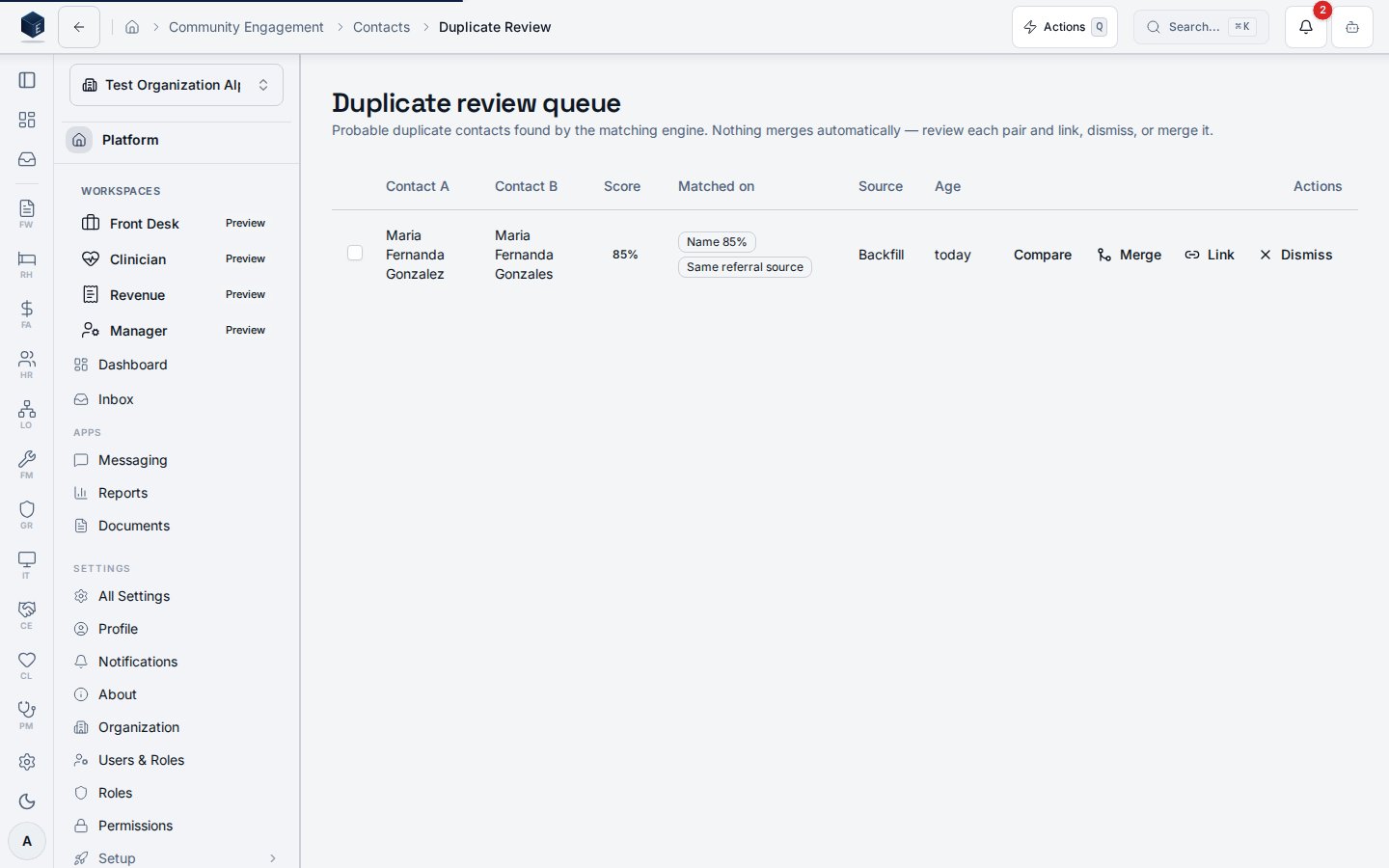
- Compare — side-by-side drawer of both records.
- Merge — open the merge dialog (below).
- Link — record that both rows refer to the same person without merging.
- Dismiss — mark the pair as not a duplicate. A dismissed pair never resurfaces in the queue, even if the matching engine sees it again.
- Bulk dismiss — select multiple pairs with the checkboxes and dismiss them together.
Merging two contacts
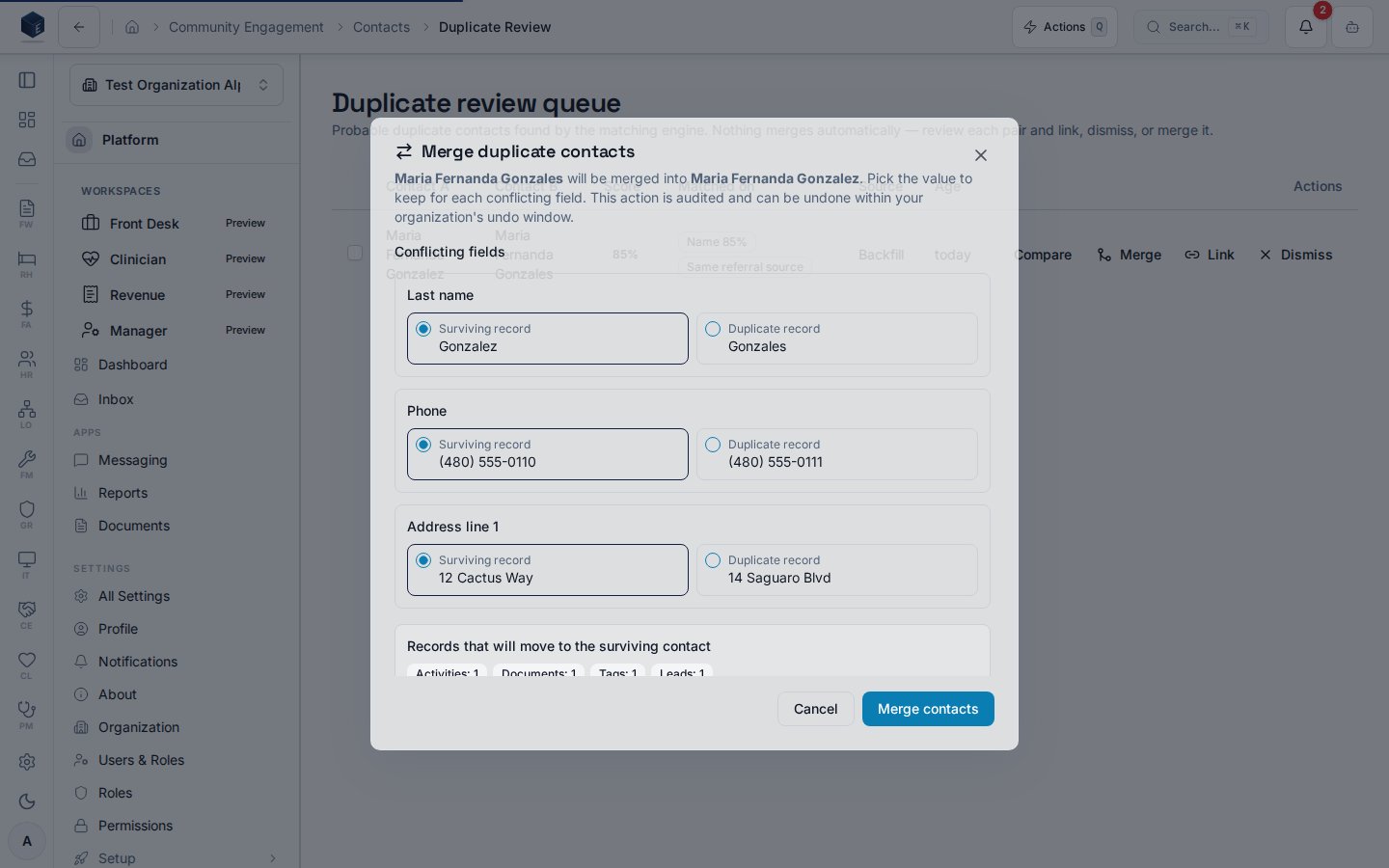
- All related records — activities, calls, documents, tags, leads, relationships, messages, and external links — move to the surviving record.
- The duplicate becomes a tombstone: old links and bookmarks to it redirect to the survivor, and it disappears from lists, search, and future duplicate checks.
- The merge is fully audited on both contacts’ history timelines.