

The Documentation Blocks chart tab
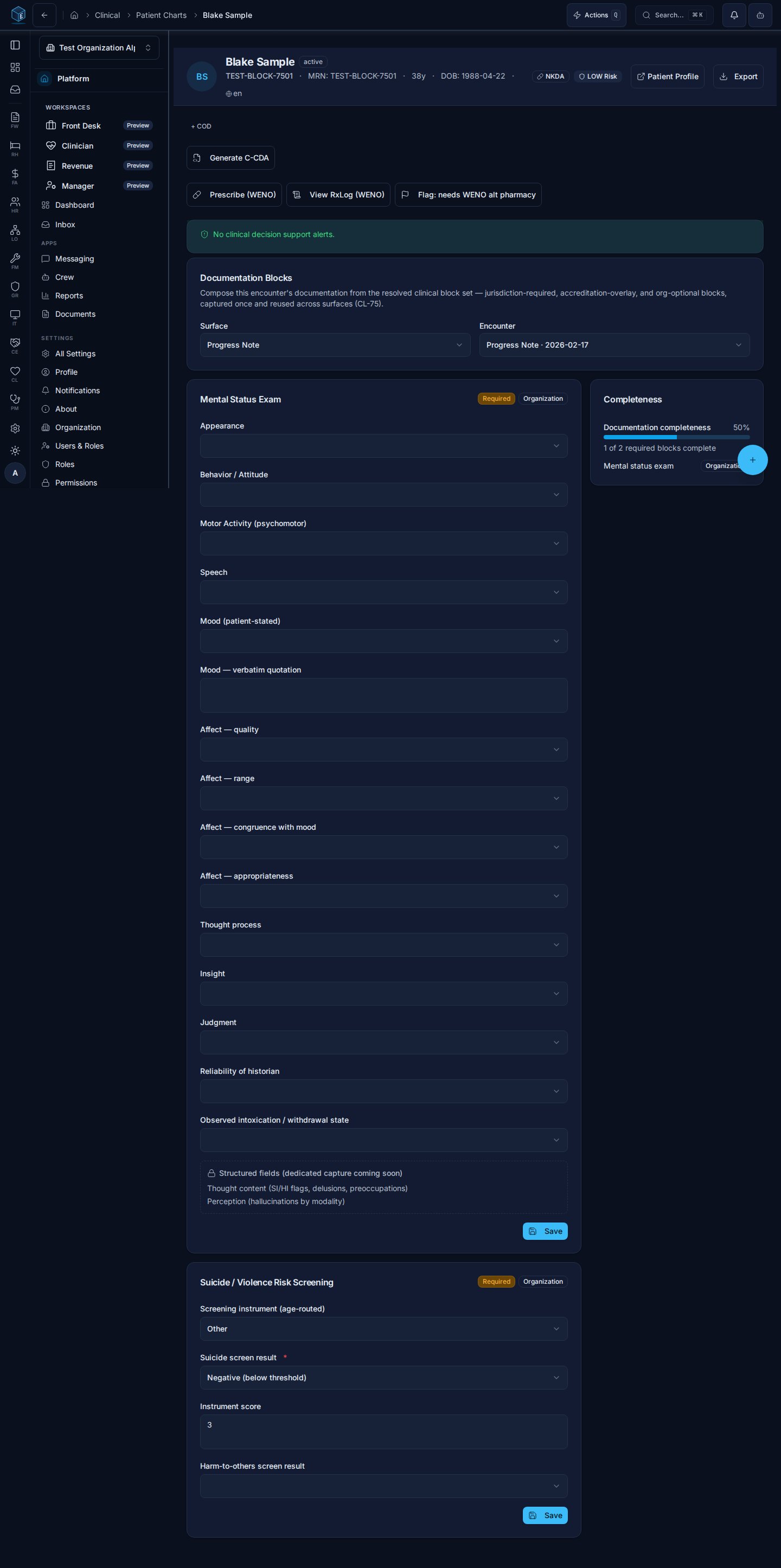
On a patient chart, the Documentation Blocks tab (/cl/charts/:chartId?tab=documentation-blocks) resolves the required block set for a selected encounter + surface and renders each block, required-first and source-tagged:
- Jurisdiction blocks come from the organization’s PF-96 jurisdiction profile (for Arizona/AHCCCS orgs, e.g. the MSE on progress notes).
- Accreditation blocks appear when a CARF/TJC overlay is active for the organization.
- Organization blocks are the org’s own optional additions, composed in the Surface Templates admin.
cl_mse_exams, the suicide/violence screen to cl_risk_screenings) — captured once, reused across surfaces. The Completeness panel (CL-59-EN-01) scores the same resolved required set the renderer draws, showing the completion percentage and the source-tagged list of still-missing required blocks.
Who it’s for
Requires permission:cl.progress_note.view (the tab); saving a block writes through the same clinical permissions as the owning record.
Composing surfaces: Surface Templates admin
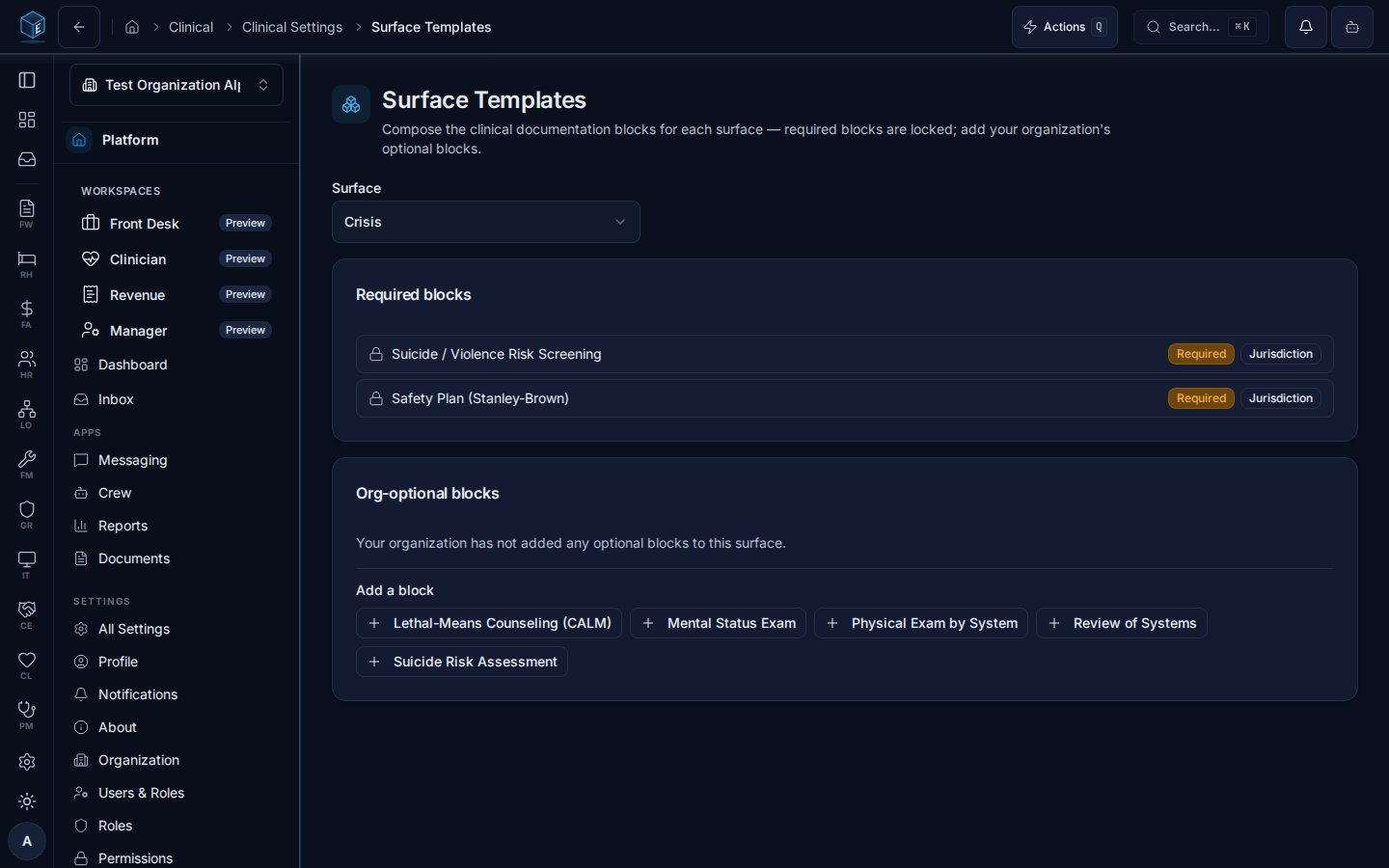
Org admins compose each surface’s blocks at Settings → Surface Templates (/cl/settings/surface-templates):
- Required blocks are locked. Blocks required by the jurisdiction profile or an active accreditation overlay display with their source and cannot be removed — an organization can never drop a required block.
- Org-optional blocks can be added from the block catalog and removed at any time; the resolver feeds them to the renderer and the completeness engine alongside the required set.
cl.assessment_template.manage
Notes
- Field-level requiredness can vary by active accreditation overlay (e.g. TJC NPSG.15.01.01 elements on the suicide-risk blocks) — overlay-tagged fields activate only when the overlay applies to the organization.
- Blocks flagged for 42 CFR Part 2 contexts carry a Part 2 badge; segmentation follows the chart’s SUD indicators and CL-11 consent gating.