> ## Documentation Index
> Fetch the complete documentation index at: https://docs.encoreos.io/llms.txt
> Use this file to discover all available pages before exploring further.
# Platform Provisioning Templates
> Manage tenant provisioning templates used to configure new organizations on the Encore OS platform.
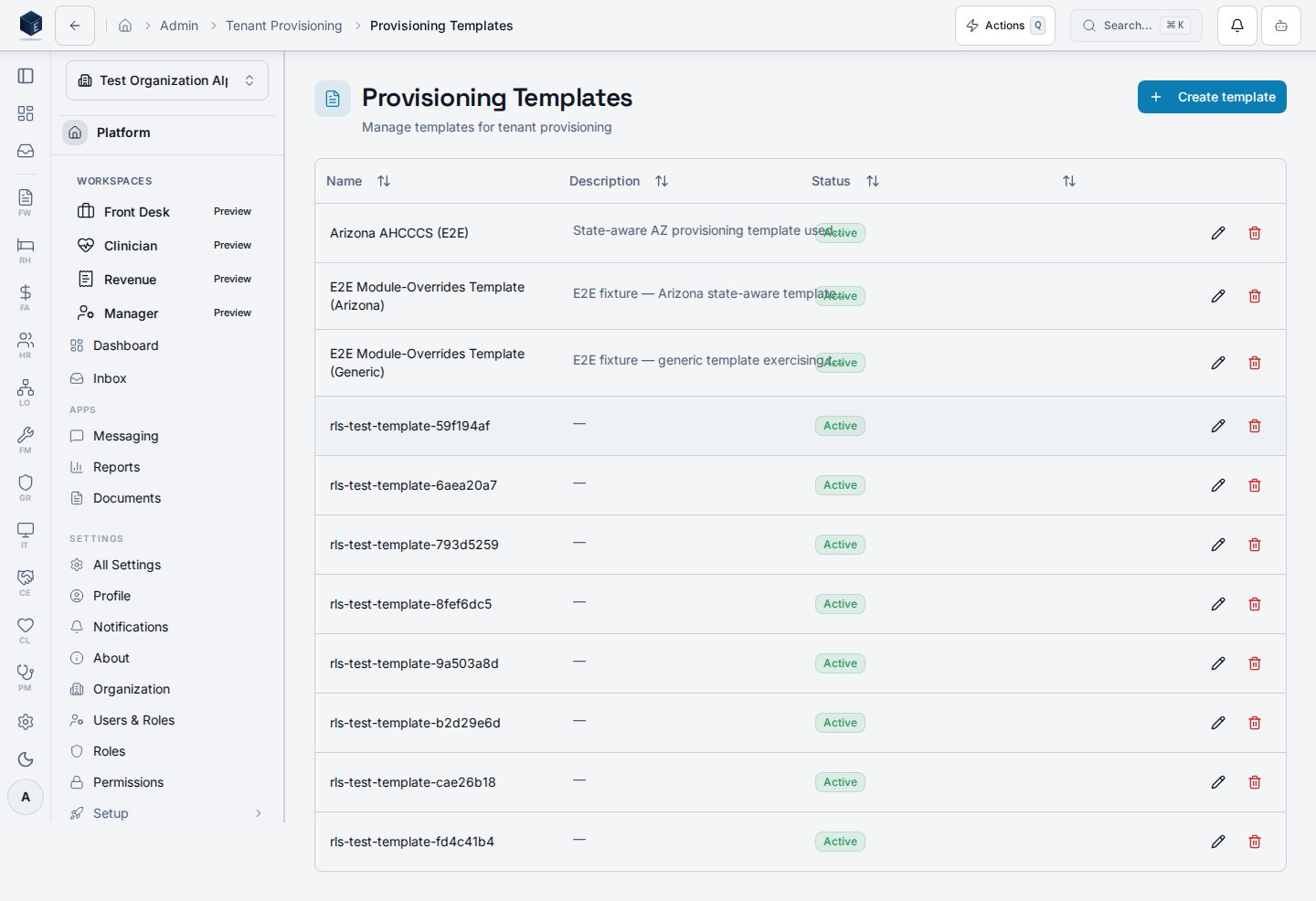
Provisioning template management page at `/admin/provisioning/templates` where platform administrators create, edit, and delete templates used when onboarding new tenant organizations.
## Overview
The Provisioning Templates page displays a table of existing templates (name, version, jurisdiction, status, active flag) fetched via `useProvisioningTemplates`. Platform admins can create new templates using the **New Template** button, which opens `TemplateFormDialog`. Rows support inline edit and delete actions; delete requires confirmation. A `platform.provisioning.manage-templates` permission gate protects the route.
 ## Who it's for
**Required permission:** `platform.provisioning.manage-templates`
## Before you start
* You must hold the `platform.provisioning.manage-templates` permission.
* Understand the target jurisdiction and configuration structure before creating a template.
## Steps
1. Navigate to `/admin/provisioning/templates`.
2. Review existing templates in the table.
3. To create a new template, click **New Template** and complete the form dialog.
4. To edit a template, click the edit icon on the desired row.
5. To delete a template, click the delete icon and confirm the action.
## Key concepts
**template\_config** — A JSON object that defines the configuration payload applied during provisioning. SME: confirm the schema.
**jurisdiction\_code** — An optional field that scopes a template to a specific regulatory jurisdiction.
**is\_active / status** — Controls whether a template is available for selection in new provisioning requests.
## Related
Platform Foundation overview.
This page documents shipped product behavior. It is not medical, legal, or
billing advice. Verify against your organization's policies and applicable
regulations before using it for clinical, compliance, or billing decisions.
Protected health information (PHI) shown in the product is governed by your
tenant's access controls and is never exposed in this documentation.
* src/routes/platform.tsx
* src/platform/provisioning/pages/ProvisioningTemplatesPage.tsx
* src/platform/provisioning/index.ts
* src/platform/provisioning/components/TemplateFormDialog.tsx
## Who it's for
**Required permission:** `platform.provisioning.manage-templates`
## Before you start
* You must hold the `platform.provisioning.manage-templates` permission.
* Understand the target jurisdiction and configuration structure before creating a template.
## Steps
1. Navigate to `/admin/provisioning/templates`.
2. Review existing templates in the table.
3. To create a new template, click **New Template** and complete the form dialog.
4. To edit a template, click the edit icon on the desired row.
5. To delete a template, click the delete icon and confirm the action.
## Key concepts
**template\_config** — A JSON object that defines the configuration payload applied during provisioning. SME: confirm the schema.
**jurisdiction\_code** — An optional field that scopes a template to a specific regulatory jurisdiction.
**is\_active / status** — Controls whether a template is available for selection in new provisioning requests.
## Related
Platform Foundation overview.
This page documents shipped product behavior. It is not medical, legal, or
billing advice. Verify against your organization's policies and applicable
regulations before using it for clinical, compliance, or billing decisions.
Protected health information (PHI) shown in the product is governed by your
tenant's access controls and is never exposed in this documentation.
* src/routes/platform.tsx
* src/platform/provisioning/pages/ProvisioningTemplatesPage.tsx
* src/platform/provisioning/index.ts
* src/platform/provisioning/components/TemplateFormDialog.tsx