> ## Documentation Index
> Fetch the complete documentation index at: https://docs.encoreos.io/llms.txt
> Use this file to discover all available pages before exploring further.
# Time Clock
> Employee self-service time clock for clocking in, clocking out, starting and ending breaks, with optional geolocation capture and recent punch history.
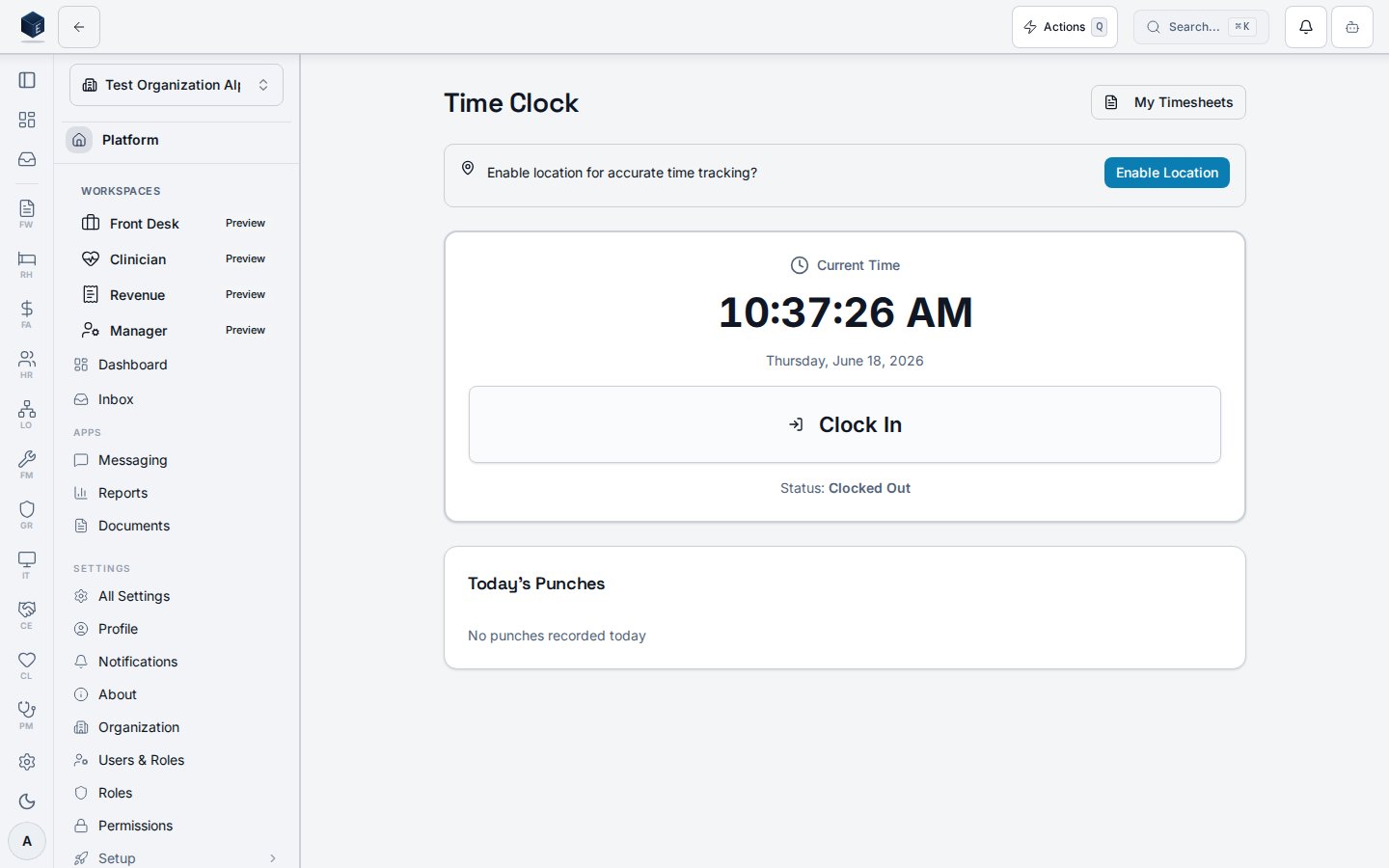
The Time Clock page provides employees with a clock-in/clock-out interface, break management, geolocation prompt, and recent punch history. It is served at route `/hr/time-clock`.
## Overview
The page uses `useCurrentPunchStatus` to determine if the employee is clocked in and their last punch type. `useTimePunch` provides `startBreak` and `endBreak` mutations. `GeolocationPrompt` optionally captures the current location. `ClockButton` handles clock-in/out. `RecentPunches` shows a list of recent punch records. A link to `/hr/my-timesheets` is provided.
 Permission: `HR_PERMISSIONS.TIME_CLOCK_VIEW` (`hr.time-clock.view`) — `RequirePermission` guard in `hr.tsx`.
## Who it's for
Permission: `hr.time-clock.view` — required by `RequirePermission` guard in `hr.tsx`.
## Before you start
* Employees must have `hr.time-clock.view` permission to access this page.
* Location sharing is optional but may be required by organizational policy.
## Steps
**Clock in**
1. Navigate to **HR > Time Clock** or go to `/hr/time-clock`.
2. Allow location access if prompted (optional).
3. Click **Clock In** via the `ClockButton` component.
**Clock out**
1. From the Time Clock page while clocked in, click **Clock Out**.
**Start/end a break**
1. While clocked in, click **Start Break** in the Break Management card.
2. Click **End Break** when returning from the break.
**View recent punches**
* The `RecentPunches` component below the clock button shows a history of recent time punches.
## Key concepts
| Term | Meaning |
| ---------------- | ---------------------------------------------------------------------------------------- |
| Punch | A single clock-in, clock-out, break-start, or break-end event with an optional location. |
| Geolocation | Optional lat/lng coordinates captured at punch time via browser API. |
| Break management | Start/end break actions create break\_start and break\_end punch records. |
## Related
Human Resources core overview.
This page documents shipped product behavior. It is not medical, legal, or
billing advice. Verify against your organization's policies and applicable
regulations before using it for clinical, compliance, or billing decisions.
Protected health information (PHI) shown in the product is governed by your
tenant's access controls and is never exposed in this documentation.
* src/routes/hr.tsx
* src/cores/hr/pages/TimeClock.tsx
* src/cores/hr/hooks/time/useCurrentPunchStatus.ts
* src/cores/hr/hooks/time/useTimePunch.ts
Permission: `HR_PERMISSIONS.TIME_CLOCK_VIEW` (`hr.time-clock.view`) — `RequirePermission` guard in `hr.tsx`.
## Who it's for
Permission: `hr.time-clock.view` — required by `RequirePermission` guard in `hr.tsx`.
## Before you start
* Employees must have `hr.time-clock.view` permission to access this page.
* Location sharing is optional but may be required by organizational policy.
## Steps
**Clock in**
1. Navigate to **HR > Time Clock** or go to `/hr/time-clock`.
2. Allow location access if prompted (optional).
3. Click **Clock In** via the `ClockButton` component.
**Clock out**
1. From the Time Clock page while clocked in, click **Clock Out**.
**Start/end a break**
1. While clocked in, click **Start Break** in the Break Management card.
2. Click **End Break** when returning from the break.
**View recent punches**
* The `RecentPunches` component below the clock button shows a history of recent time punches.
## Key concepts
| Term | Meaning |
| ---------------- | ---------------------------------------------------------------------------------------- |
| Punch | A single clock-in, clock-out, break-start, or break-end event with an optional location. |
| Geolocation | Optional lat/lng coordinates captured at punch time via browser API. |
| Break management | Start/end break actions create break\_start and break\_end punch records. |
## Related
Human Resources core overview.
This page documents shipped product behavior. It is not medical, legal, or
billing advice. Verify against your organization's policies and applicable
regulations before using it for clinical, compliance, or billing decisions.
Protected health information (PHI) shown in the product is governed by your
tenant's access controls and is never exposed in this documentation.
* src/routes/hr.tsx
* src/cores/hr/pages/TimeClock.tsx
* src/cores/hr/hooks/time/useCurrentPunchStatus.ts
* src/cores/hr/hooks/time/useTimePunch.ts