> ## Documentation Index
> Fetch the complete documentation index at: https://docs.encoreos.io/llms.txt
> Use this file to discover all available pages before exploring further.
# Compensation Management
> Define position-based salary bands with min/mid/max ranges and market percentiles — the structured pay framework behind merit planning and total-compensation statements.
## Overview
Compensation Management (HR-15) is where you define and govern the pay structure for
your organization: **salary bands** tied to positions, **merit increase** planning,
and **total-compensation statements**. Open it from **HR → Compensation**.
The foundation of the module is the **salary band** — a min / midpoint / max pay
range for a position, anchored to a market percentile. Bands give every pay
decision a consistent reference point (the *compa-ratio*: an employee's pay
relative to the band midpoint) and feed merit planning and equity analysis.
## Salary bands
The Salary Bands surface lists every active band with its position, range
(minimum, midpoint, maximum), spread, market percentile, and effective date. Use
**Add Salary Band** to define a new range, or filter by position to review a
specific role's structure.
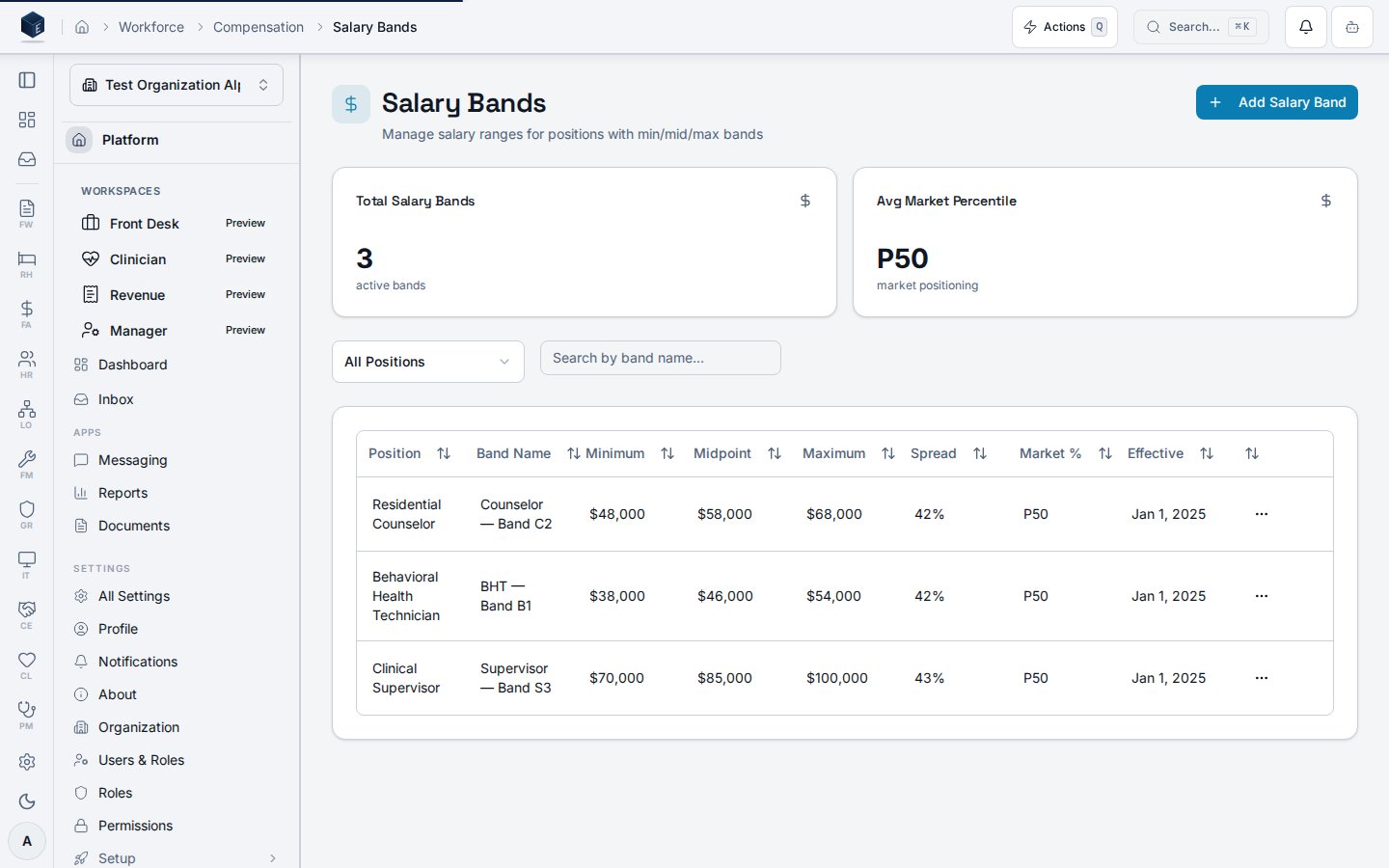 Each band records:
| Field | Meaning |
| ---------------------------- | --------------------------------------------------------------------------- |
| Position | The role the band governs (e.g. Residential Counselor, Clinical Supervisor) |
| Minimum / Midpoint / Maximum | The pay range floor, target, and ceiling |
| Spread | Maximum relative to minimum — the width of the range |
| Market % | The market percentile the band targets (e.g. P50 = market median) |
| Effective | The date the band takes effect |
## How bands are used
* **Compa-ratio** — an employee's base pay divided by their band midpoint, so you
can see who sits below, at, or above target for their role.
* **Merit planning** — proposed increases are evaluated against the band so raises
keep people within their range.
* **Equity analysis** — bands provide the structure for reviewing pay consistency
across positions.
## Permissions
| Capability | Required access |
| ------------------------------------ | --------------------------------------------------------------- |
| View salary bands | `org_admin` / `hr_admin` / `hr_manager`, or `hr.compensation.*` |
| Create and edit salary bands | `hr_admin` / compensation manager |
| View own compensation (self-service) | The employee, via **My Compensation** |
The screenshot above is generated automatically from the local end-to-end test
lane (`tests/e2e/hr/hr-15-compensation-docs-shots.spec.ts`, run via
`npm run docs:shots`) against synthetic seed data. That spec also runs an
auto-heal gate — it fails on any console error, page error, or HTTP ≥ 400 while
driving the surface — so the image reflects a clean, real render and is checked
by the screenshot drift gate.
Each band records:
| Field | Meaning |
| ---------------------------- | --------------------------------------------------------------------------- |
| Position | The role the band governs (e.g. Residential Counselor, Clinical Supervisor) |
| Minimum / Midpoint / Maximum | The pay range floor, target, and ceiling |
| Spread | Maximum relative to minimum — the width of the range |
| Market % | The market percentile the band targets (e.g. P50 = market median) |
| Effective | The date the band takes effect |
## How bands are used
* **Compa-ratio** — an employee's base pay divided by their band midpoint, so you
can see who sits below, at, or above target for their role.
* **Merit planning** — proposed increases are evaluated against the band so raises
keep people within their range.
* **Equity analysis** — bands provide the structure for reviewing pay consistency
across positions.
## Permissions
| Capability | Required access |
| ------------------------------------ | --------------------------------------------------------------- |
| View salary bands | `org_admin` / `hr_admin` / `hr_manager`, or `hr.compensation.*` |
| Create and edit salary bands | `hr_admin` / compensation manager |
| View own compensation (self-service) | The employee, via **My Compensation** |
The screenshot above is generated automatically from the local end-to-end test
lane (`tests/e2e/hr/hr-15-compensation-docs-shots.spec.ts`, run via
`npm run docs:shots`) against synthetic seed data. That spec also runs an
auto-heal gate — it fails on any console error, page error, or HTTP ≥ 400 while
driving the surface — so the image reflects a clean, real render and is checked
by the screenshot drift gate.