> ## Documentation Index
> Fetch the complete documentation index at: https://docs.encoreos.io/llms.txt
> Use this file to discover all available pages before exploring further.
# Applicant Tracking System (ATS)
> Recruit, evaluate, and hire candidates end to end — post jobs, collect public applications, run interviews, extend and accept offers, and measure recruiting performance.
## Overview
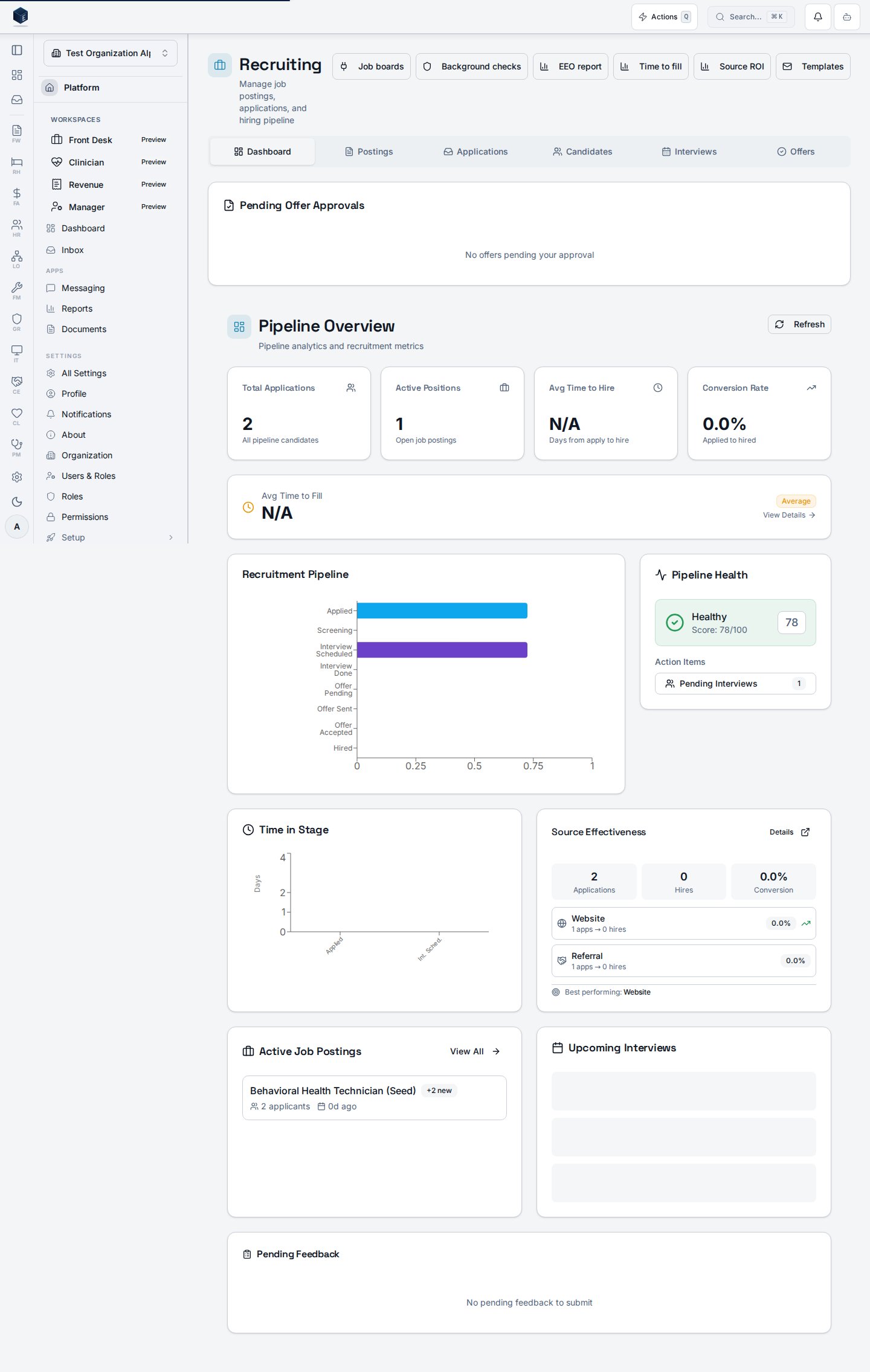
The Applicant Tracking System (HR-09) covers the full hiring lifecycle — from a published job posting through a candidate's public application, interviews and scorecards, an offer, and the hire that creates the employee record. Open it from **HR → Recruiting (ATS)**.
 ## Job postings
Create a posting linked to an open position, then **Publish** it. Only published postings are reachable from the public careers page.
## Job postings
Create a posting linked to an open position, then **Publish** it. Only published postings are reachable from the public careers page.
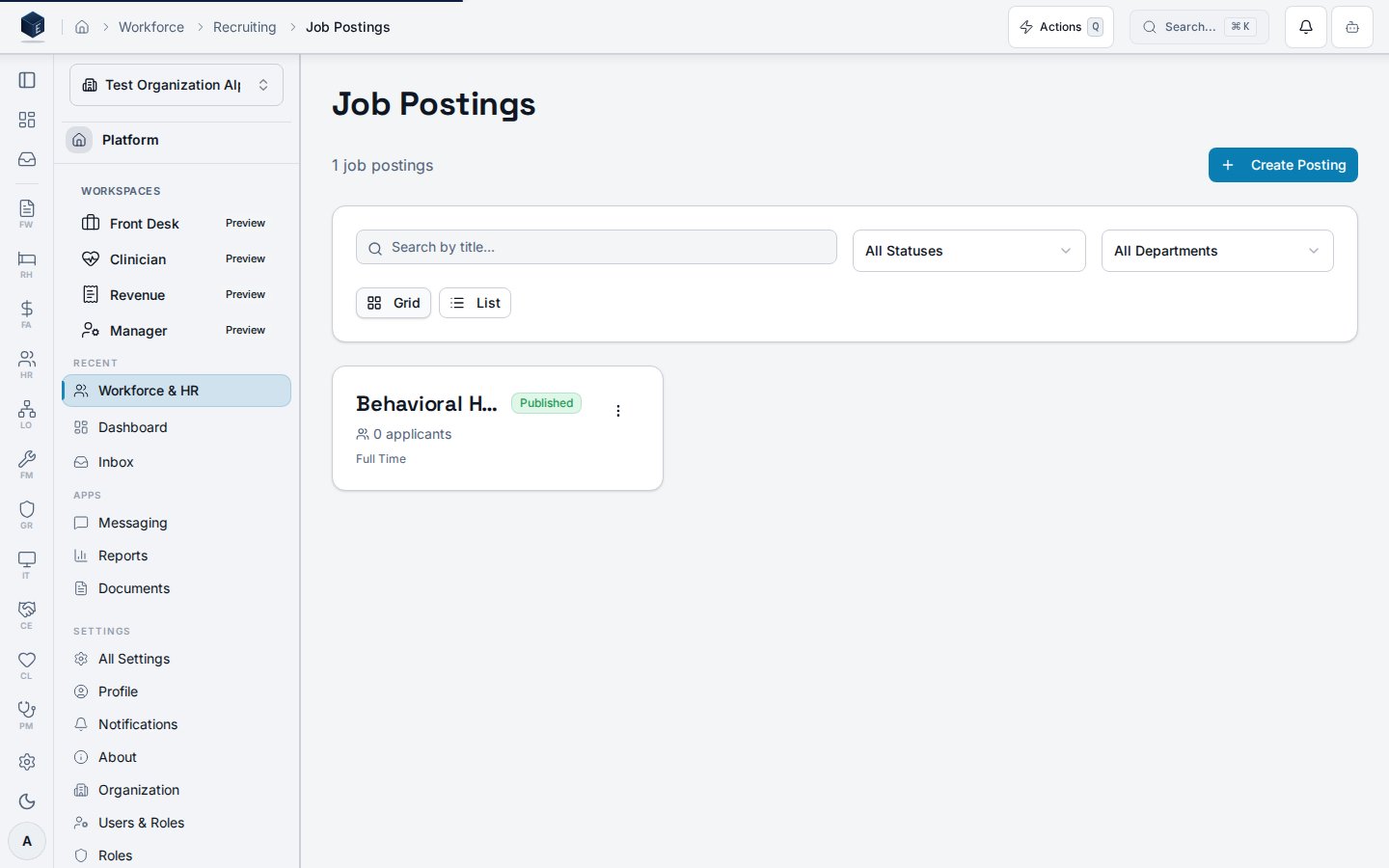 Publishing a posting transitions it from `draft` to `published` and stamps `published_at` — the start of the time-to-fill clock used by analytics.
## The public careers page
Each published posting has a public, unauthenticated careers URL at `/careers/:postingId`. Candidates view the role and apply without an account; the application is created server-side and the candidate sees an on-screen confirmation.
Publishing a posting transitions it from `draft` to `published` and stamps `published_at` — the start of the time-to-fill clock used by analytics.
## The public careers page
Each published posting has a public, unauthenticated careers URL at `/careers/:postingId`. Candidates view the role and apply without an account; the application is created server-side and the candidate sees an on-screen confirmation.
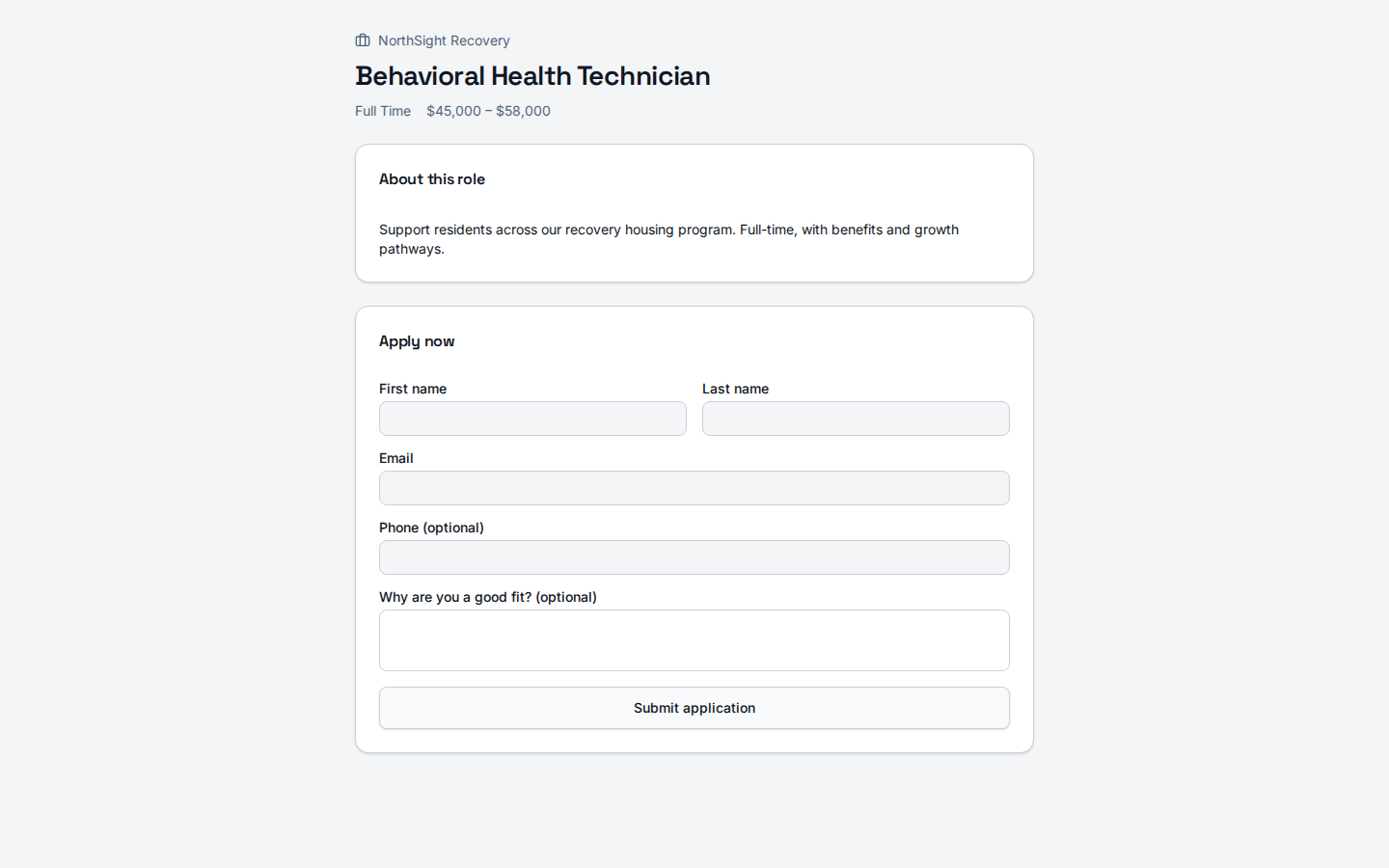 Public applications are accepted through a service-role edge function with per-IP rate limiting; a candidate record is found-or-created by email and a duplicate application to the same posting is collapsed into the existing one.
## The application pipeline
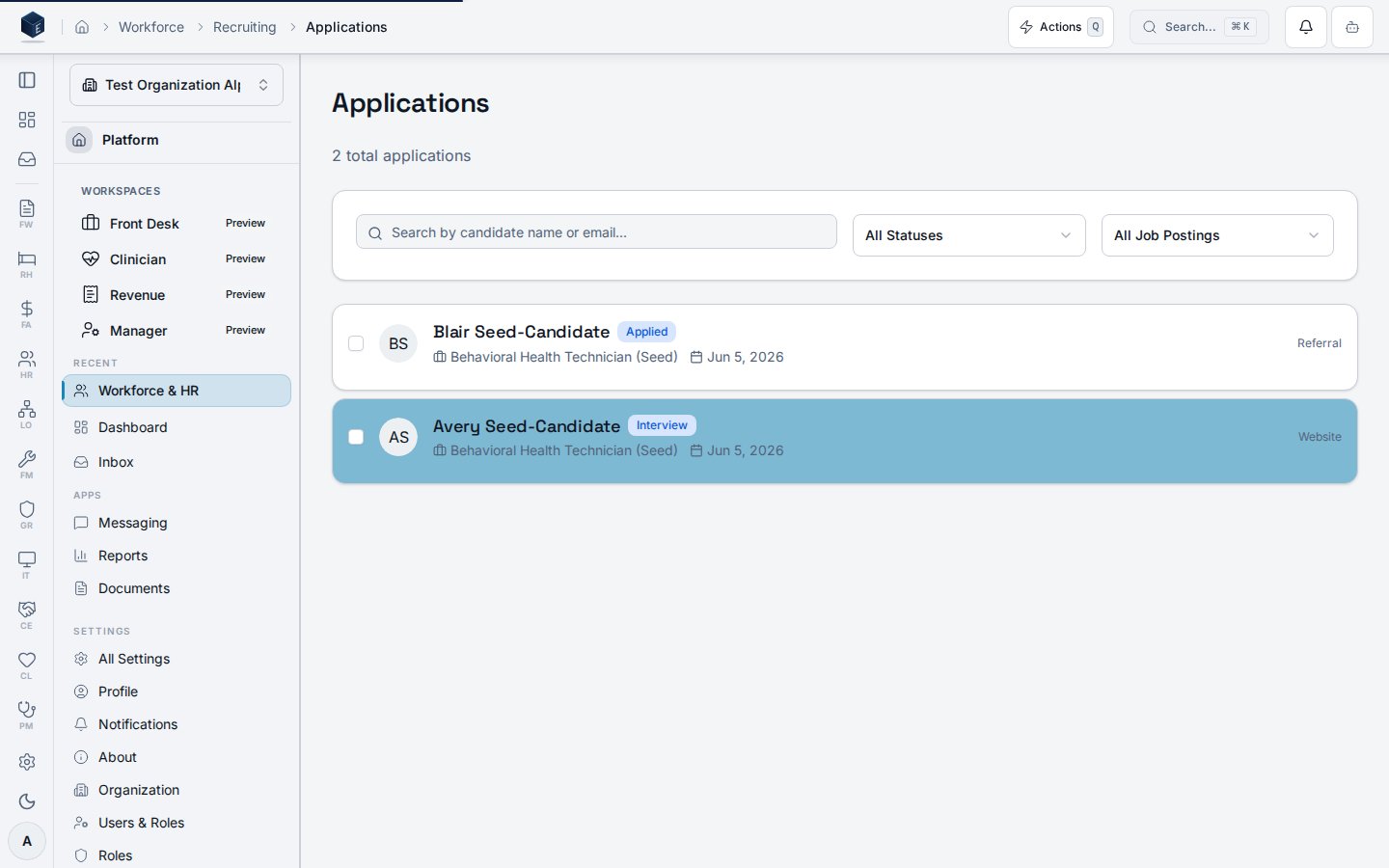
Applications progress through stages — `applied → screening → interview → offer → hired` (or `rejected`/`withdrawn`). Recruiters screen, advance, and manage candidates from the pipeline.
Public applications are accepted through a service-role edge function with per-IP rate limiting; a candidate record is found-or-created by email and a duplicate application to the same posting is collapsed into the existing one.
## The application pipeline
Applications progress through stages — `applied → screening → interview → offer → hired` (or `rejected`/`withdrawn`). Recruiters screen, advance, and manage candidates from the pipeline.
 ## Interviews & scorecards
Schedule interviews from an application and capture **structured feedback** — per-competency ratings (overall, technical, communication, cultural fit, problem solving) plus an overall recommendation (`strong_yes … strong_no`). Feedback is attributed to the interviewing employee and aggregated for the hiring manager.
## Offers — sending and accepting
Offers move through `draft → pending approval → approved → sent → accepted`. From a **sent** offer, the **Accept Offer** action records the candidate's acceptance and performs the hire.
## Interviews & scorecards
Schedule interviews from an application and capture **structured feedback** — per-competency ratings (overall, technical, communication, cultural fit, problem solving) plus an overall recommendation (`strong_yes … strong_no`). Feedback is attributed to the interviewing employee and aggregated for the hiring manager.
## Offers — sending and accepting
Offers move through `draft → pending approval → approved → sent → accepted`. From a **sent** offer, the **Accept Offer** action records the candidate's acceptance and performs the hire.
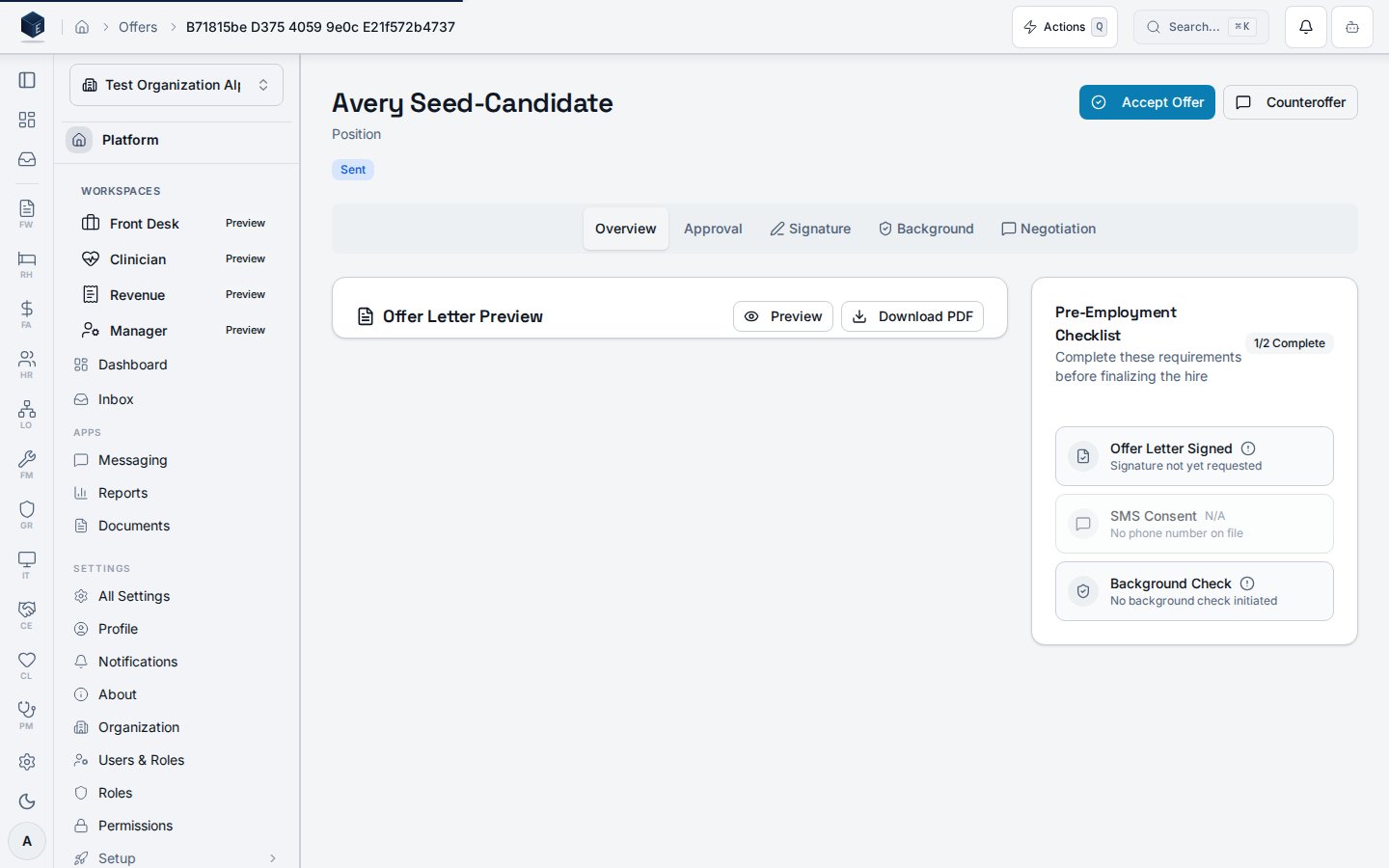 Accepting an offer is idempotent: it creates **exactly one** employee record (with its platform identity) and **one** hire transition, marks the application `hired`, and emits the `hr_employee_hired` event that drives HR-03 onboarding, IT-08 provisioning, and PF-10 notifications. Re-accepting the same offer is a safe no-op.
### Candidate self-service from the portal
Candidates can review, accept, or decline their own offers from the candidate portal — the self-service counterpart to the recruiter **Accept Offer** action. After a recruiter sends an offer, the candidate sees a **My Offers** link on their portal dashboard at `/hr/candidate-portal/offers`, opens an individual offer at `/hr/candidate-portal/offers/:offerId`, and confirms an **Accept** or **Decline** in a dialog.
The portal only surfaces offers in `sent`, `accepted`, `rejected`, `expired`, or `withdrawn` status — internal drafts and pending-approval offers are never exposed. Accepting from the portal runs the same idempotent hire pipeline as the admin action and emits `hr_employee_hired`. Declining transitions the offer to `rejected`, stamps `responded_at`, and mirrors the decline onto the linked application.
The portal uses a candidate-scoped JWT (not Supabase Auth), and every request is enforced against the offer's owning `candidate_id` + `organization_id`. A candidate cannot view or act on another candidate's offer.
| Action | Method + path | Auth |
| --------------------------- | ----------------------------------------------------------------------- | ---------- |
| List the candidate's offers | `GET /functions/v1/hr-portal-offers` | Portal JWT |
| Accept an offer | `POST /functions/v1/hr-offer-accept` with `{ type: "portal", offerId }` | Portal JWT |
| Decline an offer | `POST /functions/v1/hr-portal-offer-decline` with `{ offerId, notes? }` | Portal JWT |
## Analytics
### Time to fill
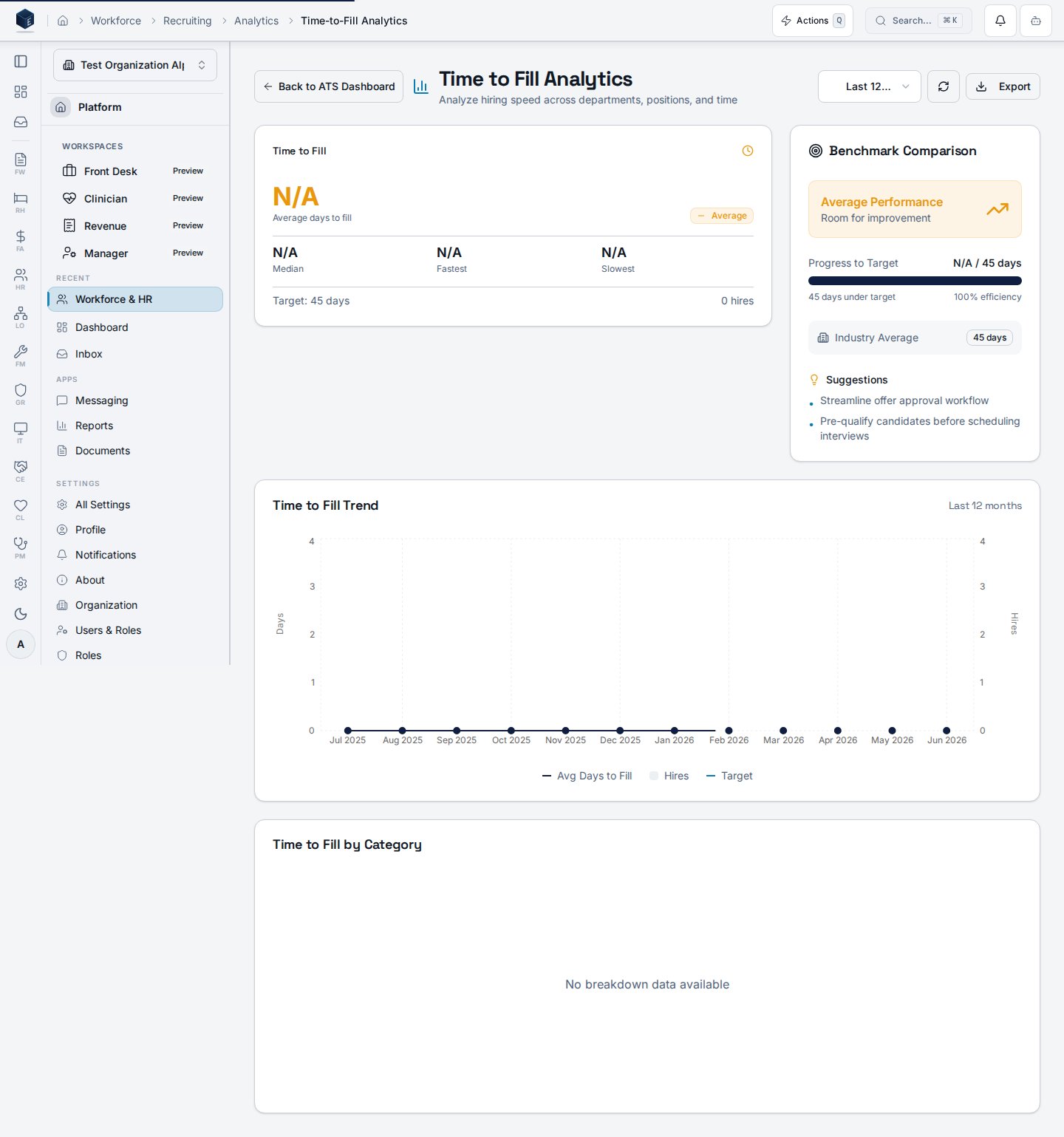
Measures the days from a posting's `published_at` to a hire's `hired_at`, with breakdowns and a target benchmark.
Accepting an offer is idempotent: it creates **exactly one** employee record (with its platform identity) and **one** hire transition, marks the application `hired`, and emits the `hr_employee_hired` event that drives HR-03 onboarding, IT-08 provisioning, and PF-10 notifications. Re-accepting the same offer is a safe no-op.
### Candidate self-service from the portal
Candidates can review, accept, or decline their own offers from the candidate portal — the self-service counterpart to the recruiter **Accept Offer** action. After a recruiter sends an offer, the candidate sees a **My Offers** link on their portal dashboard at `/hr/candidate-portal/offers`, opens an individual offer at `/hr/candidate-portal/offers/:offerId`, and confirms an **Accept** or **Decline** in a dialog.
The portal only surfaces offers in `sent`, `accepted`, `rejected`, `expired`, or `withdrawn` status — internal drafts and pending-approval offers are never exposed. Accepting from the portal runs the same idempotent hire pipeline as the admin action and emits `hr_employee_hired`. Declining transitions the offer to `rejected`, stamps `responded_at`, and mirrors the decline onto the linked application.
The portal uses a candidate-scoped JWT (not Supabase Auth), and every request is enforced against the offer's owning `candidate_id` + `organization_id`. A candidate cannot view or act on another candidate's offer.
| Action | Method + path | Auth |
| --------------------------- | ----------------------------------------------------------------------- | ---------- |
| List the candidate's offers | `GET /functions/v1/hr-portal-offers` | Portal JWT |
| Accept an offer | `POST /functions/v1/hr-offer-accept` with `{ type: "portal", offerId }` | Portal JWT |
| Decline an offer | `POST /functions/v1/hr-portal-offer-decline` with `{ offerId, notes? }` | Portal JWT |
## Analytics
### Time to fill
Measures the days from a posting's `published_at` to a hire's `hired_at`, with breakdowns and a target benchmark.
 ### EEO reporting
Aggregates applicant-pool and hired-candidate demographics with adverse-impact analysis and data-completeness. EEO data is stored in a restricted table readable only by compliance/admin roles.
### EEO reporting
Aggregates applicant-pool and hired-candidate demographics with adverse-impact analysis and data-completeness. EEO data is stored in a restricted table readable only by compliance/admin roles.
 ## Permissions
| Capability | Required access |
| ----------------------------------------------------------------- | ------------------------------------------------------------------------ |
| Create/publish postings, manage applications, schedule interviews | `org_admin` / `hr_admin` / `hr_manager`, or `hr.employees.*` permissions |
| Accept an offer (creates an employee account) | `org_admin` / `hr_admin` / `hr_manager`, or `hr.employees.create` |
| View EEO reporting | Compliance / org-admin roles only |
| Apply via the public careers page | No account (anonymous) |
## Related
* Source spec: `specs/hr/specs/HR-09-applicant-tracking-system.md`
* [Proliant payroll integration](/hr/proliant-setup)
## Permissions
| Capability | Required access |
| ----------------------------------------------------------------- | ------------------------------------------------------------------------ |
| Create/publish postings, manage applications, schedule interviews | `org_admin` / `hr_admin` / `hr_manager`, or `hr.employees.*` permissions |
| Accept an offer (creates an employee account) | `org_admin` / `hr_admin` / `hr_manager`, or `hr.employees.create` |
| View EEO reporting | Compliance / org-admin roles only |
| Apply via the public careers page | No account (anonymous) |
## Related
* Source spec: `specs/hr/specs/HR-09-applicant-tracking-system.md`
* [Proliant payroll integration](/hr/proliant-setup)