> ## Documentation Index
> Fetch the complete documentation index at: https://docs.encoreos.io/llms.txt
> Use this file to discover all available pages before exploring further.
# Onboarding & Offboarding
> Run a new hire's onboarding checklist and an exiting employee's offboarding — track tasks by category, capture the exit interview, and finalize the separation.
## Overview
Onboarding and offboarding (HR-03) cover an employee's first and last miles. An
**onboarding instance** is created with a categorized task checklist when a person
is hired; an **offboarding instance** is created with a checklist plus an exit
interview when a separation starts. Open them from **HR → Onboarding** and
**HR → Offboarding**.
Onboarding usually starts automatically: accepting an offer in the [ATS](/hr/hr-09-ats-guide)
emits `hr_employee_hired`, which creates the employee record, kicks off this
onboarding checklist, and drives IT provisioning (IT-08) and PF-10 notifications.
You can also start one manually.
## Onboarding dashboard
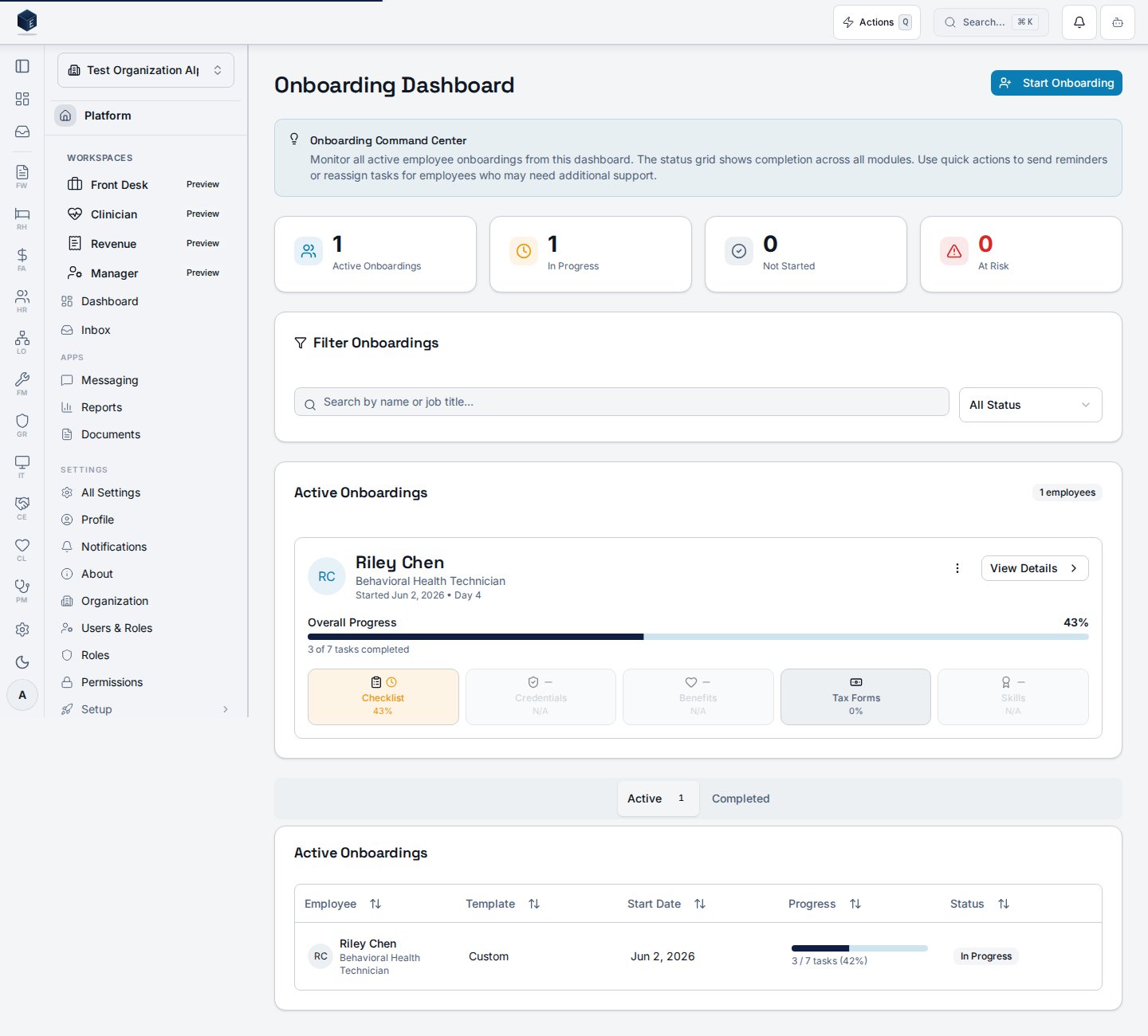
The dashboard lists new hires with **Active** and **Completed** tabs and each
instance's checklist progress. Select a row to open its detail.
 ## Onboarding tasks
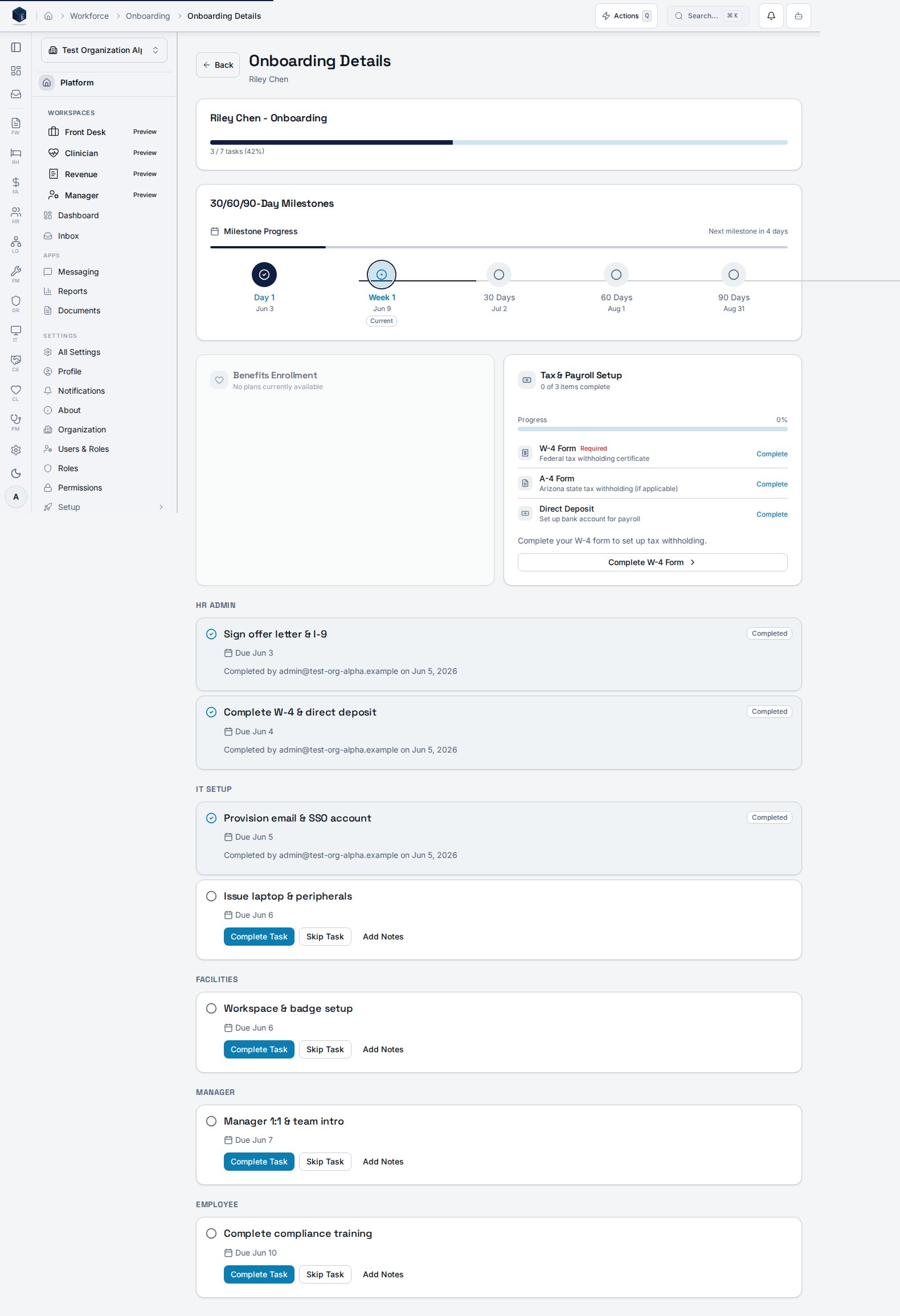
The detail page groups tasks by **category** (for example, account provisioning,
paperwork, training). Each task can be **completed** — with optional notes — or
**skipped**; completion stamps `completed_at` and `completed_by`. Tasks past their
due date are flagged **overdue**.
## Onboarding tasks
The detail page groups tasks by **category** (for example, account provisioning,
paperwork, training). Each task can be **completed** — with optional notes — or
**skipped**; completion stamps `completed_at` and `completed_by`. Tasks past their
due date are flagged **overdue**.
 ## Offboarding dashboard
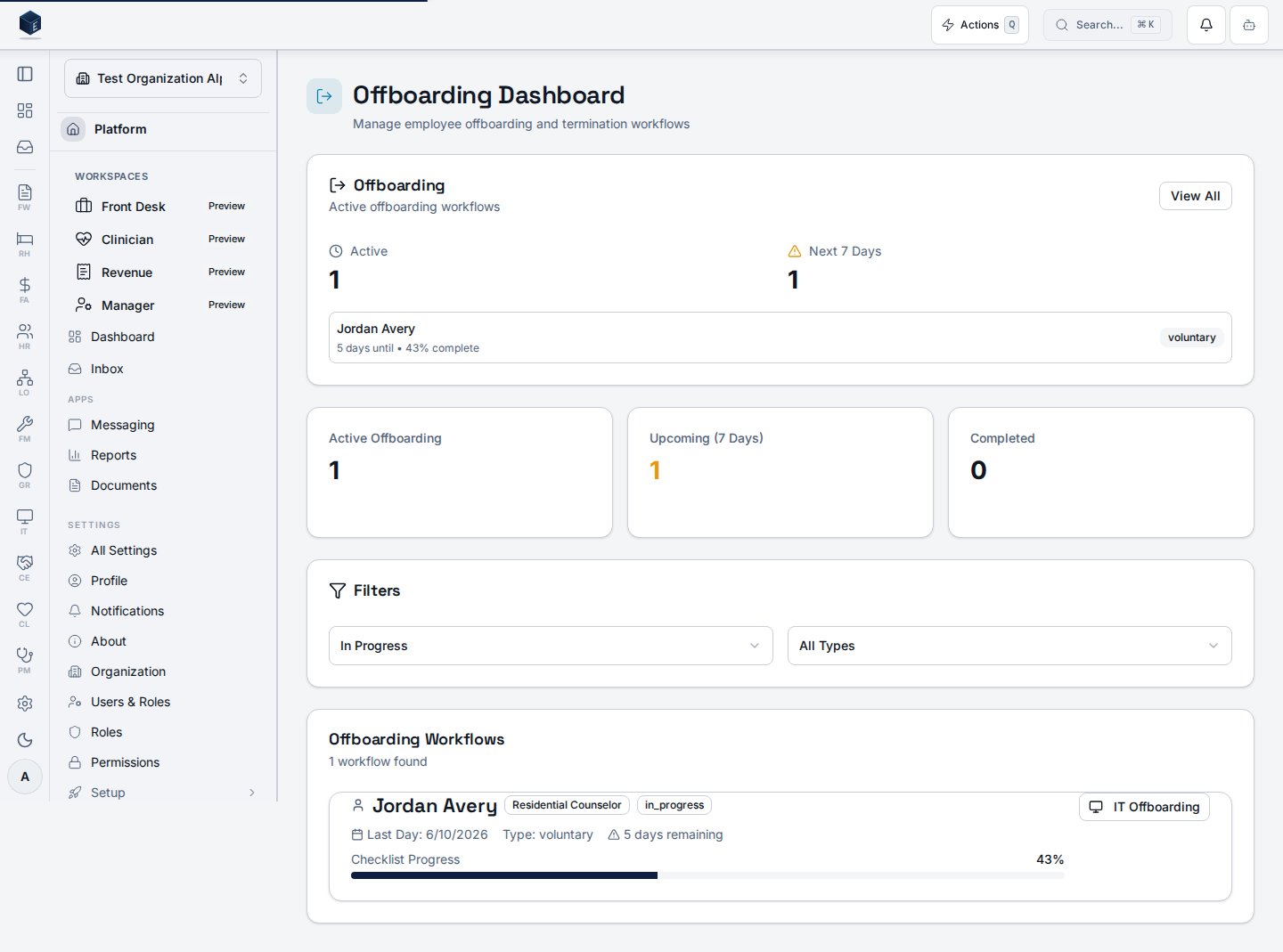
The offboarding dashboard shows separation stats, filters, and the list of
in-progress and completed workflows, each with its last day and checklist
progress.
## Offboarding dashboard
The offboarding dashboard shows separation stats, filters, and the list of
in-progress and completed workflows, each with its last day and checklist
progress.
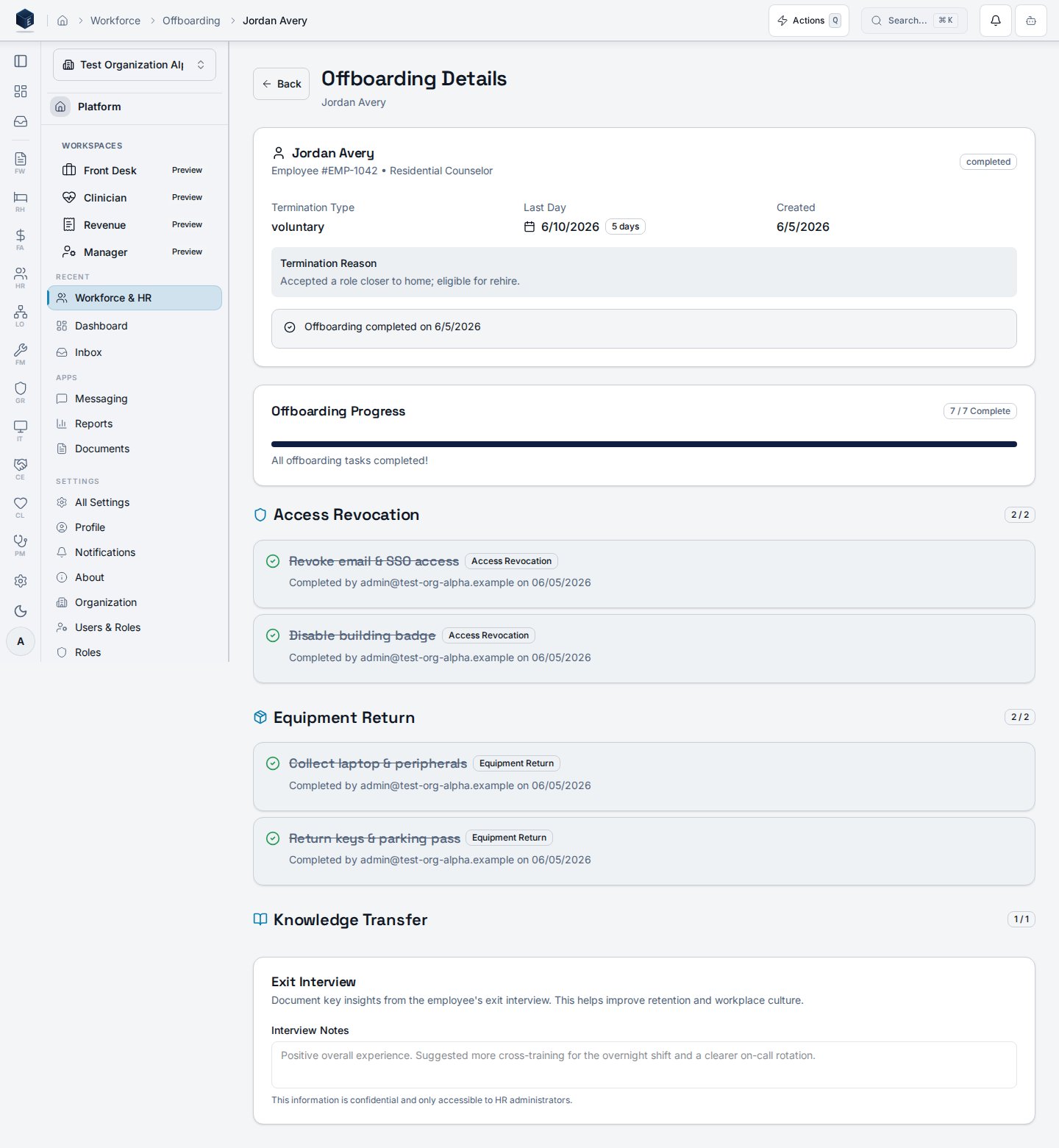
 ## Offboarding checklist & exit interview
The detail page pairs a **categorized checklist** (access revocation, equipment
return, knowledge transfer) with the **exit interview**. Completing checklist
items updates the progress percentage.
## Offboarding checklist & exit interview
The detail page pairs a **categorized checklist** (access revocation, equipment
return, knowledge transfer) with the **exit interview**. Completing checklist
items updates the progress percentage.
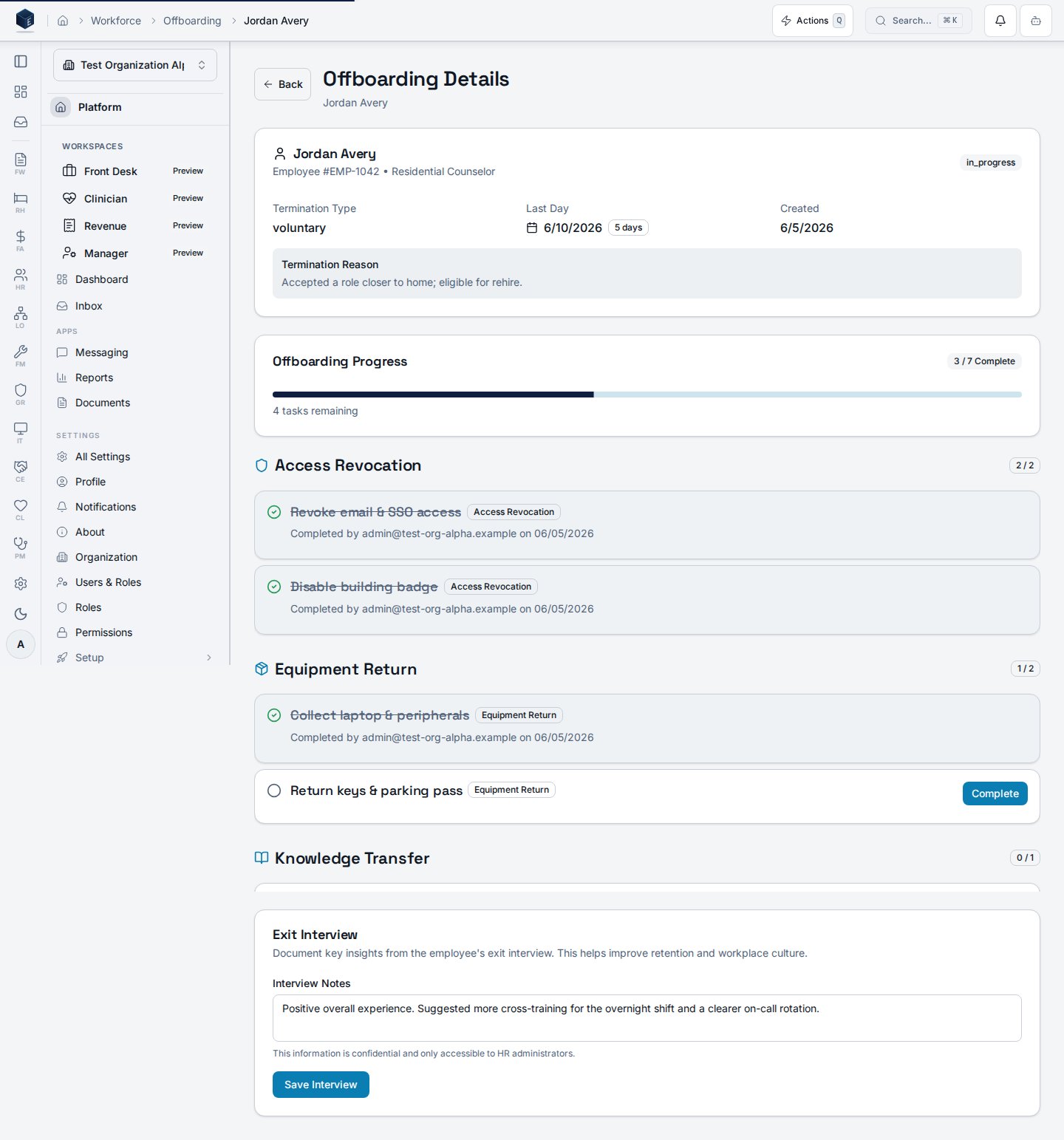 Record exit-interview notes in the same view. **Save is disabled until notes are
entered**, so an empty interview can't be saved by accident.
## Finalizing a separation
Once **every** checklist item is complete, the offboarding can be **finalized**.
Finalizing publishes the completion (the `publish_offboarding_completed` step) and
locks the record: the checklist and exit interview become **read-only** and the
banner reads "Offboarding completed on …".
Record exit-interview notes in the same view. **Save is disabled until notes are
entered**, so an empty interview can't be saved by accident.
## Finalizing a separation
Once **every** checklist item is complete, the offboarding can be **finalized**.
Finalizing publishes the completion (the `publish_offboarding_completed` step) and
locks the record: the checklist and exit interview become **read-only** and the
banner reads "Offboarding completed on …".
 ## Permissions
| Capability | Required access |
| -------------------------------------------------- | ------------------------------------------------------------ |
| View onboarding/offboarding dashboards and details | `org_admin` / `hr_admin` / `hr_manager`, or `hr.employees.*` |
| Complete or skip checklist tasks | Assigned task owner, or an HR manager/admin |
| Record the exit interview and finalize offboarding | `org_admin` / `hr_admin` / `hr_manager` |
The screenshots above are generated automatically from the local end-to-end test
lane (`tests/e2e/hr/hr-03-*-docs-shots.spec.ts`, run via `npm run docs:shots`), so
they stay in sync with the real UI and are checked by the screenshot drift gate.
## Permissions
| Capability | Required access |
| -------------------------------------------------- | ------------------------------------------------------------ |
| View onboarding/offboarding dashboards and details | `org_admin` / `hr_admin` / `hr_manager`, or `hr.employees.*` |
| Complete or skip checklist tasks | Assigned task owner, or an HR manager/admin |
| Record the exit interview and finalize offboarding | `org_admin` / `hr_admin` / `hr_manager` |
The screenshots above are generated automatically from the local end-to-end test
lane (`tests/e2e/hr/hr-03-*-docs-shots.spec.ts`, run via `npm run docs:shots`), so
they stay in sync with the real UI and are checked by the screenshot drift gate.