> ## Documentation Index
> Fetch the complete documentation index at: https://docs.encoreos.io/llms.txt
> Use this file to discover all available pages before exploring further.
# E-Verify
> Dashboard for tracking E-Verify case statuses with stats, tab filters, and compliance export.
The E-Verify Dashboard lists and tracks E-Verify cases for the organization with status-based filters and a compliance export option. It is available at route `/hr/everify`.
## Overview
The page fetches all cases (unfiltered) for stats and a filtered set for the list. Five stat counters display: Total, Active, Employment Authorized, TNC (Tentative Non-Confirmation), and Overdue. A tab bar provides quick filters: All, Active, Authorized, TNC, Overdue. Clicking a case row opens `EverifyCaseDetailDialog`. `EverifyComplianceExport` provides a compliance export action. Overdue cases are highlighted.
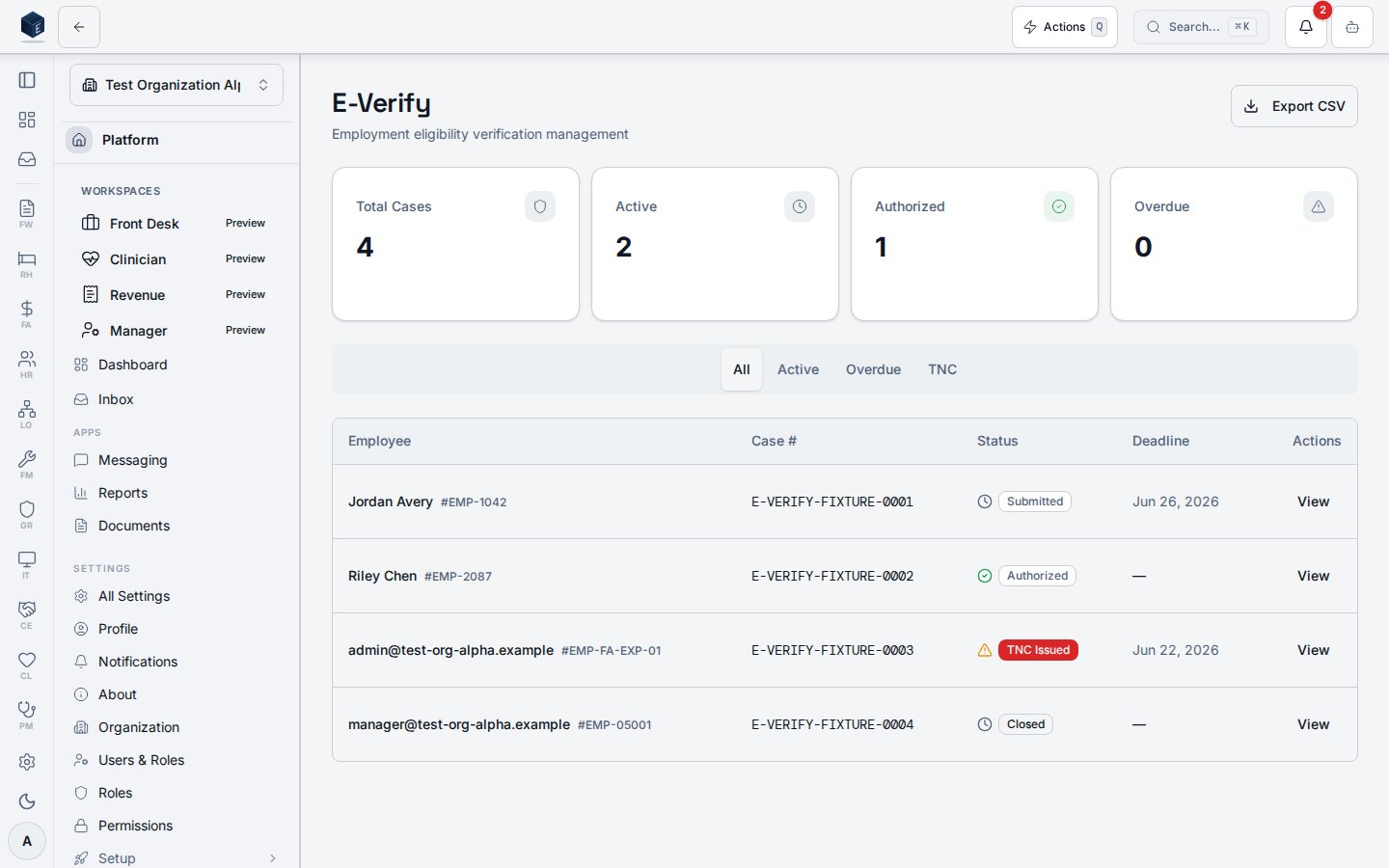 The screenshot is captured against synthetic seed data (`E-VERIFY-FIXTURE-*` case numbers); E-Verify handles work-authorization PII and no real case is ever rendered in documentation.
No `RequirePermission` wrapper is on the route itself; the component uses `PermissionGate` internally for any write actions.
## Who it's for
Access follows your organization's role and module configuration. Internal component gates manage write access. Data is scoped to the current organization.
## Before you start
* E-Verify settings must be configured at `/hr/everify/settings` before cases can be created.
## Steps
Navigate to **HR → E-Verify** or go to `/hr/everify`.
The five stat cards show a snapshot of case counts by status.
Use the tab bar to filter the list: All, Active, Authorized, TNC, or Overdue.
Click a case row to open the case detail dialog.
Use the compliance export control to generate a report.
## Key concepts
* **TNC (Tentative Non-Confirmation)** — A case status indicating a mismatch in the employee's work authorization data. SME should confirm required follow-up steps.
* **Overdue** — Cases where `deadline_at` is in the past and the status is not terminal.
## Permissions
The `/hr/everify` route has no route-level guard; the dashboard renders for any authenticated member of the organization, and write actions are gated internally via `PermissionGate`. Data is scoped to the current organization.
| Permission key | Grants |
| ------------------- | --------------------------------------------------------------- |
| `hr.everify.view` | View the E-Verify dashboard, case list, and case details |
| `hr.everify.manage` | Create / update cases and run TNC and compliance-export actions |
| `hr.everify.config` | Configure E-Verify settings at `/hr/everify/settings` |
Permission keys are assigned to roles in the role editor.
## Related
Human Resources core overview.
This page documents shipped product behavior. It is not medical, legal, or
billing advice. Verify against your organization's policies and applicable
regulations before using it for clinical, compliance, or billing decisions.
Protected health information (PHI) shown in the product is governed by your
tenant's access controls and is never exposed in this documentation.
* src/routes/hr.tsx
* src/cores/hr/pages/EverifyDashboardPage.tsx
* src/cores/hr/types/everify.ts
The screenshot is captured against synthetic seed data (`E-VERIFY-FIXTURE-*` case numbers); E-Verify handles work-authorization PII and no real case is ever rendered in documentation.
No `RequirePermission` wrapper is on the route itself; the component uses `PermissionGate` internally for any write actions.
## Who it's for
Access follows your organization's role and module configuration. Internal component gates manage write access. Data is scoped to the current organization.
## Before you start
* E-Verify settings must be configured at `/hr/everify/settings` before cases can be created.
## Steps
Navigate to **HR → E-Verify** or go to `/hr/everify`.
The five stat cards show a snapshot of case counts by status.
Use the tab bar to filter the list: All, Active, Authorized, TNC, or Overdue.
Click a case row to open the case detail dialog.
Use the compliance export control to generate a report.
## Key concepts
* **TNC (Tentative Non-Confirmation)** — A case status indicating a mismatch in the employee's work authorization data. SME should confirm required follow-up steps.
* **Overdue** — Cases where `deadline_at` is in the past and the status is not terminal.
## Permissions
The `/hr/everify` route has no route-level guard; the dashboard renders for any authenticated member of the organization, and write actions are gated internally via `PermissionGate`. Data is scoped to the current organization.
| Permission key | Grants |
| ------------------- | --------------------------------------------------------------- |
| `hr.everify.view` | View the E-Verify dashboard, case list, and case details |
| `hr.everify.manage` | Create / update cases and run TNC and compliance-export actions |
| `hr.everify.config` | Configure E-Verify settings at `/hr/everify/settings` |
Permission keys are assigned to roles in the role editor.
## Related
Human Resources core overview.
This page documents shipped product behavior. It is not medical, legal, or
billing advice. Verify against your organization's policies and applicable
regulations before using it for clinical, compliance, or billing decisions.
Protected health information (PHI) shown in the product is governed by your
tenant's access controls and is never exposed in this documentation.
* src/routes/hr.tsx
* src/cores/hr/pages/EverifyDashboardPage.tsx
* src/cores/hr/types/everify.ts