> ## Documentation Index
> Fetch the complete documentation index at: https://docs.encoreos.io/llms.txt
> Use this file to discover all available pages before exploring further.
# Unposted Entries
> View draft journal entries with aging analysis and export to CSV in the Finance & Revenue core.
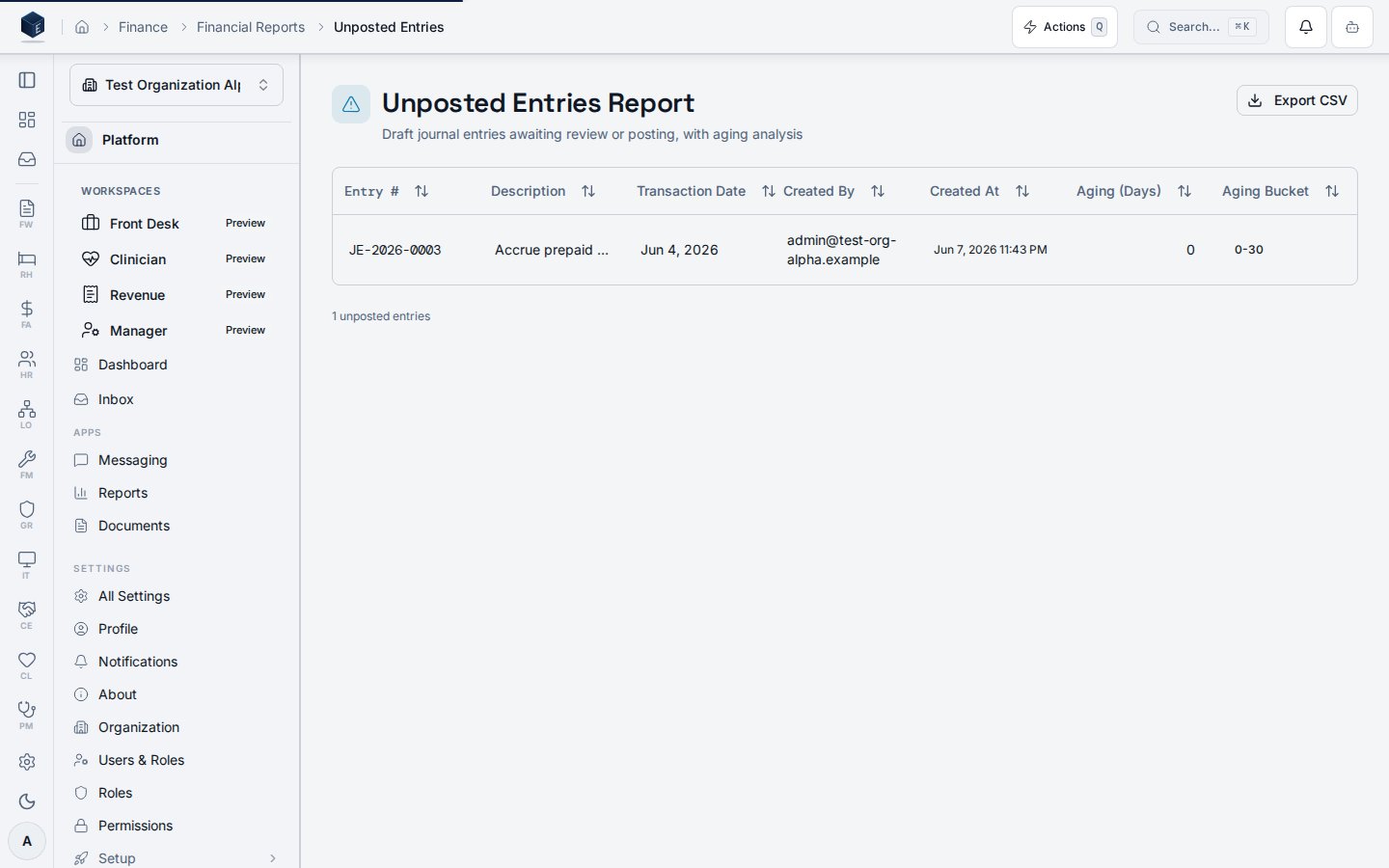
The Unposted Entries page (`/fa/reports/unposted-entries`) displays draft journal entries organized with aging buckets and provides CSV export.
 ## Overview
The Unposted Entries page loads data via `useUnpostedEntriesReport` (keyed by `organizationId`) and renders it in a `DataTable`. Aging buckets observed in code: `0-30`, `31-60`, `61-90`, `90+` days, rendered with badge variants (`secondary`, `outline`, `default`, `destructive`).
A CSV export action is available for users with `FA_PERMISSIONS.AUDIT_EXPORT`. The export uses `exportAgingReportCsv`.
The route requires `fa.audit.view` permission.
## Who it's for
Requires permission: `fa.audit.view`.
To export: `FA_PERMISSIONS.AUDIT_EXPORT` (also within `fa.audit.*`).
## Before you start
* Draft journal entries must exist for meaningful data.
* You need `fa.audit.view` to access this page.
## Steps
**View unposted entries**
1. Navigate to `/fa/reports/unposted-entries`.
2. Review the entries table with aging bucket badges.
**Export to CSV**
1. Click the **Export** button (requires `FA_PERMISSIONS.AUDIT_EXPORT`).
2. The CSV downloads via `exportAgingReportCsv`.
## Key concepts
* **Aging bucket**: Categorization of unposted entries by age in days: `0-30`, `31-60`, `61-90`, `90+`.
* **Unposted entry**: A draft journal entry row returned by `useUnpostedEntriesReport`.
## Related
Finance & Revenue core overview.
This page documents shipped product behavior. It is not medical, legal, or
billing advice. Verify against your organization's policies and applicable
regulations before using it for clinical, compliance, or billing decisions.
Protected health information (PHI) shown in the product is governed by your
tenant's access controls and is never exposed in this documentation.
* src/routes/fa.tsx
* src/cores/fa/pages/UnpostedEntriesReportPage.tsx
* src/cores/fa/hooks/useUnpostedEntriesReport.ts
* src/cores/fa/utils/auditExportCsv.ts
## Overview
The Unposted Entries page loads data via `useUnpostedEntriesReport` (keyed by `organizationId`) and renders it in a `DataTable`. Aging buckets observed in code: `0-30`, `31-60`, `61-90`, `90+` days, rendered with badge variants (`secondary`, `outline`, `default`, `destructive`).
A CSV export action is available for users with `FA_PERMISSIONS.AUDIT_EXPORT`. The export uses `exportAgingReportCsv`.
The route requires `fa.audit.view` permission.
## Who it's for
Requires permission: `fa.audit.view`.
To export: `FA_PERMISSIONS.AUDIT_EXPORT` (also within `fa.audit.*`).
## Before you start
* Draft journal entries must exist for meaningful data.
* You need `fa.audit.view` to access this page.
## Steps
**View unposted entries**
1. Navigate to `/fa/reports/unposted-entries`.
2. Review the entries table with aging bucket badges.
**Export to CSV**
1. Click the **Export** button (requires `FA_PERMISSIONS.AUDIT_EXPORT`).
2. The CSV downloads via `exportAgingReportCsv`.
## Key concepts
* **Aging bucket**: Categorization of unposted entries by age in days: `0-30`, `31-60`, `61-90`, `90+`.
* **Unposted entry**: A draft journal entry row returned by `useUnpostedEntriesReport`.
## Related
Finance & Revenue core overview.
This page documents shipped product behavior. It is not medical, legal, or
billing advice. Verify against your organization's policies and applicable
regulations before using it for clinical, compliance, or billing decisions.
Protected health information (PHI) shown in the product is governed by your
tenant's access controls and is never exposed in this documentation.
* src/routes/fa.tsx
* src/cores/fa/pages/UnpostedEntriesReportPage.tsx
* src/cores/fa/hooks/useUnpostedEntriesReport.ts
* src/cores/fa/utils/auditExportCsv.ts