> ## Documentation Index
> Fetch the complete documentation index at: https://docs.encoreos.io/llms.txt
> Use this file to discover all available pages before exploring further.
# Cost Allocation
> Tabbed hub for managing indirect cost pools, IDC rates, cost allocations, and allocation bases.
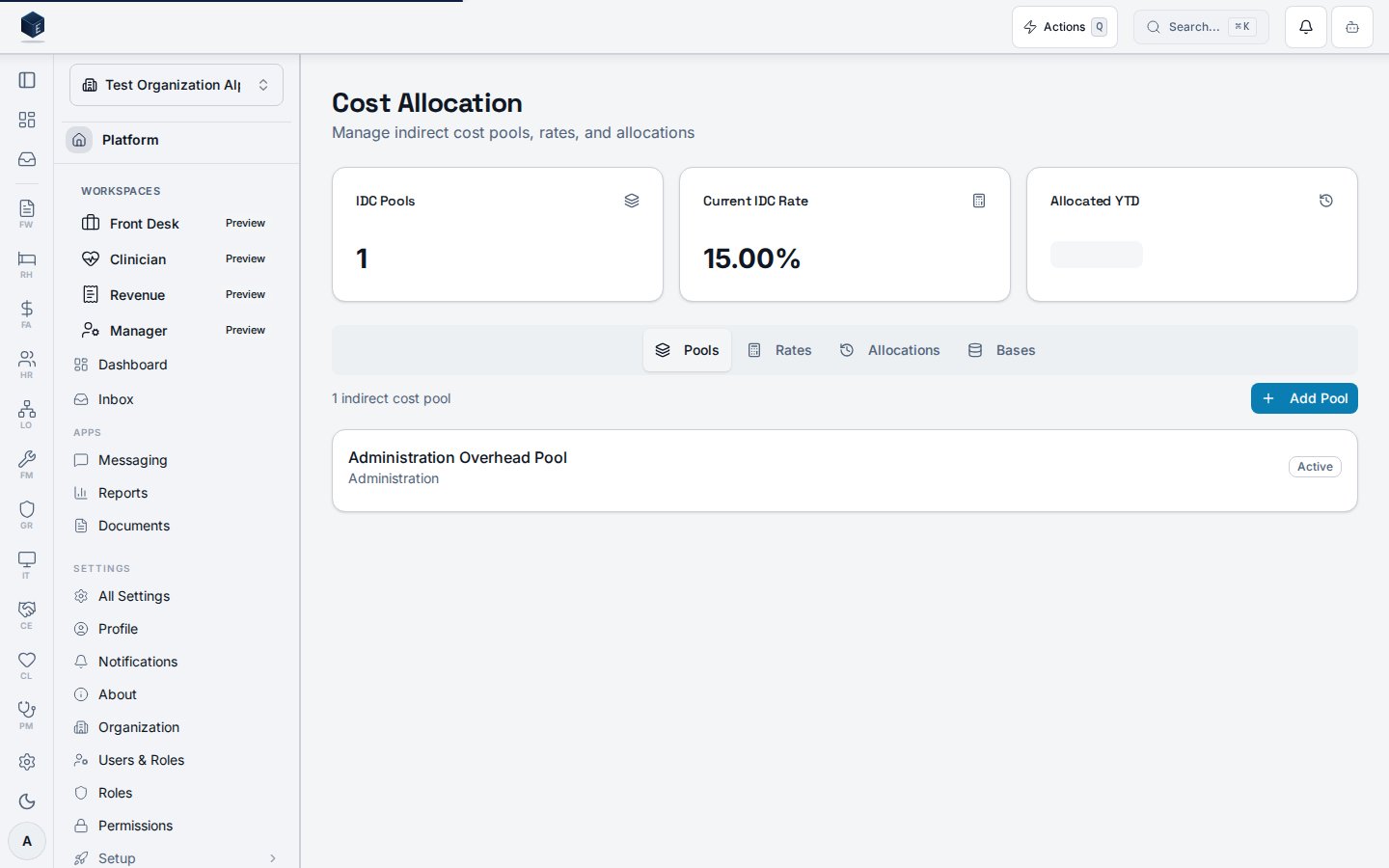
Cost Allocation is a tabbed hub for managing indirect cost (IDC) pools, rates, cost allocations, and allocation bases, with summary stat cards for the current approved rate and total allocated year-to-date. Route: `/fa/cost-allocation`
 ## Overview
The hub uses `useSearchParams` to manage the active tab (default: `pools`). Four tabs are rendered: IDC Pools (`IDCPoolsTab`), IDC Rates (`IDCRatesTab`), Allocations (`IDCAllocationsTab`), and Allocation Bases (`AllocationBasesTab`). Summary stat cards show the current approved/final rate and the total allocated IDC year-to-date (`allocated_idc_amount` summed across `useCostAllocations`).
## Who it's for
Requires permission: `fa.idc.view`
## Before you start
* You must hold the `fa.idc.view` permission.
* IDC pools and rates should be defined before allocations are run.
## Steps
Go to `/fa/cost-allocation`.
Check the current approved IDC rate and total allocated YTD.
Select the Pools tab to view and manage indirect cost pools.
Select the Rates tab to view and manage rate records. The current approved or final rate is highlighted in the stat card.
Select the Allocations tab for allocation records and amounts.
Select the Allocation Bases tab to configure the bases used in allocation calculations.
## Key concepts
* **`useIndirectCostPools`** — Hook fetching IDC pool records.
* **`useIndirectCostRates`** — Hook fetching rate records; current rate has status `approved` or `final`.
* **`useCostAllocations`** — Hook fetching allocation records with `allocated_idc_amount`.
* **`useAllocationBases`** — Hook fetching allocation base configurations.
* **`IndirectCostRateWithRelations`** — Type for rate records.
* **`CostAllocationWithRelations`** — Type for allocation records.
## Related
Finance & Revenue core overview.
This page documents shipped product behavior. It is not medical, legal, or
billing advice. Verify against your organization's policies and applicable
regulations before using it for clinical, compliance, or billing decisions.
Protected health information (PHI) shown in the product is governed by your
tenant's access controls and is never exposed in this documentation.
* src/routes/fa.tsx
* src/cores/fa/pages/IndirectCostHubPage.tsx
* src/cores/fa/hooks/useIndirectCostPools.ts
* src/cores/fa/hooks/useIndirectCostRates.ts
* src/cores/fa/hooks/useCostAllocations.ts
* src/cores/fa/hooks/useAllocationBases.ts
* src/cores/fa/types/costAllocation.ts
* src/cores/fa/types/projects.ts
## Overview
The hub uses `useSearchParams` to manage the active tab (default: `pools`). Four tabs are rendered: IDC Pools (`IDCPoolsTab`), IDC Rates (`IDCRatesTab`), Allocations (`IDCAllocationsTab`), and Allocation Bases (`AllocationBasesTab`). Summary stat cards show the current approved/final rate and the total allocated IDC year-to-date (`allocated_idc_amount` summed across `useCostAllocations`).
## Who it's for
Requires permission: `fa.idc.view`
## Before you start
* You must hold the `fa.idc.view` permission.
* IDC pools and rates should be defined before allocations are run.
## Steps
Go to `/fa/cost-allocation`.
Check the current approved IDC rate and total allocated YTD.
Select the Pools tab to view and manage indirect cost pools.
Select the Rates tab to view and manage rate records. The current approved or final rate is highlighted in the stat card.
Select the Allocations tab for allocation records and amounts.
Select the Allocation Bases tab to configure the bases used in allocation calculations.
## Key concepts
* **`useIndirectCostPools`** — Hook fetching IDC pool records.
* **`useIndirectCostRates`** — Hook fetching rate records; current rate has status `approved` or `final`.
* **`useCostAllocations`** — Hook fetching allocation records with `allocated_idc_amount`.
* **`useAllocationBases`** — Hook fetching allocation base configurations.
* **`IndirectCostRateWithRelations`** — Type for rate records.
* **`CostAllocationWithRelations`** — Type for allocation records.
## Related
Finance & Revenue core overview.
This page documents shipped product behavior. It is not medical, legal, or
billing advice. Verify against your organization's policies and applicable
regulations before using it for clinical, compliance, or billing decisions.
Protected health information (PHI) shown in the product is governed by your
tenant's access controls and is never exposed in this documentation.
* src/routes/fa.tsx
* src/cores/fa/pages/IndirectCostHubPage.tsx
* src/cores/fa/hooks/useIndirectCostPools.ts
* src/cores/fa/hooks/useIndirectCostRates.ts
* src/cores/fa/hooks/useCostAllocations.ts
* src/cores/fa/hooks/useAllocationBases.ts
* src/cores/fa/types/costAllocation.ts
* src/cores/fa/types/projects.ts